







MP 3009X
Get A Quote
When a CNC machine goes down unexpectedly, the shop floor changes immediately. Parts stop flowing, operators stand by, shipping dates start to slip, and you can feel the pressure ripple through the plant. Industry sources focused on Fanuc systems point out that unplanned machine stops contribute to billions of dollars in lost productivity every year in U.S. factories. As someone who gets called when a production cell is dead in the water, I can tell you that the difference between a two‑hour interruption and a two‑day outage usually comes down to how disciplined your first response is.
This article walks through a practical, field-tested approach to emergency CNC system repair. The goal is simple: stabilize the situation, identify whether the problem is mechanical, electrical, software, or safety-related, and either restore the machine safely in-house or hand off cleanly to a professional repair team. Along the way, we will focus on emergency stops, Fanuc-style diagnostics, realistic in-house checks, and the maintenance and fire protection practices that make future emergencies less likely.
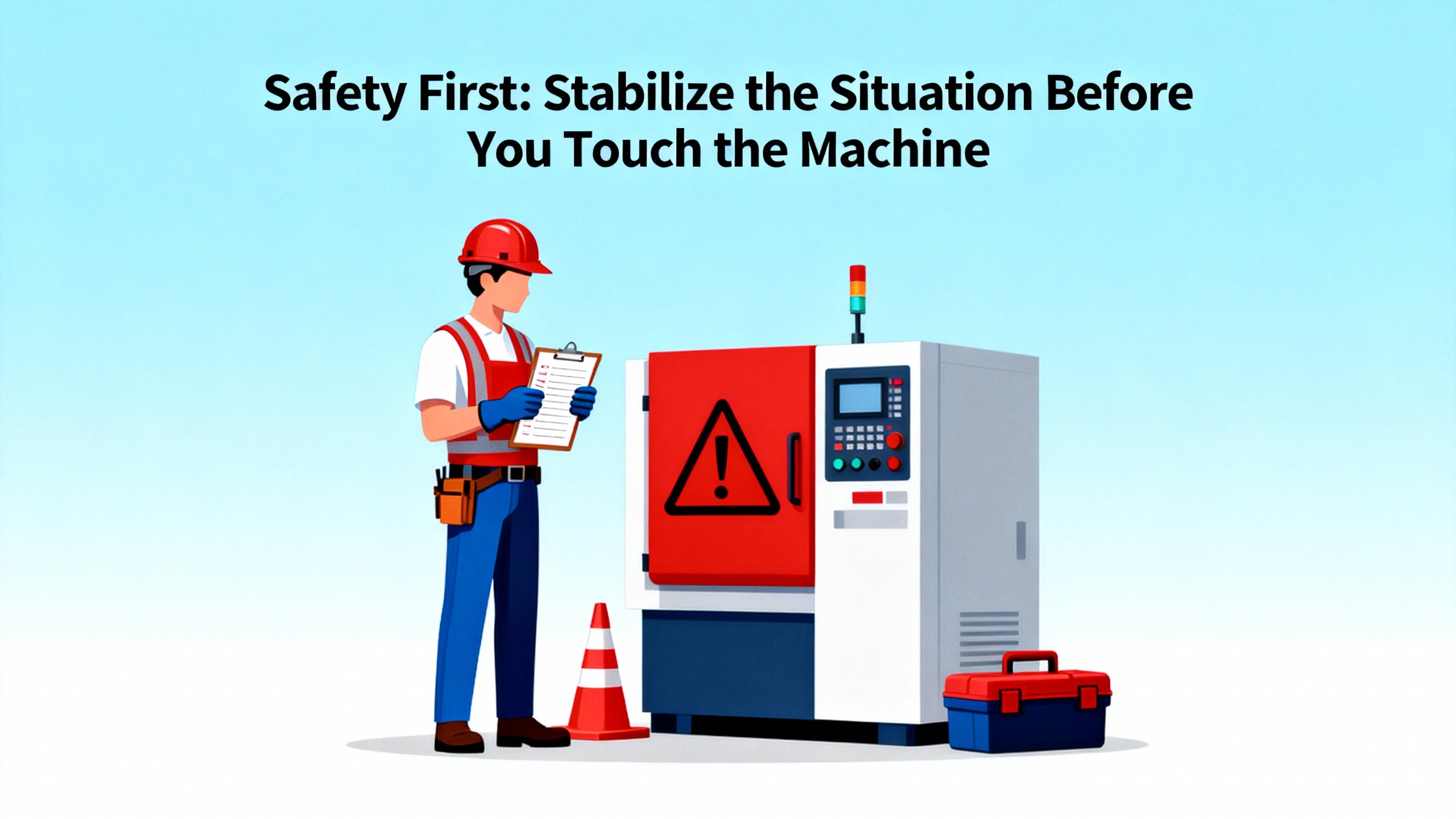
When a CNC machine fails mid‑cycle, the instinct is to rush into the enclosure and “see what happened.” That is exactly how minor machine issues become serious injuries. Safety guidance from CNC safety experts like Fictiv and maintenance practitioners consistently says the same thing: do not panic, and do not bypass safety systems.
If the machine is still moving in an uncontrolled way, hit the emergency stop. A true emergency stop function immediately halts all motion, cuts power to drives and motors, and secures equipment when an unsafe condition is detected. Once motion has ceased, take ten seconds to look around. Verify that the operator and anyone nearby are uninjured, that no chips or coolant are still spraying, and that there are no signs of fire or heavy smoke. If there is any indication of fire or severe electrical damage, follow plant emergency procedures before you even think about troubleshooting.
CNC safety guidance built around OSHA Standard 1910.212 emphasizes that lockout/tagout is non‑negotiable for troubleshooting that involves open electrical enclosures, exposed wiring, or disassembly of guards and covers. Use your formal lockout/tagout process to de‑energize the machine fully, apply locks and tags, and verify zero energy before putting hands inside. Emergency stops are not lockout devices; they are a first line of defense, not a substitute for proper isolation.
Fire risk deserves special attention. CNC and electrical discharge machines rely heavily on oil-based lubricants and coolants that can overheat and ignite from a single spark, according to fire‑protection firms that focus on industrial hazards. NFPA data they cite shows that industrial equipment is a leading cause of structural fires in manufacturing facilities. If your CNCs run flammable coolants, an emergency stop event must always include a quick fire check and confirmation that your dedicated fire suppression systems are armed and functioning before you resume production.
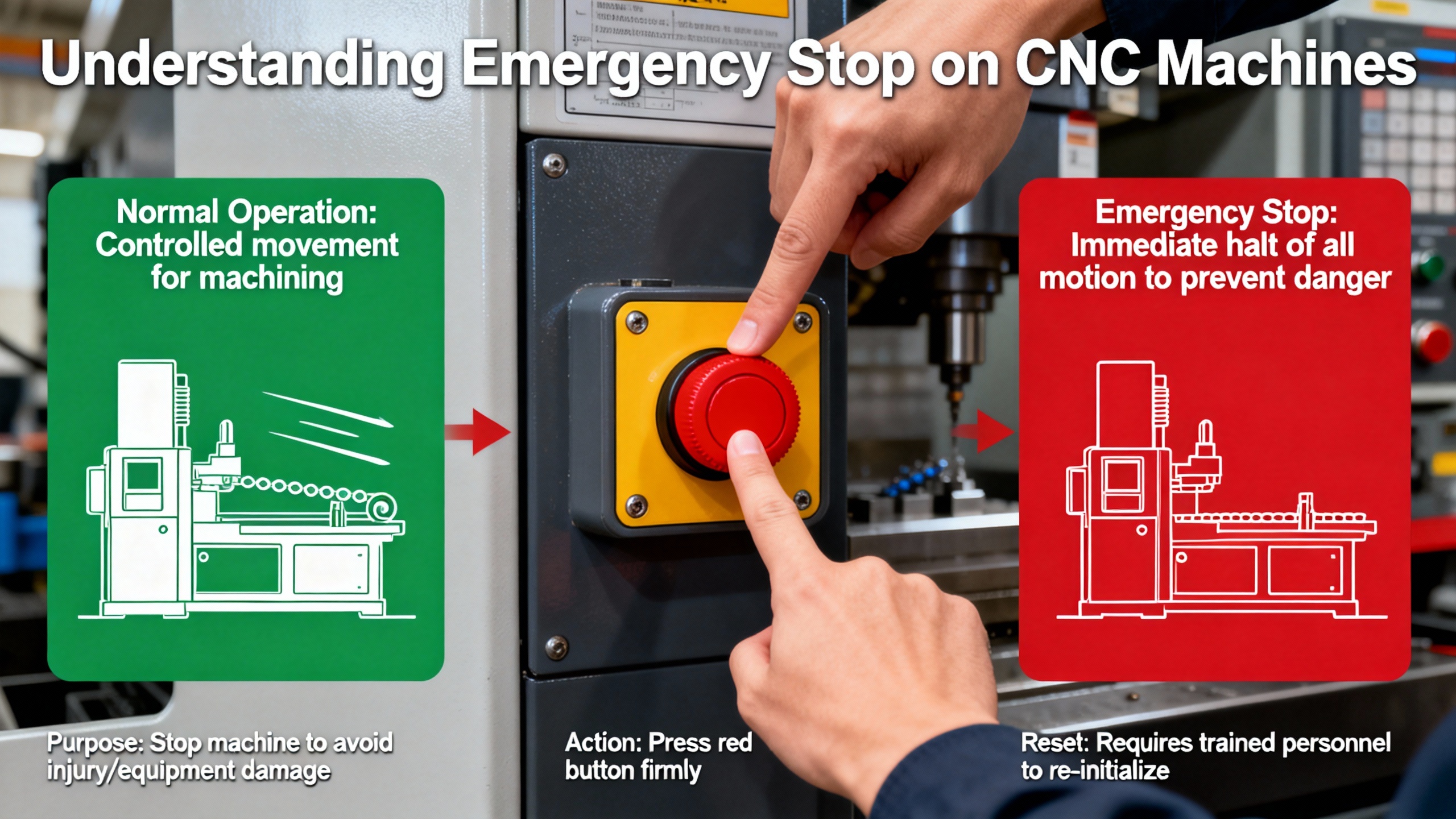
It is easy to treat emergency stop alarms as just another nuisance message on the screen, but in control-system terms an E‑stop is different from a normal alarm or feed hold. A Fanuc-focused service provider describes the E‑stop function as a safety action that immediately halts all motion, shuts down motors, and secures equipment whenever an emergency or unsafe condition is detected.
On a modern CNC, an emergency stop or machine stop can be triggered by several sources. The obvious one is the large red emergency stop button on the panel or on a nearby pedestal. Less obvious triggers include door interlocks, light curtains, safety mats, limit and overtravel switches, safety relays, and in some cases spindle-drive or servo alarms that are wired into the E‑stop chain. If any device in that chain opens, the control stops the machine and refuses to clear the condition until the chain is restored.
Fanuc systems and many other controls provide built‑in diagnostic pages that show which safety inputs are active, which interlocks are open, and what alarm codes are present. A Fanuc article stresses that operators and technicians should be trained to interpret those diagnostic screens instead of just cycling power repeatedly. That is particularly true when you see combinations of E‑stop alarms and axis or spindle alarms, which often point directly at the failed component.
Axis overtravel is one special case that often appears to the operator as an emergency stop. When an axis hits its travel limit, a dedicated overtravel switch opens and the control hard-stops motion to protect the machine. On many Fanuc-equipped machines, you will see an alarm that references overtravel or limit position rather than a generic E‑stop, but in practice the result is the same: motion is halted and the control will not restart until the axis is moved back into its safe window.
Fanuc user communities describe a practical technique when a machine is sitting directly on a limit switch: use the overtravel release function, often labeled O/T RELEASE on the panel. Experienced operators in these groups recommend pressing and holding the overtravel release button while carefully jogging the axis off the hard limit, then releasing the button once the axis is safely back within range.
That approach should be treated as a controlled recovery maneuver, not a shortcut. You must be certain there are no clamps, fixtures, or workpieces in the path, and you must use a very low jog rate and short pulses. Overtravel release temporarily bypasses a safety interlock; it exists so you can recover from a limit condition safely, not so you can ignore travel limits in normal operation. Once the axis is clear and the overtravel input returns to normal, the E‑stop or overtravel alarm should clear without any rewiring or parameter changes.
When I walk up to a dead machine, I do not start by grabbing tools. I start by gathering information. Reliability guidance from firms that study machine failure stresses the value of clear, structured data before any repair attempt. Ask the operator what the machine was doing, what program was running, whether any alarms appeared before the stop, whether unusual noises, smells, or vibrations were noticed, and whether anything changed recently in tooling, fixturing, materials, or parameters. That ten‑minute conversation often tells you whether you are chasing a control issue, a mechanical wear problem, or a one‑off programming mistake.
After that, verify power and basic electrical health. Troubleshooting guides for common CNC problems point out that machine power issues are more frequent than most people admit. Check that the main disconnect is on, that upstream breakers have not tripped, and that no obvious fuses are blown. Inspect the electrical cabinet for signs of overheating, such as discoloration, a burnt smell, or non‑functioning cooling fans. Articles on CNC maintenance emphasize keeping cabinet filters and vents clean and dust‑free because clogged airflow is a primary cause of overheating and control failures. If your shop environment swings from hot to cold, be aware that condensation and temperature stress can aggravate marginal components, as seen in real‑world cases where older lathes developed E‑stop problems after a week in an unheated space.
Once power integrity is confirmed, perform a controlled visual inspection of the mechanical side. Emergency CNC repair checklists from service providers recommend starting with things you can see without taking anything apart: jammed chip conveyors, piles of chips under covers, coolant leaks, broken tools still in the spindle, loose fixtures, and obviously damaged guards or cables. Maintenance articles repeatedly warn that ignored vibration, misalignment, and chip buildup eventually cause major failures, so treat any visible mechanical abuse as both a cause and a symptom.
Then move to the control and look at the actual alarms. Write them down exactly. Consult the machine and control manuals for each alarm, rather than guessing. Guidance from Fanuc specialists and CNC troubleshooting sources is consistent on one point: you should not clear alarms blindly. Many program and servo alarms have specific corrective actions, and some spindle and safety alarms require a particular reset sequence. If the manual calls out model‑specific steps for your control series, follow them rather than relying on tribal memory from another machine.
If the alarms suggest a software glitch or communication hiccup and no mechanical or electrical damage is evident, a controlled reboot can be appropriate. Emergency repair guides note that a full power-down and restart can clear temporary software conditions, but this should only be done after recording alarm codes and ensuring that safety and power conditions are stable. Do not power cycle repeatedly without a plan; if the same E‑stop or servo alarm returns on every boot, you have a real fault that must be diagnosed.
When basic checks do not identify a clear root cause, pause and assess your in‑house capabilities realistically. Troubleshooting frameworks from reliability experts and CNC service companies emphasize the difference between structured diagnosis and part swapping. If you do not have the tools, schematics, or experience to prove that a given drive, encoder, or I/O module is faulty, you are usually better off calling a specialist rather than guessing and wasting both time and parts.
Persistent emergency stop conditions are some of the most frustrating CNC problems. A case discussed by a Fanuc OT lathe owner illustrates why. The lathe had been running fine before a cold spell in an unheated garage. After a week of low temperatures, the machine powered up normally, and the axes could be zeroed. The emergency stop condition appeared only when the turret was commanded to index, even though no physical E‑stop button had been pressed and no overtravel was indicated.
Power cycling the lathe many times and pressing reset on the control never cleared the condition. The operator confirmed that obvious fuses were intact and began digging into less-visible breakers after reading that a breaker might be mounted on the spindle motor. Examining the machine’s ladder logic revealed that the E‑stop chain included several elements, and one indicator labeled as a spindle alarm signal remained open while the others were healthy. According to the manual, that open spindle alarm signal was tied directly into the emergency stop ladder.
That example captures several key points. First, emergency stop circuits often include not just hardwired safety devices but also alarm outputs from drives and other subsystems. Second, environment matters; cold, moisture, and long idle periods can expose marginal components and connections. Third, the ladder diagrams and diagnostics pages are not academic; they are often the only reliable way to see which input is actually holding the E‑stop chain open.
When you face an E‑stop that will not clear, start with a clear strategy. Inspect all emergency stop buttons to ensure they are fully reset. Check door interlocks, key-operated switches, and any safety relays or contactors in the safety chain. Use the control’s diagnostics to identify which safety input is open. If a spindle or axis drive alarm is feeding into the chain, consult that drive’s manual and indicator lights. It is tempting to “jump” safety contacts to get the machine running again, but CNC safety experts and maintenance checklists strongly warn against bypassing guards, interlocks, or emergency stops. The short‑term gain is never worth the long‑term risk.
Built‑in emergency stop and safety system tests, as suggested in CNC maintenance checklists, should be part of your routine. That means verifying that E‑stop buttons stop motion immediately, that door interlocks behave as expected, that wiring is secure, and that restart procedures after an E‑stop are well understood by operators. Documenting each test not only supports regulatory compliance but also helps you spot trends in failing buttons or loose wiring before they create an unplanned shutdown.
In emergency work, the best technicians often stand out less by the size of their toolbox and more by how they use it. A Practical Machinist discussion about CNC repair toolkits underlines that diagnostic skill is more important than owning every instrument on the market. A multimeter or oscilloscope is only useful if you understand what you are measuring and how the machine is supposed to behave.
That said, certain tools consistently prove their value. Experienced repair technicians recommend high‑quality metric and imperial hex keys, including both ball‑end and plain styles, plus a complete set of Torx keys. Screwdrivers ranging from very small up to long and stubby designs are essential, and selecting the correct tip type, such as Japanese Industrial Standard tips for Japanese hardware, prevents rounding already abused screws. Compact “stubby” wrenches are prized because they make it possible to perform what some technicians call “keyhole surgery” inside cramped machine interiors without extensive disassembly.
Beyond basic hand tools, you need a focused set of CNC‑appropriate maintenance and cleaning tools. Specialized CNC maintenance stores and curated collections like “tools by CNC repair” lines emphasize professional-grade tools for demanding shop environments. Cleaning brushes, wipes, rags, compressed air, and vacuums are basic but critical. A LinkedIn article on CNC maintenance tools highlights that chips, coolant, and oil accumulate on spindles, tool holders, collets, and chucks and directly affect function and accuracy. Cleaning filters, screens, and vents is especially important to avoid overheating and clogging.
An assortment of electrical spares and consumables dramatically shortens many emergency repairs. Maintenance guides for CNC stone and metal machines stress the value of having spare fuses, breakers, cabinet filters, and contactors on hand. Machine monitoring providers recommend stocking critical spare parts, ordered early and often in bulk, to reduce downtime that would otherwise be spent waiting for deliveries. Shops that keep replacement fans, basic sensors, and commonly failing relays available can often resolve straightforward failures the same shift.
Professional CNC parts suppliers and repair companies offer curated tool and part sets precisely for this reason. Stores that specialize in CNC maintenance tools position themselves as partners to maintenance staff, claiming to have done the legwork to identify the right tools for CNC environments. Professional-grade tool collections curated by experienced CNC repair technicians stress durability and suitability for high-intensity shop use, often promising tools that “work as hard as you do.”
A concise way to think about your emergency toolkit is summarized here.
| Category | Examples | Role in emergencies |
|---|---|---|
| Diagnostics | Multimeter, test leads, simple scope, sensor adapters | Prove what is faulty instead of guessing |
| Hand tools | Quality hex keys, Torx bits, stubby wrenches, punches | Reach tight areas and disassemble without damage |
| Cleaning tools | Brushes, rags, vacuums, compressed air | Clear chips, debris, and contamination that hide faults |
| Electrical spares | Fuses, filters, small relays, fans | Restore power and cooling quickly |
| Safety and fire | Lockout devices, fire extinguishers, PPE | Allow safe troubleshooting under OSHA and NFPA guidance |
Cheap tools will betray you at the worst possible moment. Technicians in the Practical Machinist discussion warn that a bargain‑bin wrench breaking at two in the morning is not just inconvenient; it undermines customer confidence and can damage already fragile equipment. Invest once in quality tools that match the environments where your CNCs actually operate.
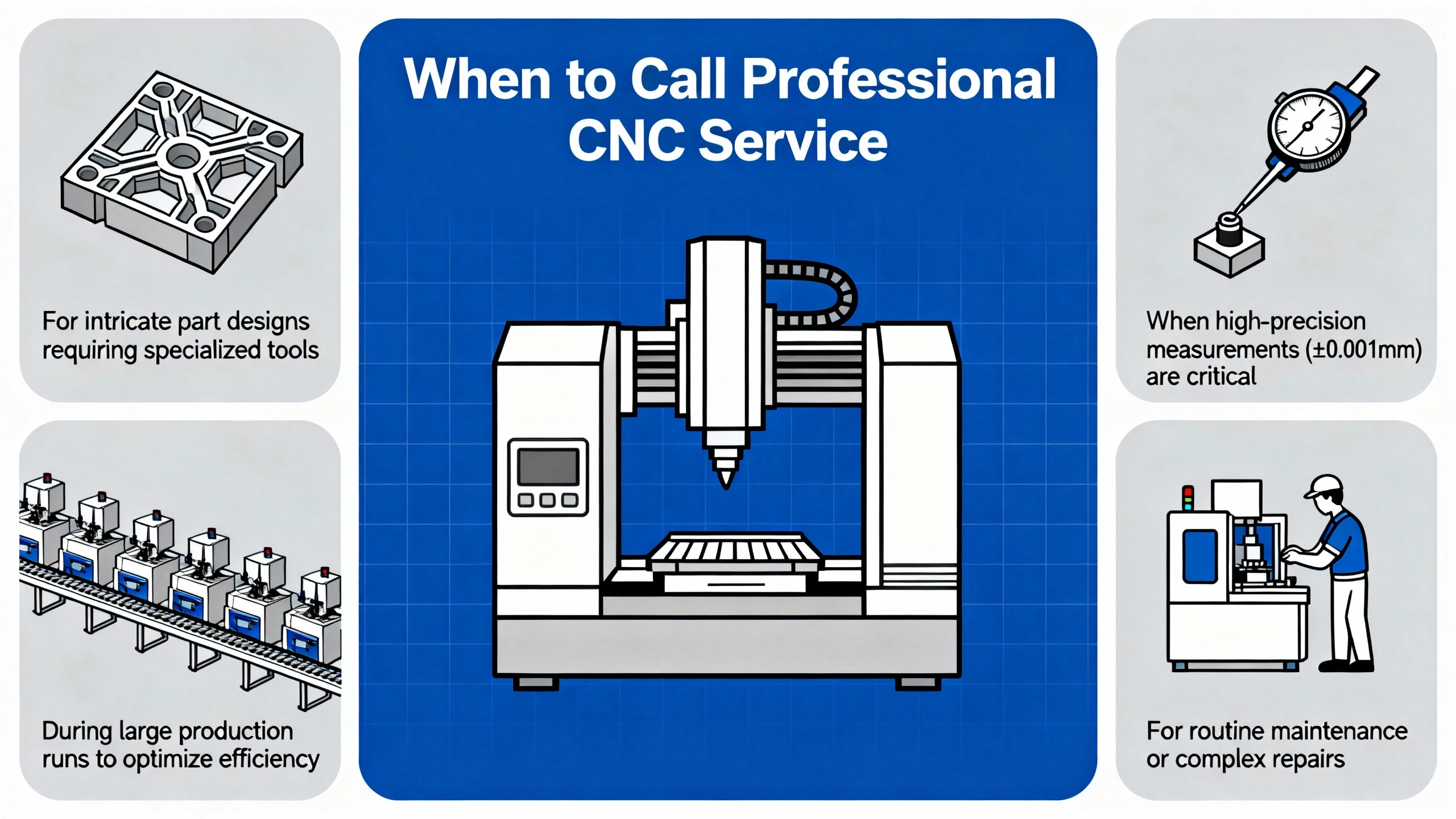
Emergency CNC repair articles aimed at shop owners make one point very clearly: you do not have to solve every problem in-house. The crucial skill is knowing where your internal boundary lies. If your initial checks do not reveal a clear, safe fix, or if the alarms point toward complex electrical, drive, or control system issues, it is usually time to call professional support.
Emergency CNC repair specialists, such as those highlighted in industry blogs, focus on rapid troubleshooting and restoration. They bring advanced diagnostic equipment, deep familiarity with specific control families, and access to pre-tested replacement parts. Fanuc-focused service organizations, for example, stock refurbished parts for control series like 0i, 18i, and 31i, tested under load before shipment so that replacements can restore operation quickly while maintaining quality, productivity, and safety.
Controller repair companies like K+S Services emphasize that CNC controllers are the link between industrial equipment and computer systems. When controllers fail, they use state-of-the-art diagnostic testing to trace faults down to the component level. They highlight overheating as one of the most common issues, often traced to clogged filters and restricted airflow when routine maintenance has been neglected. In many cases, they can repair controllers and drives cost‑effectively and, when repair is not sensible, supply replacement units from reputable manufacturers.
Component manufacturers and custom shops such as American Micro Industries position themselves as sources for made‑to-order parts and custom replacements, especially when mechanical damage has occurred or when obsolete parts are no longer readily available. By combining professional electronics repair with high‑quality mechanical replacement parts, you can often extend the life of expensive CNC machines well beyond ten years, as some controller repair providers point out.
Before you pick up the phone, prepare. Reliability guidelines for diagnosing machine failures recommend compiling a concise package: detailed symptoms, exact alarm codes and messages, timing of the failure, recent changes in programs, tooling, or parameters, and copies of relevant maintenance logs. If you track performance data such as downtime, prior failures, or sensor readings, have that available. The more structured data you give your service provider, the faster they can narrow down the diagnosis and the shorter your mean time to repair will be.
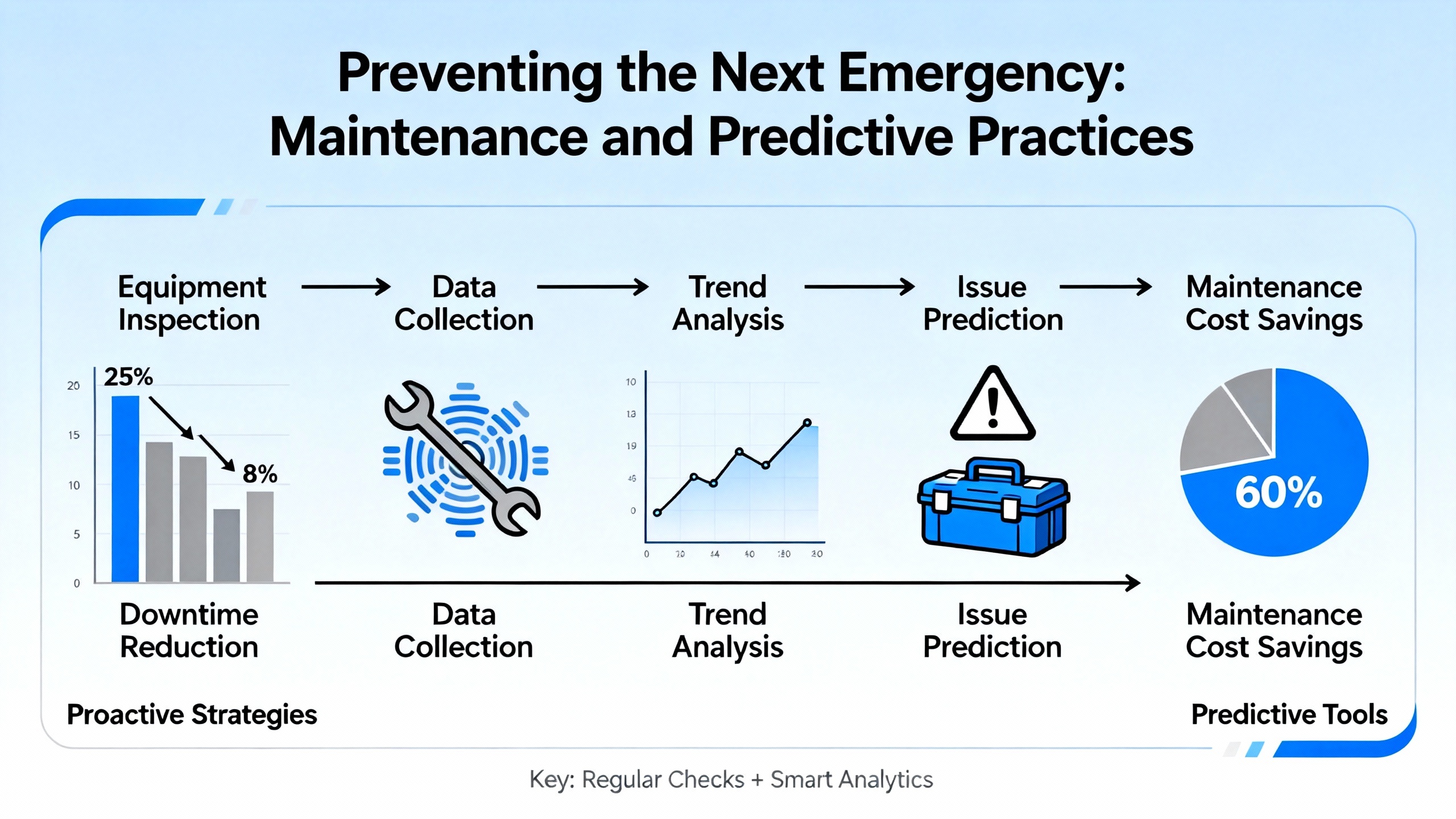
Every emergency repair should end with a simple question: what will we do differently so this does not happen again? Maintenance experts who specialize in CNC machines make it clear that emergency work is not a substitute for disciplined preventive and predictive maintenance.
CNC maintenance articles define preventive maintenance as a systematic program of inspection, cleaning, lubrication, coolant and filter checks, calibration, and electrical checks carried out on a schedule aligned with the manufacturer’s recommendations. Because CNC machines often work to tolerances near 0.0001 inch, even minor misalignment, contamination, or overheating can degrade part quality and eventually trigger unplanned downtime. Effective preventive maintenance programs start with asset assessment, targeted schedules, and consideration of operating hours, environment, tooling, and production demands.
Daily tasks recommended by CNC maintenance checklists include checking lubricant and coolant levels and quality, clearing chip trays, monitoring shop air for moisture and pressure, wiping down exposed surfaces, verifying voltage stability and panel cooling, and listening for unusual noises or hot spots. Weekly routines expand to cleaning the surrounding area, checking for leaks, confirming cooling fan operation, and lubricating moving parts and tool changer mechanisms. Monthly and annual tasks include cleaning chip collectors and radiator grills, replacing filters, inspecting belts and chains, sanitizing coolant tanks, draining and replacing lubricants, checking for backlash, and running software simulations to verify alignment.
Multiple sources emphasize the value of a computerized maintenance management system, or CMMS. A maintenance-focused CMMS can schedule and track CNC maintenance, generate automatic work orders and alerts, record condition data such as vibration and temperature, and track downtime, scrap rates, and maintenance costs. That data supports calculation of metrics like mean time between failures and mean time to repair, which in turn help optimize maintenance intervals and justify investments in reliability improvements. CMMS providers such as eWorkOrder CMMS highlight how better work order management and on‑time preventive tasks can reduce unplanned downtime and monthly maintenance costs.
Predictive or condition-based maintenance goes a step further. Machine monitoring platforms such as MachineMetrics and maintenance authors point out that real‑time sensor data on bearings, motors, and other critical components can reveal anomalies before they become failures. By using sensors and data analytics to detect patterns in vibration, temperature, and load, shops can forecast potential failures and intervene only when needed. This approach reduces unnecessary preventive work, cuts reactive repairs, and supports targeted maintenance that aligns with actual machine condition rather than calendar dates.
Training may be the most underappreciated reliability tool. CNC troubleshooting articles highlight insufficient operator training as a root cause of many problems, from programming errors that cause crashes to misuse that accelerates wear. Regular training programs should cover standard programming conventions, safe operation practices, emergency response procedures, and basic maintenance tasks such as cleaning, lubrication, and inspection. As CNC technology evolves, even experienced operators need refreshers to avoid errors rooted in outdated habits.
Mechanical breakdowns are painful; fires can be catastrophic. Fire‑protection specialists focused on CNC machines and electrical discharge machines explain that these tools often rely on oil-based lubricants and coolants that can overheat and ignite. A single spark or hot chip hitting an oil mist can create a flash fire inside the enclosure. NFPA data cited in their materials shows that industrial equipment is the leading cause of structural fires in manufacturing facilities, which should make every plant manager view CNC fire risk as a core business issue, not a remote possibility.
The most consistent recommendation from fire specialists is to install localized special hazard fire suppression systems dedicated to CNC and EDM equipment, even if the overall building already has sprinklers or general fire detection. Special hazard systems are designed for unique, high-value assets and can detect and suppress fires quickly, often using clean agents that leave no residue and will not damage electronics or precision mechanical components. That is crucial for CNC machines where an ordinary sprinkler discharge could render electronics and motors unusable even after a small fire.
Routine cleaning and maintenance are also fire‑prevention measures. Fire‑protection articles emphasize that operators should prevent buildup of oil-based liquids and chips inside the machine and around the enclosure. Preventive maintenance that keeps coolant pumps, hoses, and filters in good shape reduces the chance of overheated coolant or unnoticed leaks contacting hot surfaces. Following Original Equipment Manufacturer guidance for coolant types, concentrations, operating temperatures, and speeds helps keep the process within safe thermal limits.
Real-time monitoring can extend fire protection beyond the physics of suppression. Some fire-protection firms describe monitoring solutions that watch CNC equipment continuously, provide immediate notification when a fire event or suppression discharge is detected, and trigger rapid response from local authorities. For facilities running high‑value parts or operating around the clock, tying CNC fire protection into a broader monitoring and emergency response strategy is a cost‑effective way to protect both people and assets.
Focus on three priorities: people, safety systems, and information. Confirm that everyone is safe and clear of moving parts. If there is any doubt, hit the emergency stop to bring the machine to a rapid, controlled stop. Once motion has ceased and there are no signs of fire or severe damage, apply your lockout/tagout process if you need to open enclosures or guards. Before clearing any alarms or cycling power, write down the exact alarm codes and messages, and talk to the operator about what happened in the minutes leading up to the stop. Sources focused on Fanuc systems and CNC safety stress that this disciplined approach helps you diagnose accurately and avoids turning a simple fault into a bigger failure.
Use a practical threshold. Issues like a blown fuse, a jammed chip conveyor, a visible coolant leak, or a clear programming error are often manageable by an in‑house team with moderate experience and the right tools. When alarms involve servos, drives, complex safety chains, or controllers, or when your initial checks do not reveal an obvious cause, professional CNC technicians are usually the safest and fastest option. Emergency repair articles and reliability guidelines warn against “part swapping” without diagnosis. If you cannot prove a component is faulty with measurements or clear tests, it is more efficient to bring in specialists who work with those systems daily.
Reliability experts recommend collecting detailed symptom data, including what the machine was doing when it failed, how often the problem occurs, and what changed recently in programs, tooling, or setup. Capture all alarm codes and messages, with screenshots if possible. Review maintenance logs for recurring issues, and note any unusual noises, smells, or temperature changes that operators observed. If you use a CMMS or machine monitoring system, pull relevant history on downtime, previous failures, and any sensor data anomalies. Providing this package when you call helps service providers prepare the right parts and tools and reduces the time they need on site to diagnose the problem.
Emergency CNC system repair is where your safety culture, technical discipline, maintenance habits, and choice of partners all get tested at once. When a machine goes down, the fastest path back to production is rarely the loudest or the most aggressive; it is the one that stabilizes the situation, reads what the machine is telling you, and applies the right level of expertise at the right time. If you pair a structured emergency workflow with serious preventive and predictive maintenance, and you invest in the tools and training your team needs, most “red light, dead machine” moments become controlled events instead of full‑blown crises.



Copyright Notice © 2026 mooreautomated.com All rights reserved,Moore Automated is not an authorized distributor or representative of the manufacturers featured on this website. Brand names and trademarks featured are the property of their respective owners.



Leave Your Comment