







MP 3009X
Get A Quote
DeltaV keeps plants running when the network does its job. When it doesn’t, what operators see looks like “timeouts,” while under the hood the platform is retrying packets, switching network paths, and occasionally surfacing obscure workstation or OPC errors. As an engineer who has chased down many of these incidents during commissioning and hot production, I’ve learned that the fastest fixes pair solid DeltaV know‑how with disciplined network diagnostics. This article explains what a DeltaV timeout really is, how to separate harmless switchover “noise” from true faults, and how to get from symptom to root cause quickly and safely.
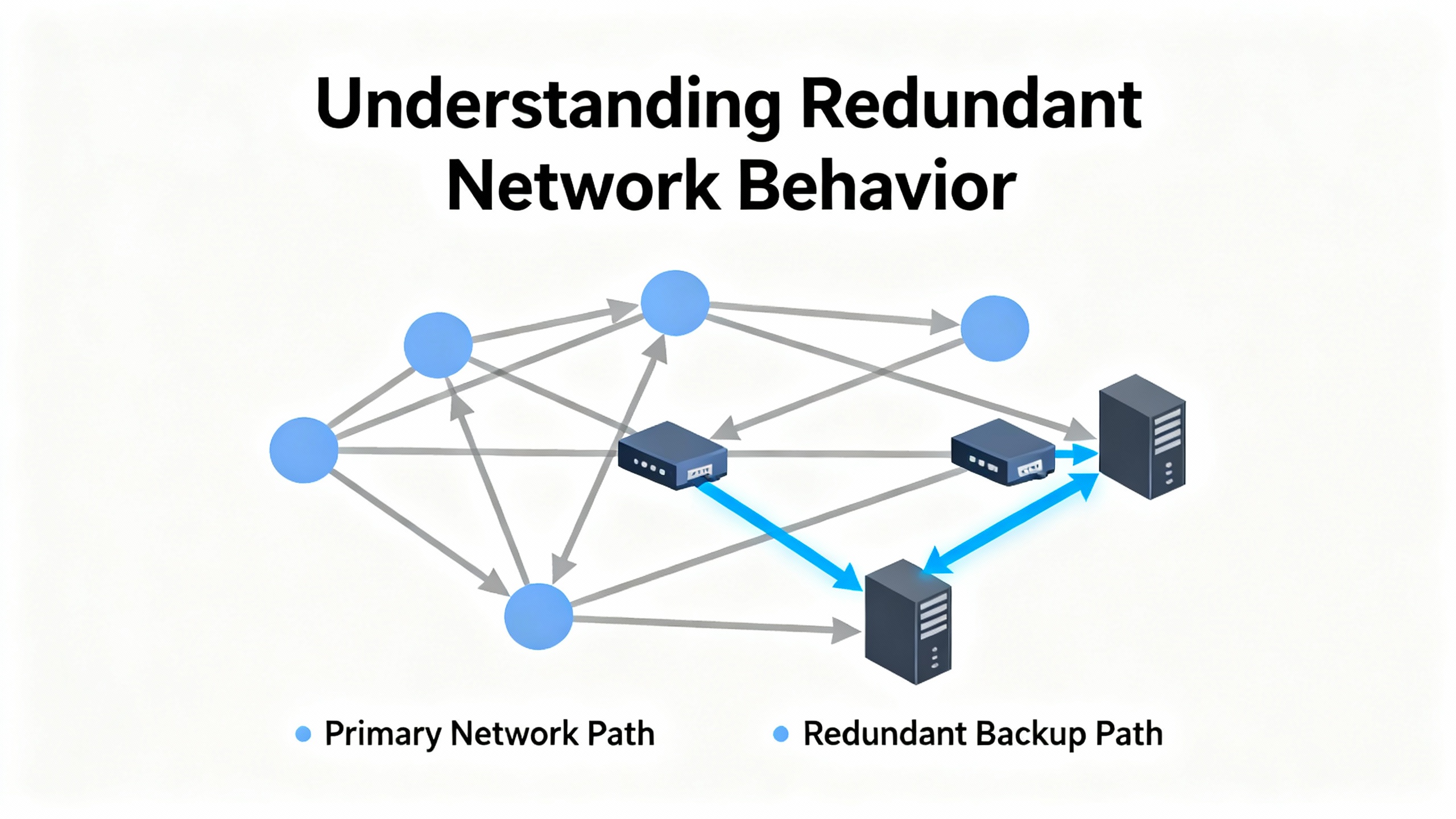
DeltaV process data travels as unicast messages over UDP on a pair of fully separate, redundant control networks. The DeltaV communication layer, not the Ethernet switches, is responsible for acknowledgments, timeouts, and resends. Under normal operation, traffic prefers the Primary network. If a node sends a packet and does not receive confirmation, it resends. After three successive retries without confirmation, the sender marks the Primary path to that destination as bad and uses the Secondary path instead. This behavior is reported as an ACN switchover, and it persists until the Primary path is healthy again. These mechanisms are described by experienced practitioners on Emerson Exchange 365 and align with what we see in the field during transient faults and planned device reboots.
Importantly, these switchovers happen per source–destination pair. If you unplug a console’s Primary cable, every node sending to that console will switch that path to Secondary, even if all other paths stay on Primary. That explains why a single failing NIC or access‑layer switch can produce a flurry of switchovers across many nodes while the rest of the network looks quiet.
Some ACN messages are expected and benign. A console reboot, a power cycle of a switch, or an operator‑initiated maintenance action will naturally produce a brief burst of messages as nodes retry, switch to Secondary, and then return to Primary when the device comes back. With modern smart switches providing per‑port, full‑duplex 100 Mb, collision‑related congestion that troubled early 10 Mb hub networks is rare. Today, repeated or sustained switchovers usually point to corrupted frames from EMI, damaged copper or fiber, loose connectors, a bad port or NIC, excessive fiber loss, or a piece of software that is busy or unresponsive. These are the culprits most often confirmed by DeltaV users in Emerson Exchange 365 discussions and are the same conditions we verify on site using switch counters and targeted swaps.
A separate but common pain point is the “bad status” of a workstation NIC that recurs under load. During commissioning, you may see the control‑network interface recover after a reboot and then drop again about ten minutes into heavy file transfers. That pattern implicates NIC hardware, a marginal driver, or offload and power features that are counterproductive on a real‑time control network. Emerson community notes specifically call out Energy Efficient Ethernet, Large Send Offload, checksum offloads, and aggressive interrupt moderation as settings to disable on control NICs when instability appears under load. When the problem follows the NIC or the switch port during swaps, the hardware verdict is clear.
The first minutes matter. Start by defining the scope: which nodes are affected, what paths (Primary, Secondary), and whether the behavior is constant or intermittent. Open Event Chronicle and sort by Source to identify patterns. If many nodes are reporting switchovers to the same destination, focus there. If one destination is losing Primary to all senders, suspect its cable, switch port, or NIC. One of the quickest low‑risk tests is to swap the suspect network port or patch cable with a known‑good spare; a stable return to Primary after the swap tells you a lot.
Next, review per‑port counters on your smart switches. A rising tally of CRC errors, late collisions, or input drops at a port that feeds an affected node reinforces the physical‑layer hypothesis. EMI from a nearby motor starter, a kinked patch cord, a wet RJ‑45, or high dB loss on a fiber run can all manifest the same way in DeltaV: retries, then switchovers. Replacing suspect cables and reseating connectors is both low effort and disproportionately successful.
If the symptom arises during heavy file copies or graphics transfers, treat it as a load‑triggered NIC issue. Confirm you are using a DeltaV‑supported NIC model and driver, then hard‑set speed/duplex to the switch, disable power‑saving features, turn off Energy Efficient Ethernet, Large Send Offload, checksum offloads, and excessive interrupt moderation, and fix MTU at 1,500. The Emerson Exchange workstation thread describing a NIC that fails roughly ten minutes after a reboot under transfer load reads like a textbook case for this remediation sequence. In parallel, check Windows Event Viewer for repeating NIC errors that line up with the observed ten‑minute cycle.
Not every timeout is physical. General networking guidance is invaluable here, especially when path‑specific issues or application timeouts are suspected. As an infrastructure reference, Alibaba Cloud’s engineering blog reminds us that timeouts are not the same as packet loss and quantifies behaviors useful when tuning and interpreting captures: the impact of delayed acknowledgments, the minimum retransmission timeout around 200 ms on Linux, and the difference between modern one‑second SYN retransmission behavior and older three‑second defaults. Those numbers explain why a slightly congested segment might—on the application side—manifest as a timeout with a narrow threshold while still showing clean pings.
To separate a path problem from a software one, capture traffic with Wireshark at an affected workstation during an observed timeout. Look for SYNs without SYN‑ACKs, server responses that don’t arrive, or repeated TCP retransmissions around requests that never get an answer. If you are dealing with HTTPS, tcp.analysis.retransmission filters simplify the view. If the path seems asymmetric or flaky, compare IPv4 and IPv6 behavior side by side; several widely shared troubleshooting case studies outside the DeltaV community, such as on Server Fault, show cases where only one IP stack fails because of policy or path issues. Probe for path MTU discovery black holes by testing with “do not fragment” pings and varying size; a sudden failure at a particular payload size suggests an MTU/MSS clamp or a misbehaving middlebox. While DeltaV control traffic is on the control LAN, historians, OPC servers, and business integration often cross boundaries where these wider internet‑style problems show up.
On workstations, use a clean network binding order that puts the control NIC ahead of other interfaces. Avoid unsupported teaming or bridging on control NICs and keep the Windows firewall off on the control NIC when required by vendor guidance. On the network edge, enable PortFast at access ports feeding DeltaV nodes so spanning‑tree convergence delays do not suppress traffic after link events. Watch for STP flaps or MAC address moves that might indicate a cabling loop or a dying switch. Storm‑control thresholds that are set too aggressively can create self‑inflicted loss; relaxing those to vendor‑recommended values for control networks prevents broadcast and multicast protection mechanisms from tripping during normal traffic bursts.
Within the NIC driver, disable power saving. Turn off Energy Efficient Ethernet because its micro‑sleep behavior undermines deterministic timing. Large Send Offload and checksum offloads that rely on batching also conflict with the small, time‑sensitive packets common in control systems. Interrupt moderation set for throughput rather than latency can artificially delay packet delivery and make DeltaV’s resend logic work harder than it should.
DeltaV’s redundant network design is both forgiving and diagnostic. Because each destination is sent separate packets and each sender decides when to switch paths, the system reveals where communication is truly broken. A single failed intermediate switch can cause a storm of switchovers for every flow passing through it; look for that hub‑and‑spoke signature. Conversely, when only one workstation is toggling while others remain stable, the problem is likely its local cable, NIC, or port. The message burst you see when a node returns to Primary after a repair is expected and benign.
Another practical constraint documented by practitioners is that DeltaV Smart Switches do not support VLANs. Configuration typically relies on Emerson tools such as Smart Switch Command Center from certain versions onward, and deeper vendor switch modes are intentionally locked down. That means you cannot segment time‑sensitive traffic with VLANs on those devices; instead, rely on physical separation, proper topology, and managed switch features that are exposed in the supported tooling.
When third‑party devices are commissioned on DeltaV via EtherNet/IP, configuration mismatches often masquerade as communication failures. Brooks Instrument’s commissioning guidance for EtherNet/IP devices on DeltaV is a good reminder: set the configuration assembly correctly (commonly 100 for the devices in their note), ensure input and output sizes match the selected assemblies from the device manual, and check that the NET LED is solid green before troubleshooting the higher layers. If the link is up but the numbers look bizarre, review producer–consumer data sizes and data types and align them to the device’s supplemental manual. On EtherNet/IP in general, where ports 44818 and 2222 are used for explicit and implicit messaging, mis‑sized connections and type mismatches cause symptoms that look suspiciously like “timeouts,” but the fix lives in the I/O size box rather than in the switch.
Timeouts that appear in clients connected to DeltaV data sources are not always network. Seeq’s OPC HDA connector documentation highlights a licensing nuance many forget: a DeltaV Continuous Historian permits one OPC‑HDA client connection for free; additional concurrent clients require a license. It is surprisingly easy to exceed that limit during testing and then see quality or connectivity issues that look like network problems. Tools like HdaProbe can confirm active connections, and proper DCOM configuration is still necessary for remote clients. The same principle applies to basic OPC diagnostics: if an OPC DA tool shows “Bad, Not Connected” until you force a direct device read, the path, permissions, or DCOM settings are likely at fault. In those cases, compare DeltaV User Manager roles across machines, inspect launch and access permissions, and make sure you are testing with the same account when isolating the host‑specific difference.
Defense‑in‑depth starts at the wire. Use shielded cabling where EMI is a risk and keep power conductors and network runs in separate trays. Maintain a disciplined program of connector inspection and cable replacement, especially in high‑vibration or damp areas. For fiber links, track insertion loss and replace runs that drift high; every extra dB eats margin you need when temperatures rise. On switches, keep firmware current, enable features that suppress broadcast and multicast storms within the supported profile, and retain per‑port statistics for trend‑based maintenance rather than crisis debugging.
On the platform side, operate DeltaV on isolated control LANs with proper NIC binding order and supported NIC hardware and drivers. Keep software current per release notes and schedule updates off peak to minimize exposure. Routine backups, tested restores, and a written recovery plan for historians and Event Chronicle reduce the blast radius of software and database issues. Emerson’s manuals and training materials emphasize these operational disciplines, and the field experience mirrors them: teams that drill backups and recovery handle inevitable glitches with confidence.
Finally, tune timeouts thoughtfully. Cloud networking guidance from experienced operators explains that application timeouts should incorporate real network behavior—delayed acknowledgments, retransmission delays, and the variability introduced by retries and queuing. Raising a timeout is not a cure for a bad cable, but it can stabilize a client that is overly aggressive compared with the observed round‑trip times on a healthy, but busy, segment.
Raising application or client timeouts buys time but can mask the real problem. It is useful when the symptom arises from a tight threshold rather than genuine loss, but it should not be your only fix. Disabling NIC offloads and energy‑saving features often improves control‑network stability at the cost of small increases in CPU utilization; for control workstations, that is a favorable trade. Replacing cables and reseating connectors is almost always worth doing early because of its low cost and high payoff.
From a design perspective, switching to VLANs is not an option on DeltaV Smart Switches according to field notes, so plan physical separation, redundant paths, and properly configured managed switches from the outset. Load balancing belongs at the data center edge or in enterprise applications and is not a control‑LAN tool; use it for historians and integration servers where appropriate, but do not assume it will fix a workstation NIC that drops under a file transfer.
When picking NICs for DeltaV workstations, use models and driver versions known to be supported. Keep at least one spare NIC that is the exact model and revision deployed. Stock plenty of quality RJ‑45 patch cords in standard lengths and a few pairs of known‑good SFPs or short fiber patch cords rated for your environment; high‑loss fiber is a silent saboteur. Choose smart switches consistent with DeltaV guidance and keep a spare access‑layer switch staged and configured to your current standard so a bad port bank does not turn into a long outage.
For EtherNet/IP devices, maintain a binder—or a digital library entry—of each device’s assembly numbers, data sizes, and type definitions that you validated during commissioning. When a module is replaced months later, you will be grateful for the one‑page “known‑good” configuration rather than a half‑day of guessing at assembly sizes. For OPC connectivity, document licenses in use and keep your DCOM and account checklist handy. Many “timeout” escalations shrink to five‑minute fixes when you can prove that only one free historian client is allowed and you already have one connected.
As a general practice, keep the latest DeltaV manuals in a searchable library and rely on them before improvising. Emerson’s documentation is structured for exactly these tasks—installation, configuration, troubleshooting, and maintenance—and is revised with new releases. Supplement the manuals with formal training and user‑community experience, but always verify community tips against current vendor guidance.
| Symptom seen in DeltaV | Likely cause in practice | First actions that prove it | Proof point to capture |
|---|---|---|---|
| ACN switchovers from many nodes to one destination | Bad destination cable, port, or NIC; device reboot | Swap cable/port; reseat; power‑cycle only that device | Return to Primary after swap; switch port error counters drop |
| ACN toggling across many paths through one switch | Failing access switch or uplink; storm control too tight | Move one affected node to a spare switch; review switch logs | All flows stabilize via spare; original switch shows errors |
| Workstation NIC “bad status” after ~10 minutes of heavy transfer | NIC/driver instability; offloads/EEE/power features | Replace NIC or port; disable EEE, LSO, checksum offload; fix MTU/speed/duplex | No recurrence under identical load; Event Viewer clean |
| OPC DA quality “Bad, Not Connected” unless “Device Read” is checked | DCOM/permissions or server subscription issue | Test with same user on both hosts; compare DeltaV User Manager roles; check DCOM ACLs | Good quality without device read after permissions fix |
| EtherNet/IP link is green but data is nonsense | Assembly numbers or I/O sizes/types mismatched | Set configuration assembly correctly; align sizes/types from manual | Correct values appear once sizes/types match |
| Timeouts only on one IP stack or at certain payload sizes | IPv6/IPv4 policy difference; PMTUD black hole; MTU clamp | Test -4 vs -6; ping with DF and varying size; capture retransmissions | One stack fails while the other is clean; DF pings fail above a size threshold |
DeltaV’s redundant network and resend logic are your allies. They reveal where the path is failing and give you a second path while you fix the first. Treat repeated ACN switchovers as a useful symptom: they point you to a cable, a port, a NIC, or a switch long before they threaten the process. Pair that platform understanding with disciplined physical checks, clean NIC and switch settings, and, when needed, packet‑level diagnostics. You will fix what actually breaks rather than masking it with timeouts cranked to the ceiling.
DeltaV decides per destination when to use Primary or Secondary. After three consecutive failed confirmations, it marks the Primary path to that destination as bad and uses Secondary. This is normal behavior and prevents data loss during a transient on one path. A brief spike of ACN messages during a device reboot or cable reseat is expected and harmless, as practitioners describe on Emerson Exchange 365.
Only after you prove the network is healthy. Engineering guidance from large‑scale operators emphasizes that application timeouts must account for real retransmission and acknowledgment timing, but raising thresholds is not a substitute for fixing bad cables, ports, or NIC settings. Use longer timeouts to match observed round‑trip behavior, not to paper over physical faults.
Field notes compiled by experienced users indicate DeltaV Smart Switches do not support VLANs and deeper switch modes are intentionally locked down. Build isolation with physical topology and supported switch features instead, and rely on the Emerson commissioning tools that integrate with the control system.
Disable Energy Efficient Ethernet, Large Send Offload, checksum offloads, and overly aggressive interrupt moderation on the control NIC. Fix MTU at 1,500 and hard‑set speed and duplex to match the switch. Use a NIC model and driver supported by DeltaV. This sequence has resolved recurrent under‑load NIC drops described by users during commissioning.
If the device NET LED is solid green but values look wrong or stall, verify the configuration assembly, input and output sizes, and data types against the device’s supplemental manual. Brooks Instrument’s guidance for DeltaV emphasizes correct assembly selection and matching sizes to avoid false “communication” symptoms.
DeltaV’s Continuous Historian typically allows one OPC‑HDA client connection without an extra license. Exceeding that limit produces client errors that resemble network timeouts. Confirm active connections with vendor tools and ensure DCOM permissions and group membership are correct, as outlined by Seeq’s connector documentation.
Much of the practical behavior described here is documented and discussed by engineers on Emerson Exchange 365. EtherNet/IP commissioning specifics come from Brooks Instrument’s knowledge base. OPC historian and DCOM considerations are summarized from Seeq Support materials. Timeout analysis and tuning principles are drawn from engineering blogs by Alibaba Cloud and real‑world troubleshooting patterns discussed on Server Fault. Broader DeltaV operations, maintenance, and recovery practices reflect recommendations in Emerson’s official manuals and training, as well as field compilations such as the PCEDCS “Problems and Solutions” notes.


Copyright Notice © 2026 mooreautomated.com All rights reserved,Moore Automated is not an authorized distributor or representative of the manufacturers featured on this website. Brand names and trademarks featured are the property of their respective owners.



Leave Your Comment