







MP 3009X
Get A Quote
When an Emerson Ovation controller refuses to respond during startup or after a change, the plant feels it immediately: no data to the operator, no control, and mounting schedule pressure. In power and water plants, I have seen entire commissioning days derailed by a single non‑responsive drop. The temptation is to keep swapping cards until something works. That occasionally gets you back online, but it also hides the real failure and leaves a landmine for the next outage.
This article walks through pragmatic, field-tested ways to triage an unresponsive Ovation controller quickly, while still respecting how the platform is designed to work. The guidance is grounded in real Ovation forum cases, Emerson training overviews, and general DCS troubleshooting practices from Emerson DeltaV and Ovation lifecycle material. The goal is simple: give you a structured way to recover fast without creating a bigger problem for the next engineer.
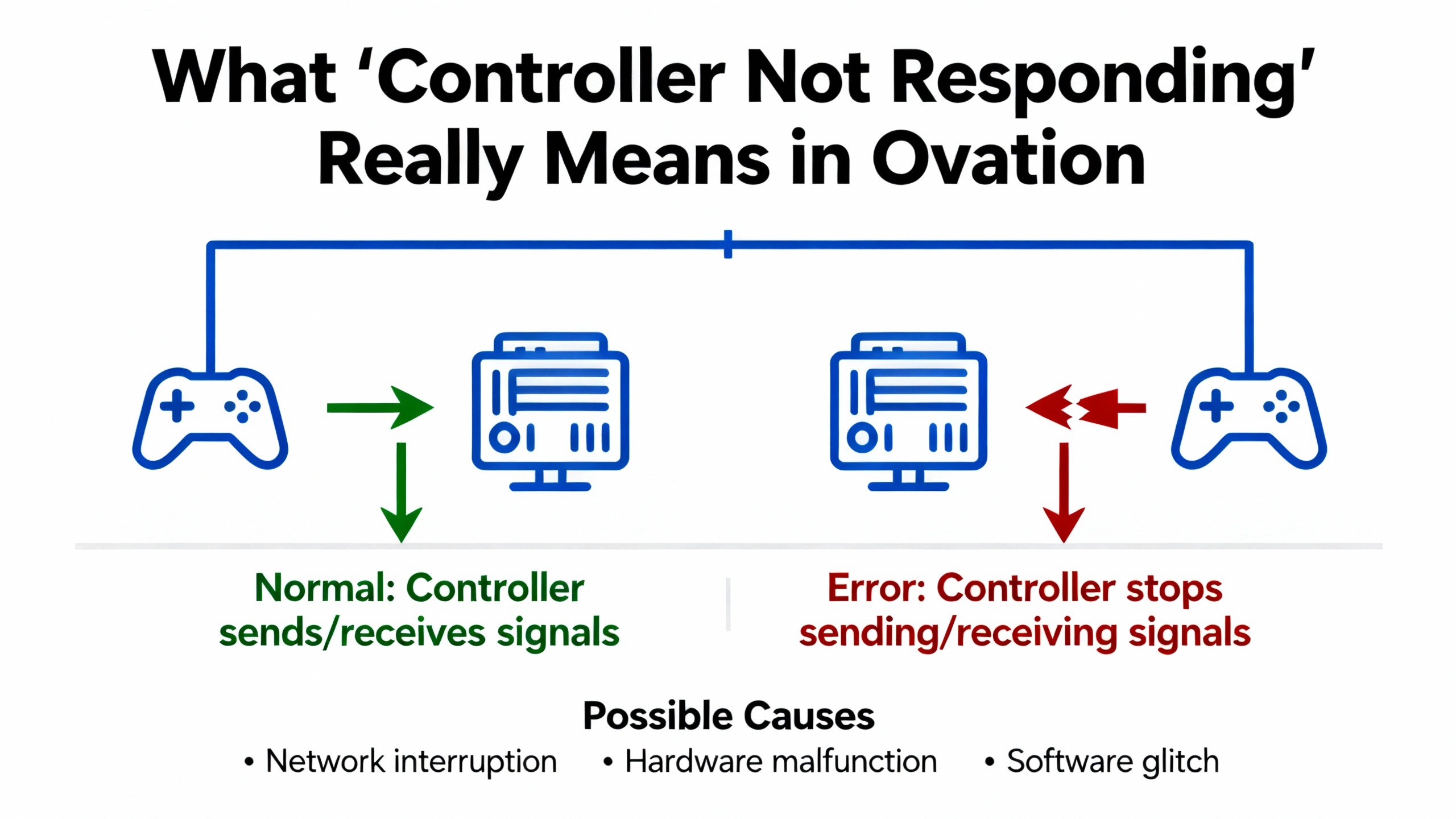
“Not responding” is vague. In Ovation it can mean several different technical states, each with different fixes. Before you touch hardware, clarify which of these you are seeing.
At the network level, you may have a controller that does not respond to a network ping at all. One engineer described a startup where a controller on Drop‑2 initially did not light up at power‑up, then powered after processor and IOIC replacement but still would not respond to ping on the network. Even after swapping controller locations and formatting the flash on a new unit, the controller stayed silent until they moved the flash card from an older working controller into the new one. Only then did ping start working. That is a classic example where basic network reachability depends on what is on the controller’s flash, not just the hardware.
At the Ovation system level, the controller (or “drop”) can be flagged as unavailable. In the same case, once they could ping the controller, they tried to run the standard Clear procedure before loading. The system refused and returned messages such as “Drop52 is unavailable and cannot be cleared,” along with external messages like “Clear terminated by the system for 'DROP52', 'DROP52' is Unavailable, Unable to determine drop mode for 'DROP52'.” Those alarms tell you that, from the Ovation database perspective, the drop is not in a valid operational mode. Even though the device answers ping, the control system does not consider it ready to clear or load.
At the point level, Ovation and OPC-quality flags can say the controller or its I/O data is not usable, even if communications are up. In an OPC discussion, engineers emphasized that “bad quality” is not an internal software error but a statement that the value cannot be trusted, similar to a Not‑a‑Number condition. A PLC may declare a field sensor failed, an OPC server will tag the point as “Bad, Sensor Failure,” and a well-designed HMI should show a clear unavailable pattern like “###.##” in red and raise an alarm rather than quietly showing the last value.
The Ovation Operator Station Users Guide describes four main quality states for points in Ovation: Good, Fair, Poor, Bad, plus a Timed‑out condition. These quality descriptors and their reason clarifiers are what the operator actually sees. When a controller is “not responding,” you want to observe not just whether the drop is reachable, but whether its points are Good, Poor, Bad, or Timed‑out and what reasons are displayed.
The table below summarizes common symptoms and what they typically signal.
| Symptom or message | What it usually indicates |
|---|---|
| No ping to controller IP | Power, hardware, network path, or addressing problem, possibly wrong or invalid flash image |
| Drop flagged as “Unavailable,” cannot be cleared | Ovation cannot determine drop mode or state; database, configuration, or compatibility problem |
| OPC quality “Bad” or “Bad, Sensor Failure” | Specific measurement is invalid or untrustworthy, even if the controller and OPC server are still running |
| Ovation quality “Timed‑out” | Data for that point is not updating as expected; communication or timing issue along the data path |
Understanding which of these states you are actually facing is the first quick fix. It prevents you from treating a configuration mismatch as if it were a dead power supply.
An Ovation user described a startup on an Ovation system where Drop‑2 (later referenced as Drop52) caused repeated headaches.
During first power‑up of the drop, one controller did not light at all. The team replaced both the processor and IOIC modules, after which the controller powered up. However, they still could not ping either controller on that drop. They tried swapping controller locations to rule out backplane issues, but the same controller stayed non‑responsive.
Next, they replaced the controller entirely and formatted and reinstalled its flash. Even then, they still could not ping it. The turning point was when they installed the flash from the old controller into the new one. With the older flash image inserted, the controller immediately responded to ping.
From there, they attempted the standard Clear command before loading logic. Instead of success, they received alarms stating that “Drop52 is unavailable and cannot be cleared” and a series of external messages, including that the clear was terminated by the system, that Drop52 was unavailable, and that the system was “Unable to determine drop mode for 'DROP52'.” Attempts to load directly produced the same theme of messages.
Importantly, the post did not include a final resolution or root cause. However, the progression offers several practical lessons:
First, hardware replacement alone did not restore communication. Changing processors, IOIC modules, and entire controllers did not fix the issue until the flash image was swapped. That strongly suggests that controller identity, drop configuration, or software revision stored on flash can directly affect basic communication behavior.
Second, being able to ping is not the same as having a usable drop. Once ping worked, the system still treated Drop52 as unavailable, prevented clearing, and could not determine drop mode. That points to an inconsistency between the controller’s state and the Ovation configuration database.
Third, Clear is not a blunt tool. Ovation’s Clear procedure is designed to work only when the system determines that a drop is in a valid state to be cleared. If the drop is unavailable at a higher level, Clear will be blocked rather than risk leaving the controller in an unknown condition.
These observations shape how you should approach “quick fixes.” If you only swap hardware until ping returns, you may never address the misalignment between flash content, drop configuration, and database that is actually causing load failures.
When you are standing in front of a non‑responsive Ovation controller, you need a checklist that respects both the hardware and the configuration. Practical guidance from DCS troubleshooting resources for Emerson DeltaV systems, combined with Ovation training overviews, points to a few fast and safe checks that catch many issues without guesswork.
Start with power and obvious hardware health. Confirm that the controller and IO modules are actually powered, indicator lights are in expected states, and there are no signs of overheating or physical damage. DeltaV troubleshooting guidance stresses that hardware failures often announce themselves with intermittent errors, unusual noises, or excessive heat long before a complete failure. The same reality applies to Ovation controllers and I/O racks.
While you are at the cabinet, take an honest look at the basics: field and backplane connectors seated fully, no bent pins, and no obviously damaged cables. Communication problems in distributed control systems are frequently tied to loose or dirty connections or electromagnetic interference. Good practice from the DeltaV side includes using shielded cabling, proper grounding, and routine physical inspections. Ovation networks are just as vulnerable to bad terminations and noisy environments.
Once hardware and power look sane, move to the network path. Make sure the controller’s network connection is intact from cabinet to switch, and that you are pinging the correct IP address for that drop. Network architecture quality has a major impact on reliability, and well‑structured topologies with adequate switching capacity and segmentation greatly reduce lost packets and delays. If other drops on the same switch are healthy and this one is not, you have narrowed the fault significantly.
If the controller does not respond to ping but other devices on the same network segment do, you are likely dealing with a local power, hardware, or addressing issue. If ping starts working only when you insert a particular flash card, as in the Drop52 case, that is a strong hint that the flash content aligns with the IP addressing and configuration the rest of the system expects.
After basic connectivity, verify the controller’s flash and load procedure. Confirm that you are using a flash image that matches the version and configuration your Ovation database expects. The Drop52 case shows that an image from a previous controller can make a new controller suddenly visible to the system, which implies that the image contains identifying or configuration information that must match what is in the database.
When you attempt a Clear or load operation and receive alarms like “Object not loaded,” “Failure during point load,” or “Unable to determine drop mode,” treat those as diagnostic clues. In one Ovation case involving redundant OPC servers, attempts to load new configuration after logic changes caused external errors from the point loading subsystem, including “Object not loaded” and an error code from a point editing function. The point name changed on each attempt, suggesting that the problem was not a single bad tag but a broader configuration or database issue. The same logic applies when a drop cannot be cleared: the system is telling you that the configuration, not the physical controller, is the primary obstacle.
Finally, do not ignore what the HMI is telling you about data quality. Before you declare a controller dead, scan operator displays for widespread Bad, Poor, Fair, or Timed‑out quality indicators, and read the associated quality reason clarifiers where your Ovation graphics provide them. If entire groups of points go Bad at once, that points to communication or drop‑level issues. If only a single tag or small group is affected while others on the same drop remain Good, you are more likely dealing with an instrument or I/O channel problem rather than the controller itself.
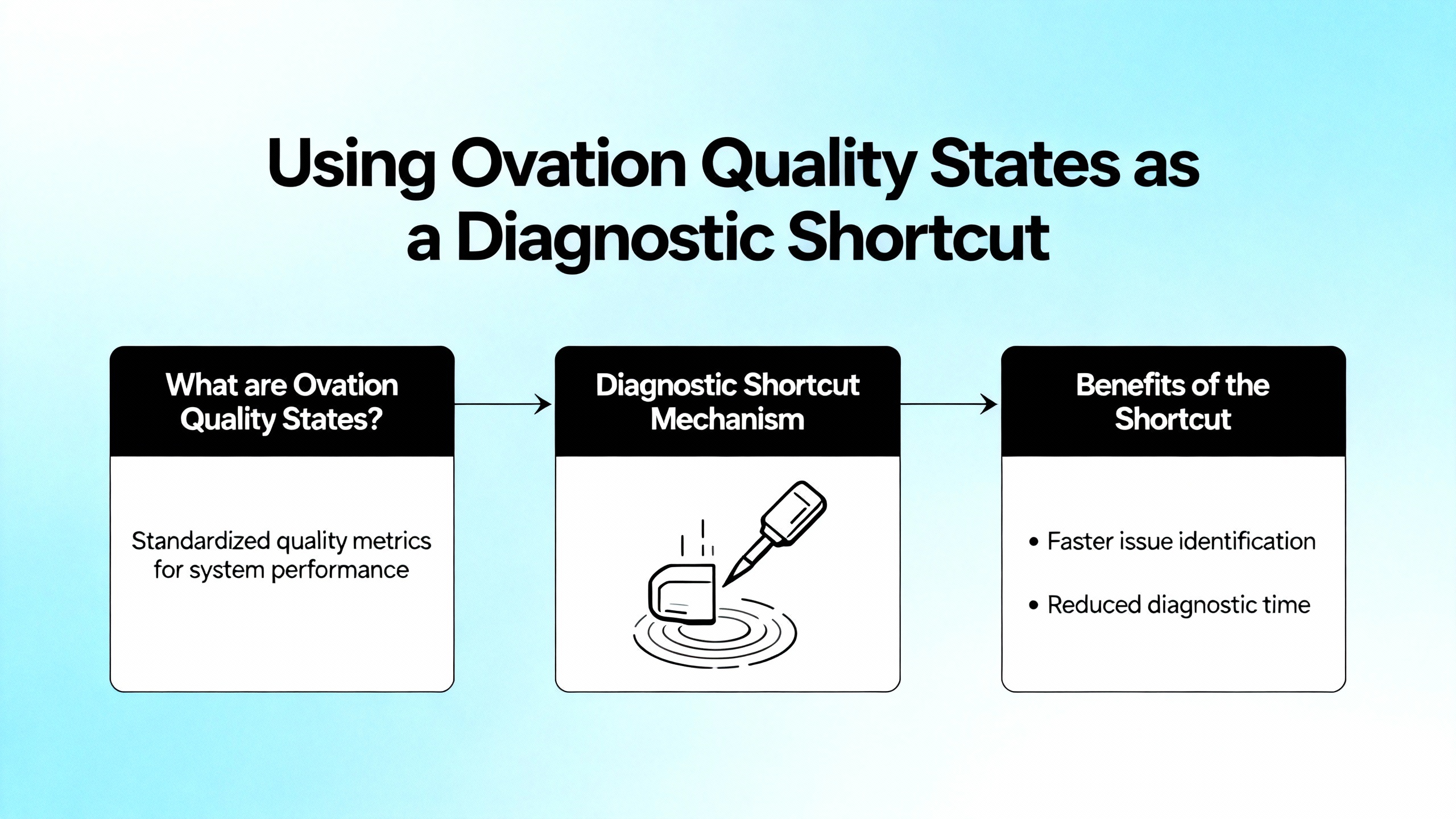
Experienced operators often know something is wrong before a single alarm goes off. They notice that a value turns into “###.##” or changes color. In Ovation, these visual cues are backed by a formal quality system that can be one of your fastest diagnostic tools.
The Operator Station Users Guide describes four main quality states for each point: Good, Fair, Poor, and Bad, plus a Timed‑out state. Quality represents the reliability of the data as presented both to the operator and to control algorithms. On top of that, Ovation can show a quality reason clarifier that explains why the point has that quality, and engineers can configure the text and precedence of these reasons.
OPC engineers on control.com emphasized that “bad quality” should be treated like a Not‑a‑Number condition: the tag exists, but its current value must not be trusted for control or analysis. For example, a sensor nearing end of life may start reporting nonsense; the PLC flags the channel as failed, and the OPC server passes along a value with a quality like “Bad, Sensor Failure.” A well‑designed HMI will show the value as unavailable, often in a visually distinctive way such as red text or placeholder characters, and record a corresponding alarm or event.
Using Ovation’s quality states and reason clarifiers as first‑class diagnostics pays off in several ways. It gives operators a clear visual indication when data is unusable. It drives maintenance workflows by triggering alarms and events whenever quality degrades. It also helps engineers distinguish between communication failures, instrument faults, and configuration errors.
The Ovation interface offers deeper inspection via the Value/Status tab of the Point Information window, where all applicable quality reasons for a point can be viewed. The system is configured to show only the highest precedence reason in the main view to reduce clutter, but for troubleshooting, that full list is extremely helpful. If you are trying to decide whether a “controller not responding” is really a network problem or a bad transmitter, spending a few minutes with these quality details is often faster and safer than immediately rebooting a controller.
From a design standpoint, treating quality flags as core information rather than decorative metadata is a best practice. Hiding or ignoring bad-quality flags in an HMI leads engineers to chase phantom problems. Surfacing them clearly, and using them to initiate structured maintenance responses, shortens fault-finding time and reduces unnecessary field work.
Quick checks are about ruling out the obvious. When they do not resolve the issue, you need a methodical troubleshooting approach that aligns with how Ovation is taught and supported.
An overview of the Ovation OV300 Troubleshooting course describes a structured method: trace and isolate faults along the full signal path, from field termination and I/O modules, through the controller, across the network, and up to the graphics. Learners work through realistic problem scenarios to develop the discipline of following that path rather than jumping randomly between potential causes.
That structured approach maps well to the Drop52 and OPC load scenarios. You begin at the field: ensure that the instrument or discrete contact is healthy, correctly wired, and calibrated. Move into the cabinet: confirm that I/O modules have normal indicators, that any fuses or breakers feeding them are intact, and that power supplies are within spec. Then check controller health, its status indicators, and any local diagnostics that the platform provides.
Beyond the cabinet, trace the data through the network. Verify relevant switches, media converters, and segment configurations. Lifecycle planning material for Ovation emphasizes that network components have relatively short lifecycles compared to plant hardware and must be managed proactively. Even if the controller is fine, an aging or misconfigured switch can be the weak link.
At the system level, look closely at error and event logs, especially entries generated from modules like OvSysPtUserObject. Messages such as “Failure during point load” and specific error codes from point editing functions point strongly toward database or configuration integrity issues. The fact that the failing point name changes with each load attempt, as in the OPC redundant server case, suggests that the problem lies in how points are defined or reconciling with the server configuration, not in any single tag.
Finally, include system administration and configuration management in your investigation. Emerson lifecycle planning and Evergreen upgrade checklists describe how digital components and software revisions must be managed over time. They highlight that security-focused components may need refresh every few years, that operating system support cycles drive product support phases, and that setpoint and configuration data must be carefully recorded, often in the historian, because Ovation does not inherently store every setpoint algorithm value in a central configuration store. If your unresponsive controller coincides with recent upgrades or Evergreen activities, retracing those configuration steps is critical.
In other words, when a quick power cycle or card reseat does not resolve a non‑responding controller, resist the urge to keep “shotgunning” replacements. Follow the signal path and the configuration path step by step, and use the system’s own diagnostic messages and quality flags to guide you.
Under outage pressure, many teams reach for a familiar set of tactical moves. These techniques have their place, but you should understand their advantages and risks before making them part of your standard playbook.
| Quick fix or action | Benefit in the moment | Risk or downside |
|---|---|---|
| Swapping controllers between slots | Quickly reveals whether a fault is tied to a slot or to a specific controller module | Can mask configuration or flash issues; may create mismatches between hardware identity and Ovation database |
| Moving flash card from old to new unit | Restores communication if the old image matches expected configuration, as in Drop52 | Copies forward unknown problems; may bypass needed software or firmware updates |
| Running Clear before loading | Cleans controller memory to ensure a fresh configuration load | Fails when the drop is unavailable; forcing or misusing it can leave controller in undefined state |
| Forcing loads despite errors | Occasionally pushes through transient issues to complete a load | Can leave a partially loaded configuration; may result in inconsistent behavior across redundant systems |
| Rebooting controller or power cycling | Resolves transient firmware or communication glitches quickly | Hides intermittent hardware issues; risks more downtime if underlying cause is in network or configuration |
For each of these, the key is context. Swapping a card is most helpful when basic checks indicate a likely hardware issue: no power, obviously damaged module, or a clear correlation with a specific slot. Using an old flash image to restore ping, as seen in the Drop52 case, is a useful diagnostic technique, but it should be followed by a careful review of what that image contains and whether software and patch levels still match your current standards.
Running Clear and forcing loads should never be used as blunt instruments. When Ovation says a drop cannot be cleared because it is unavailable, the safest response is to understand why the system cannot determine drop mode rather than trying to work around the protection. The same is true with repetitive load attempts that keep returning point load errors. Multiple failures with changing point names almost always indicate an underlying database or mapping problem that needs engineering attention, not just persistence.
Rebooting controllers and cycling power should be documented and limited. They can be appropriate when diagnostics point to a transient or software glitch, especially after changes that affect communication stacks or drivers. However, if you find yourself rebooting the same drop repeatedly, treat that as evidence of deeper instability, perhaps tied to hardware aging, network issues, or inconsistent configuration across redundant elements.

The best quick fix is the one you do not need. Emerson’s Ovation lifecycle content and experience from large fleets show that digital control systems need ongoing care, not “run it for 15 years and replace it” thinking.
Lifecycle planning materials and Combined Cycle Journal case studies of Ovation Evergreen upgrades make several points that matter directly to controller responsiveness. First, digital components like network switches, media converters, controllers, workstations, and power supplies typically have lifecycles on the order of 5 to 10 years, much shorter than the underlying plant hardware. Second, structured lifecycle programs that treat the control system as a long‑term knowledge platform, not just a set of cards, are increasingly the norm.
In these programs, engineers conduct thorough walkdowns to inventory every control component, including power supplies, circuit breakers, fuses, and I/O modules. One utility’s experience showed how easy it is to miss seemingly minor items, such as a handful of power supplies that were not upgraded, only to have them later become reliability bottlenecks. Checklist discipline is essential.
Configuration management is another major pillar. Ovation lifecycle guidance emphasizes that the system does not automatically store every setpoint value, so plants should maintain complete records, often by leveraging the historian. For troubleshooting non‑responding controllers, having a trustworthy record of setpoints, control logic versions, and recent changes is invaluable. It allows you to compare the state of a controller’s flash and database against a known baseline rather than guessing.
Preventive and predictive maintenance are equally important. DeltaV DCS support tips from IDS Power highlight the value of proactive maintenance: scheduled checks, routine servicing, and the use of diagnostic tools to monitor system health. They also describe predictive maintenance that uses operational data and, increasingly, machine learning to forecast failures. Although those recommendations are phrased for DeltaV, the themes apply to Ovation as well: run system audits, review performance, and adjust capacity and configurations to match current production needs.
On the day‑to‑day level, simple DCS maintenance practices make a difference. General guidance from DCS engineers advocates proactively inspecting, testing, and servicing systems. Tasks include checking electrical and network connections, cleaning components to prevent dust‑induced overheating, verifying calibration of instruments and loops, updating software within a controlled process, and replacing consumable parts like fans, air filters, and UPS batteries before they fail. These activities are directly tied to reducing unplanned downtime, prolonging equipment life, and maintaining safety and regulatory compliance.
From a business perspective, Emerson’s own operational performance content points out that unplanned outages and poor performance can drive more than $1 trillion in cumulative operational losses, and that bottom‑quartile performers may spend nearly four times as much on maintenance as top‑quartile performers. Plants that invest in reliability, predictive intelligence, and strong lifecycle planning tend to move into that top quartile, with fewer surprise controller failures and much less fire‑drill troubleshooting.
Finally, take advantage of the support structure around Ovation. Emerson provides training courses such as OV300 for troubleshooting and other courses for maintenance and operations, and maintains Ovation Technical Support and users’ groups where issues like Drop52 and OPC load failures are discussed in depth. Building local expertise through training and leveraging vendor support and community knowledge will make each controller issue less of a mystery and more of a routine, solvable problem.
A: No. In Ovation and OPC contexts, “bad quality” means the value for that specific point is not usable, similar to a Not‑a‑Number condition. It may reflect a field device failure, I/O channel issue, or communication problem rather than a controller failure. Use the quality reason clarifier and check other points on the same drop before concluding that the controller itself is at fault.
A: Ping only proves basic network reachability. Ovation tracks additional state about drops, including mode and configuration consistency. If the system reports that a drop is unavailable and cannot determine its mode, it often means that the controller’s state or flash content does not align with the Ovation database, or that point definitions and loads are failing behind the scenes. Investigate configuration, load logs, and error messages rather than assuming hardware is bad.
A: If you have confirmed power, hardware health, network connectivity, and flash version alignment, and you still see persistent drop‑unavailable messages, repeated load failures with varying point names, or widespread Bad or Timed‑out quality, it is time to switch from ad‑hoc actions to a structured troubleshooting process. At that point, involving your plant’s Ovation specialists, consulting Ovation documentation, and contacting Emerson support will be more productive than continued card swapping.
In the field, a non‑responding Ovation controller feels urgent, and it is. But the fastest reliable fix comes from combining a few disciplined quick checks with a willingness to listen to what the system is telling you: quality states, error logs, and lifecycle context. Treat those signals as your primary tools, and you will spend more time restoring safe operation and less time guessing in front of a dark cabinet.


Copyright Notice © 2026 mooreautomated.com All rights reserved,Moore Automated is not an authorized distributor or representative of the manufacturers featured on this website. Brand names and trademarks featured are the property of their respective owners.



Leave Your Comment