







MP 3009X
Get A Quote
EtherCAT with Beckhoff TwinCAT is one of the strongest combinations you can pick for high‑performance control. EtherCAT delivers microsecond‑range cycle times and nanosecond‑class synchronization, as documented by the EtherCAT Technology Group and in IEEE Robotics & Automation Magazine. Beckhoff’s PC‑based control philosophy wraps that into flexible TwinCAT engineering.
And yet, the calls still come in: “The drives are in fault, TwinCAT shows red exclamation marks, the inputs are frozen, the HMI can’t connect.” In the field, what matters is not the protocol’s theoretical performance but how quickly you can get a real machine out of an EtherCAT communication failure and back into production.
This guide is written from that on‑site perspective. It distills what reputable EtherCAT documentation, vendor troubleshooting guides, and real case studies have shown, and turns it into a pragmatic workflow you can apply when TwinCAT and EtherCAT stop talking to each other.
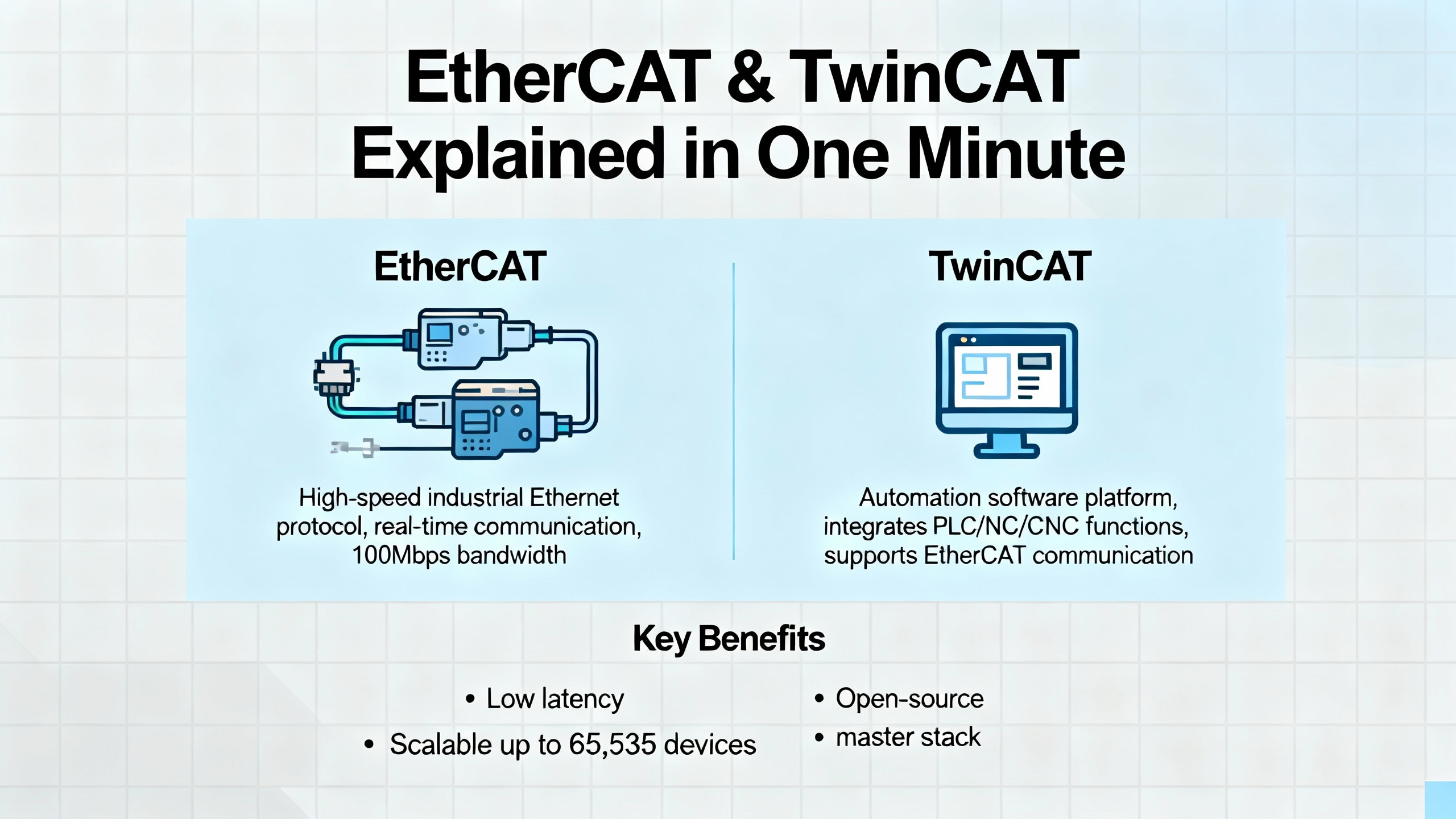
EtherCAT (Ethernet for Control Automation Technology) is an open, real‑time industrial Ethernet protocol designed specifically for deterministic control. It uses a single‑master, multi‑slave architecture: the master sends EtherCAT frames identified by Ethernet Type 0x88A4, and each slave processes its part of the data “on the fly” as the frame passes through. That on‑the‑fly processing, combined with distributed clocks for tight synchronization, is what enables very short, predictable cycle times suitable for motion and multi‑axis control.
EtherCAT supports flexible topologies. You can daisy‑chain devices in line, branch in tree or star structures, or build rings for redundancy. Vendor literature describes typical copper segments with up to roughly 330 ft between nodes over Cat 5e or Cat 6 cable, with the option to extend reach or robustness using switches or fiber links.
Beckhoff’s architecture builds around PC‑based controllers running TwinCAT, with EtherCAT couplers, terminals, and box I/O acting as slaves. Each slave is described by an EtherCAT Slave Information (ESI) file, and communication follows a standardized state machine: Init, Pre‑Op, Safe‑Op, and Operational. In TwinCAT 3, you configure the EtherCAT master under the System node, plan the topology, map process data, and set cycle parameters much like the “System Manager” in TwinCAT 2.
On paper, EtherCAT also has strong built‑in diagnostics, error counters, and options such as ring topologies and automatic reconfiguration to bypass failed links. The reality on the plant floor is that these strengths only help if you know how to interpret them and combine them with good engineering habits.
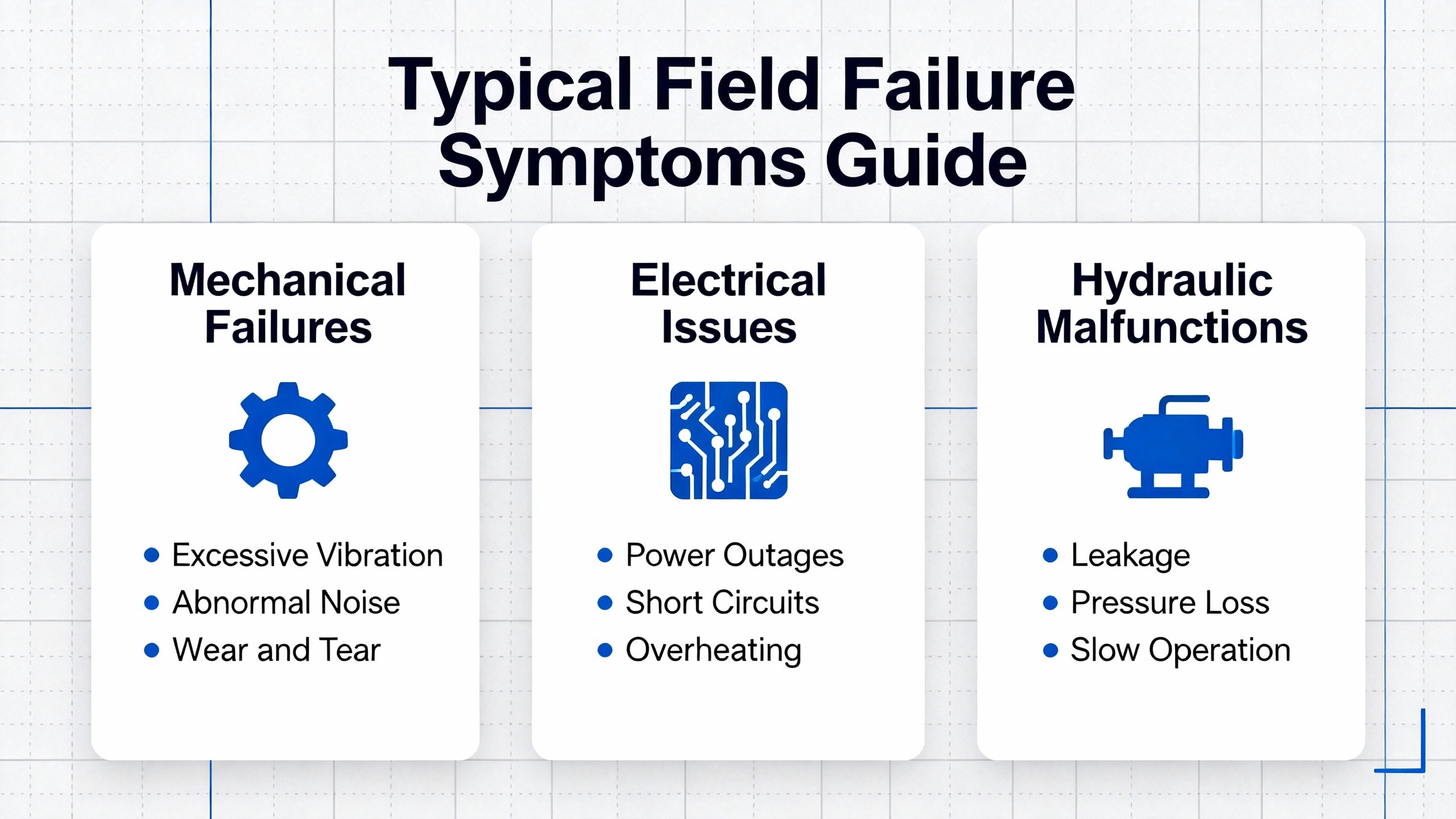
Before jumping into the workflow, it helps to recognize failure patterns that keep repeating across vendors and applications.
One common pattern is that all EtherCAT slaves report Operational, drives respond to outputs, but every input variable in TwinCAT stays at zero and never refreshes. A practical case study from an EtherCAT user working with a Beckhoff‑compatible coupler described exactly this behavior: output control looked perfect while the entire input data area stayed frozen. The root cause turned out not to be the coupler or wiring itself, but a single problematic slave that effectively broke the input data chain for the entire bus.
Another class of issues is hard communication failure where slaves will not transition into Safe‑Op or Operational at all. Vendor diagnostics then show working counter errors, invalid frames, or state machine timeouts. Tools from companies like Acontis and Novanta Motion document how these problems often relate to physical‑layer issues, poor network interfaces, or non‑EtherCAT traffic interfering with real‑time frames.
Target‑system connection errors are another headache on mixed TwinCAT 2 and TwinCAT 3 sites. Engineers using a PC with TwinCAT 3 engineering to connect to a PLC running TwinCAT 2, such as a compact Beckhoff controller, have reported that the HMI cannot reach the PLC even though basic network connectivity exists. As discussed in an Oxmaint community article, the underlying causes are usually missing AMS routes, incorrect ADS ports (801 for TwinCAT 2 runtime 1 versus 851 for TwinCAT 3), or mismatched global variable naming.
Finally, there is the “everything looks wired correctly, but the controller refuses to connect” scenario. Documentation from AutomationDirect on EtherCAT Node Number Enforcement describes error code 5071 when the physical wiring order of slaves does not match the configured node order. The hardware is fine; the network simply does not match the project configuration.
All of these symptoms can be addressed with a systematic approach rather than random clicking in System Manager.
When I walk up to a machine with EtherCAT alarms, I mentally follow the same rough sequence. The details vary, but the structure holds up across Beckhoff, safety drives, I/O slices, and even third‑party masters.
No amount of TwinCAT project tweaking will fix a damaged cable.
EtherCAT troubleshooting guidance from Acontis and others emphasizes classic physical‑layer problems: damaged or application‑inadequate cables, poorly assembled or oxidized connectors, intermittent interruptions from vibration or shock, and power issues on the slaves. In real networks with many hundred slaves and even more cables and junction boxes, a single bad connector can take an entire segment down.
Start by walking the line. Inspect connectors for mechanical damage, flexing, moisture, or obvious contamination. Look for strain relief that is too tight or cables routed next to high‑energy conductors. If the installation is in a harsh environment, consider whether the application really matches the cable type and connector rating that is installed.
Electromagnetic interference and grounding deserve special attention. Acontis lists insufficient shielding or missing bonding as common disturbance sources. EtherCAT is robust, but repeated frame corruption from EMI still shows up as CRC errors and working counter failures, and you will see slaves drop in and out of Operational.
One subtle but important practical point comes from a Novanta Motion troubleshooting article: they captured EtherCAT traffic on systems that used USB‑Ethernet adapters. Whenever non‑EtherCAT packets such as DHCPv6, mDNS, or generic UDP hit the adapter, the USB stack issued an internal abort function that canceled pending transfers and dropped EtherCAT process data packets. The result was hard, reproducible packet loss without any apparent physical damage.
From that kind of evidence, a very pragmatic rule emerges. Avoid USB‑Ethernet adapters for EtherCAT masters and avoid sharing your EtherCAT segment with unrelated IP traffic if you care about determinism. Use onboard or industrial Ethernet interfaces, keep the EtherCAT cable plant dedicated to EtherCAT, and route office or IT protocols elsewhere.
EtherCAT’s line or tree wiring can make it feel like regular Ethernet, but node order matters. EtherCAT frames are processed sequentially as they pass from one slave to the next.
Documentation from AutomationDirect on EtherCAT Node Number Enforcement explains that if the physical wiring order does not match the configuration and enforcement is enabled, the controller will block the connection and raise a specific node order mismatch error (5071 in their case). Importantly, this does not mean a hardware fault; it means your configured topology no longer matches reality.
The same principle applies in TwinCAT environments, even though the exact error code differs. If an electrician has swapped two EtherCAT drops in the panel or on the machine, TwinCAT may discover devices in a different order, assign unexpected addresses, or fail to link configured slave entries to the actual hardware.
A simple, disciplined approach helps:
First, compare the actual daisy‑chain order on the machine against the order shown in the TwinCAT System’s EtherCAT tree. Follow the cables physically and make sure OUT ports and IN ports match the assumed sequence.
Second, if the wiring is correct but devices still do not bind as expected, issue a rescan from TwinCAT and see whether discovered devices line up with the project. If auto‑connect reassigned node IDs or axis mappings, you may have to update motion configuration and PLC code to reflect the new mapping, just as AutomationDirect warns when auto‑connect is used after node order changes.
To make this more concrete, it helps to think in terms of symptom–cause–action relationships.
| Symptom | Likely underlying issue | Recommended action |
|---|---|---|
| Controller refuses EtherCAT connection with a node‑order‑type error code, hardware LEDs look normal | Physical slave wiring order does not match configured node order under an enforcement setting | Correct wiring to match the project, or deliberately rescan and then update project mappings |
| Some slaves missing from TwinCAT scan, even though they are powered | Break in the daisy chain, miswired branch, or incorrect topology assumption | Trace cables from master to last visible slave, correct any skipped or misordered devices |
| Axis or I/O data from one physical device appears under another in PLC variables | Node IDs changed after auto‑connect or rescan, mappings not updated | Re‑align PLC and motion configuration with the updated node ID–to–axis and process data mapping |
Treat node order as a design decision, not an implementation detail, and document it like any other part of the machine.
Once you are sure the cable plant and topology are reasonable, focus on the EtherCAT state machine and the working counter.
According to EtherCAT Technology Group documentation, each slave progresses through standardized states: Init, Pre‑Op, Safe‑Op, and Operational. In Pre‑Op, configuration objects are accessible but process data is not yet exchanged. In Safe‑Op, input data may be valid while outputs are inhibited. Only in Operational do both inputs and outputs flow cyclically.
If a device refuses to leave Safe‑Op, or returns to it from Operational, you will see behavior such as inputs updating but outputs frozen, or vice versa. That is exactly what one field case described: couplers and drives reporting Operational, yet inputs not refreshing, implying that somewhere in the chain the state or configuration did not line up with expectations.
To quantify network health, many masters expose the EtherCAT working counter. Kollmorgen’s troubleshooting example shows a function that reads a working counter error count and sets a simple boolean alarm if the count is greater than zero. That pattern is very usable conceptually: treat any nonzero working counter error count as an actionable alarm, not as background noise.
In a TwinCAT‑centric application, you can mirror this idea by monitoring the diagnostics exposed by the master for frame errors and working counter mismatches, then latching a diagnostic flag in your PLC when they rise above zero. This turns low‑level link statistics into a clear “EtherCAT health” signal that maintenance can understand.
One powerful field insight comes from the SolidoTech case study of a Beckhoff‑style EtherCAT network where all slaves reported OP state and outputs were working, but every input channel to the PLC remained zero.
Their troubleshooting sequence was methodical. They first checked terminal block wiring and channel LEDs on the I/O modules. Since the LEDs showed that sensors were actuating and wiring was correct, they reasonably ruled out pure wiring errors.
Next, they verified the coupler’s state to ensure it was not accidentally stuck in a non‑standard run mode that would allow outputs without forwarding inputs. With the coupler behaving normally, they took it out of the original network and tested it in isolation. In that separate test setup, the coupler uploaded inputs correctly, confirming that it was not the failing component.
At that point, they had a strong hint that the issue was not a single channel or the head coupler, but something affecting the entire bus‑wide input data stream. They then adopted a “slave‑by‑slave isolation” approach: connecting slaves to the coupler one at a time and observing when the input data stopped refreshing. Eventually they identified a specific slave that, once connected, caused the entire network’s inputs to freeze, even though that device itself appeared to be in Operational.
This aligns with EtherCAT’s design: a slave in a bad internal state, misconfigured PDOs, or protocol‑level errors can cause upstream or downstream data chains to become inconsistent. Even though the rest of the bus seems fine, the overall process data consistency breaks.
The takeaway is practical. When you see the pattern “outputs OK, all inputs zero,” do three things in order. First, verify wiring and local I/O indication so you are not chasing a simple sensor issue. Second, validate the coupler’s state and behavior in isolation. Third, if both are good, start selectively removing or adding slaves along the line until the input data resumes, and flag any slave that disrupts the input path as a primary suspect.
Not all EtherCAT failures are clean. Some are maddeningly intermittent: a drive drops to fault once every few minutes, or the master reports late frame timeouts under load.
The Novanta Motion article on diagnosing EtherCAT communication problems shows a structured way to tackle these cases. They set up two PCs and an Ethernet probe to capture traffic both from the master’s perspective and the slave’s perspective simultaneously. In packet‑drop scenarios, they found EtherCAT PDO frames that left the master but never appeared on the slave’s capture, and vice versa. In late‑package timeout examples, they saw frames arriving delayed or reordered enough to violate the master’s timing expectations.
Critically, their trace analysis highlighted a pattern: every time an EtherCAT packet was lost on the USB‑Ethernet path, a non‑EtherCAT protocol packet, such as DHCPv6 or mDNS, appeared just before or after it. Those unrelated packets triggered internal abort functions on the USB interface, which in turn canceled pending EtherCAT transfers.
This leads to two very concrete recommendations when you are chasing intermittent EtherCAT timeouts. Where possible, capture traffic on both sides of the link and compare packet numbers, frame identifiers, and timestamps to pinpoint where frames are dropped or delayed. And again, minimize or eliminate USB‑Ethernet adapters and background network traffic on the EtherCAT segment. A seemingly harmless service like automatic address assignment or multicast name discovery can systematically break real‑time behavior.
Sometimes the EtherCAT link itself is fine, but your engineering tools or HMIs cannot talk to the Beckhoff PLC. This is where TwinCAT‑specific knowledge becomes critical.
An Oxmaint community discussion describes a realistic scenario: a PC with TwinCAT 3 development environment communicating with a PLC running TwinCAT 2. The engineer successfully created a route from the TwinCAT 3 system to the TwinCAT 2 PLC, scanned I/O, and viewed CoE entries, all without touching the PLC code. The key enabler was a correctly configured AMS routing path.
For HMI applications written in Visual Basic using AdsOcx, the same principle applies. The PC does not need to run the same TwinCAT runtime as the PLC. In fact, the article notes that TwinCAT 3 can be installed on the HMI PC without additional licensing, since the license is tied to the PLC runtime. TwinCAT 2 can even be installed in a control‑panel‑level variant that allows configuration but not PLC programming.
What the HMI does need is a correct combination of AMS route, ADS port, and symbol name. The Oxmaint article points out several key details. TwinCAT 2’s default runtime 1 uses ADS port 801, while TwinCAT 3’s main runtime uses port 851 for AdsOcx calls. A VB6 HMI therefore must adapt based on whether it is talking to a TwinCAT 2 or TwinCAT 3 PLC. Global variables are also named differently. In TwinCAT 2, a global can be accessed as “.var1,” while TwinCAT 3 organizes them under global variable lists such as “GVL.var1.”
In practice, when you hit a “target system connection error” in TwinCAT or your HMI cannot read variables, verify three things. Ensure an AMS route exists from the engineering or HMI PC to the PLC and that the AMS ID matches the controller. Make sure the ADS port number in your application matches the PLC’s TwinCAT version and runtime. And confirm that your global variable naming pattern matches how the PLC project exposes symbols for that version.
Once those three align, the distinction between TwinCAT 2 and TwinCAT 3 largely disappears as far as ADS communication is concerned.
Occasionally, especially after many incremental changes or partial downloads, an EtherCAT configuration can end up in a state where nothing obvious is wrong, yet the network still fails. In those cases, some vendors explicitly recommend a hard reset of the EtherCAT configuration.
For example, Deltamotion’s RMC tools documentation describes a “Reset to Default” function that clears the current EtherCAT configuration back to factory settings. The warning is clear: all custom EtherCAT settings and adjustments are lost and must be re‑applied. Only after exhausting other troubleshooting routes do they recommend right‑clicking the EtherCAT node, selecting reset, and then downloading the fresh default configuration back to the device.
The same caution should guide you in TwinCAT and Beckhoff environments. A reset can clear out an invisible configuration conflict, but it is inherently destructive. Treat it like reformatting a drive: document your current working configuration, make sure you have source for all ESI files and mappings, and only then clean the slate.
Not every EtherCAT network with Beckhoff hardware uses a Beckhoff master. Many plants pair Beckhoff drives or I/O with other masters, including motion controllers and test systems.
Community discussions and official bug listings from National Instruments illustrate an important point: EtherCAT implementations outside Beckhoff vary in maturity. The LAVA community notes that NI’s EtherCAT support, after about the LabVIEW 2017 timeframe, effectively became a legacy feature. Users reported difficult configuration, subtle integration bugs, and very limited ongoing investment. NI’s own known‑issues document for NI‑Industrial Communications for EtherCAT lists numerous quirks, from topology discovery failures with certain Beckhoff E‑Bus devices to synchronization problems at longer scan periods.
This does not mean you cannot use Beckhoff EtherCAT slaves with non‑Beckhoff masters. It does mean that when communication failures arise, you must consider the master stack’s limitations as part of root‑cause analysis. In some cases, reproducing the issue with a Beckhoff master or with an EtherCAT test tool such as those described by Acontis is the fastest way to separate slave issues from master‑stack oddities.
Troubleshooting is important, but the most cost‑effective EtherCAT networks are the ones that quietly run for months without alarms. Several consistent design themes emerge from EtherCAT Technology Group documentation and vendor troubleshooting guides.
Keep EtherCAT on a wired, local, dedicated segment for real‑time control. While EtherCAT frames can technically coexist with other protocols like PROFINET or generic IP traffic on the same physical infrastructure, both ETG literature and independent troubleshooting case studies advise against mixing time‑critical EtherCAT data with noisy, unpredictable traffic if you care about hard real‑time behavior. Use managed segmentation and firewalls to keep office, internet, and IT services off the control segment.
Take cable quality and connector assembly seriously. EtherCAT’s microsecond‑class cycle times mean there is very little margin for repeated retries or long jitter. Use industrial‑grade cabling appropriate to your environment; pay attention to shielding, bonding, and strain relief; and verify that connectors are built to spec. Remember that a single poor crimp can consume a surprising amount of your troubleshooting time later.
Design the topology intentionally. Line topologies are simple and cost‑effective, but ring topologies can improve error containment and offer redundancy in case of one cable or device failure. EtherCAT’s flexible topology options allow combinations of line, tree, star, and ring; use that to balance robustness and simplicity.
Embed diagnostics into your control code. Do not leave working counter status and error registers buried in the master’s diagnostics page. Follow the pattern that Kollmorgen demonstrates: turn low‑level counters into clear OK or NOT OK signals at the application level, and log when they trip. That way, you can correlate EtherCAT health with machine events and avoid “no fault found” loops.
Treat cybersecurity as a separate layer. EtherCAT itself does not provide built‑in security features. EtherCAT Technology Group materials explicitly state that cybersecurity must be handled with higher‑level measures such as network segmentation, VPNs, firewalls, and secure programming practices. The good news is that many of the same measures that improve real‑time behavior—dedicated segments, minimal exposure, clear routing—also help with security.
Finally, invest in consistent configuration practices. Maintain up‑to‑date ESI files under version control, document node order and topology, and standardize how you name global variables and symbols, especially when you know you will support both TwinCAT 2 and TwinCAT 3 systems for years.
To make this concrete, imagine walking into a plant where a Beckhoff‑based machine has stopped. Drives are up, outputs seem to command correctly, but operators complain that sensors are “dead” and the PLC logic never sees them change.
Following the approach outlined earlier, you first confirm that the I/O terminals show their channel LEDs toggling as sensors actuate. That, combined with correct wiring diagrams, strongly suggests the input signals are reaching the I/O modules.
Next, in TwinCAT you observe that all slaves report OP state, yet process input variables remain at zero. Suspecting a bus‑level input problem, you temporarily move the head EtherCAT coupler into a test rack with a minimal configuration. In that simple environment, the inputs update correctly, so the coupler is healthy.
Back on the machine, you disconnect all downstream slaves and then reconnect them one by one, watching the PLC inputs. With only the coupler and a small I/O bank, inputs are fine. As soon as a particular third‑party slave is added, the inputs freeze across the entire bus, even though its LEDs and state display look normal.
At that point, you have a highly targeted suspect: a slave that appears nominal but disrupts the PDO input path. You can prove the point by replacing it with a spare or by temporarily bypassing it in the topology. Once it is removed or corrected, the network’s inputs start updating again and production can resume.
This is exactly the kind of pattern the SolidoTech article described, and it illustrates why disciplined, segment‑by‑segment isolation works so well with EtherCAT.
Q: Can I run EtherCAT over wireless or across a wide‑area network between sites? EtherCAT Technology Group documentation acknowledges that wireless links and WAN connections are technically possible, but strongly recommends against them for tight real‑time control because of added latency, jitter, and packet loss risk. For motion control and hard‑real‑time tasks, keep EtherCAT on a wired local segment. If you must bridge between locations, do it at an information layer above the real‑time bus.
Q: Is it acceptable to share one Ethernet port for EtherCAT and regular TCP/IP traffic? EtherCAT frames can share the same physical medium with other Ethernet protocols, and EtherCAT packets can be encapsulated within standard frames. However, practical troubleshooting evidence from Novanta Motion and others shows that competing traffic, especially on weak or USB‑based network interfaces, can cause systematic EtherCAT packet loss. If the application is at all time‑sensitive, treat the EtherCAT segment as dedicated, even if the NIC is physically capable of more.
Q: When should I consider resetting the EtherCAT configuration to default? As Deltamotion’s guidance makes clear, configuration resets are a last resort. Use them only after you have verified wiring, topology, state machine, node order, routes, and slave configurations and still have unexplained failures. Before resetting, back up your current configuration, ensure you have all required ESI files, and plan for the time it will take to revalidate the machine afterward.
EtherCAT with Beckhoff TwinCAT gives you a remarkably powerful control stack, but it is not magic. The same physical‑layer realities, topology constraints, and configuration pitfalls that trouble other fieldbuses still apply, just at microsecond time scales.
When you treat EtherCAT networks systematically—starting with cables and node order, watching state machine and working counter health, isolating input versus output issues, keeping masters and HMIs correctly routed and version‑aware, and reserving nuclear options like full resets for last—you can usually turn even ugly communication failures into a straightforward repair.
That is the mindset I bring every time I open an automation panel: trust the technology, but verify each layer, and let evidence, not guesswork, guide the fix.



Copyright Notice © 2026 mooreautomated.com All rights reserved,Moore Automated is not an authorized distributor or representative of the manufacturers featured on this website. Brand names and trademarks featured are the property of their respective owners.



Leave Your Comment