






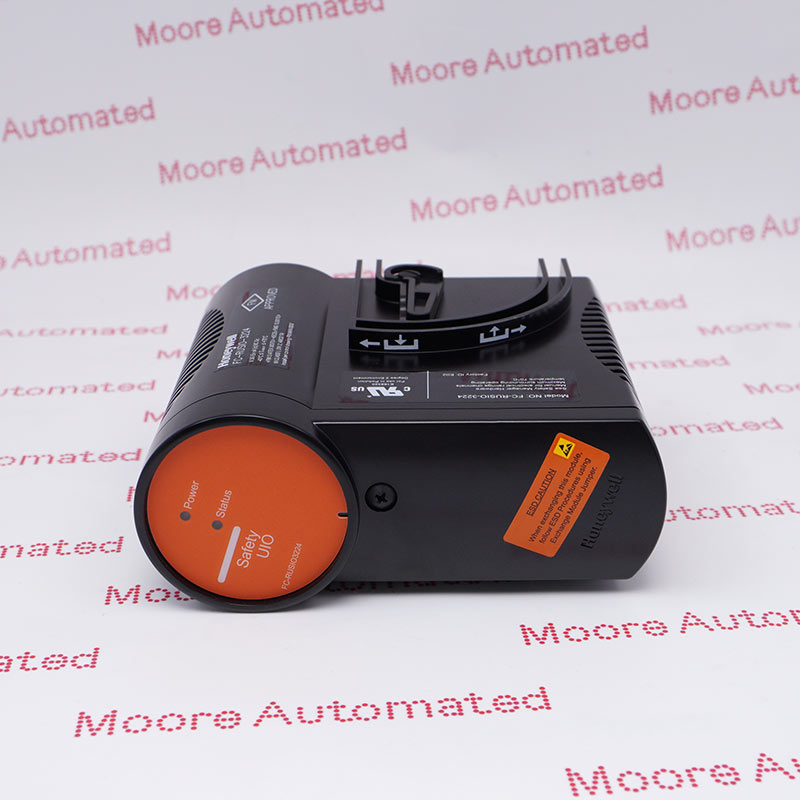
FC-RUSIO-3224
Get A Quote
Keeping a GE PACSystems cell running comes down to diagnosing the real failure quickly and restoring deterministic communications without creating new problems. I spend a lot of time standing in front of RX3i racks with Proficy Machine Edition open, a laptop on the plant network, and a supervisor wondering when the HMI will stop blinking red. This article is the field guide I wish every shift had handy: what fails, how to prove it, and how to fix it with confidence. Where I cite specifics, I anchor them to published GE/Emerson documentation or well-documented community experience. Where I infer best practices that are not explicitly written in the sources, I say so and give a confidence level.
In practice, true Ethernet module failures are much rarer than configuration mismatches, traffic overloads, or simple addressing mistakes. Most Ethernet-interface faults surface as entries in the Controller Fault Table, with additional details embedded as “fault extra data.” The extra data’s leftmost fourteen digits encode the Ethernet exception log’s event code and three entries, which you can decode against the Station Manager documentation. This is straight from the PACSystems Ethernet manuals and the Station Manager references, and it is the shortest path to root cause because the controller tells you exactly what event it saw.
On the rack, LEDs still matter. Instruction-cache or BSP startup error blink codes, such as 0x39 and 0x41 on the reference list, point away from network issues and toward firmware or module health. When outputs behave unexpectedly after a comms disturbance, check for forces first. The I/O FORCE LED and the system bit %S0011 indicate that at least one forced point exists, and you can confirm via the forces report in Proficy or programmatically with SVC_REQ command 18. These are documented behaviors for RX3i Ethernet NIUs and controllers.
A common on-site trap is assuming “network fault” when the rack actually has a hardware mismatch. A public case on the Control.com forum described a “system fault” on an RX3i that cleared instantly when an analog input module with the wrong part number was replaced with the correct one. The root cause was a module catalog mismatch relative to the hardware configuration. That kind of mismatch looks like a network problem only because the rack shows red and the HMI is offline. The fix lives in hardware, not Ethernet.
When I arrive to a down line, my first five minutes are always the same. I verify safe conditions, then confirm power health on the rack, CPU, and Ethernet module. I open Proficy Machine Edition, go online, and read the Controller Fault Table. Double-clicking the top entry exposes the fault extra data. I note the fourteen-digit block because it encodes the event and three entries that map one-to-one with the Ethernet exception log. I do not clear anything yet. I check the hardware configuration against the physical rack, slot by slot and part number by part number, because a single catalog-digit mismatch can produce persistent “system fault” symptoms. If modules were replaced recently, I ask for the spares bin and the job travelers to validate that the installed replacement actually matches the configured module and location.
If the fault text hints at communications, I verify link and activity LEDs on the Ethernet port, confirm IP, mask, and gateway on the PLC side, and ping the expected peers from a known-good maintenance laptop on the same VLAN. If ARP resolution fails or the device does not respond, I focus on addressing and switchport health, not PLC code.
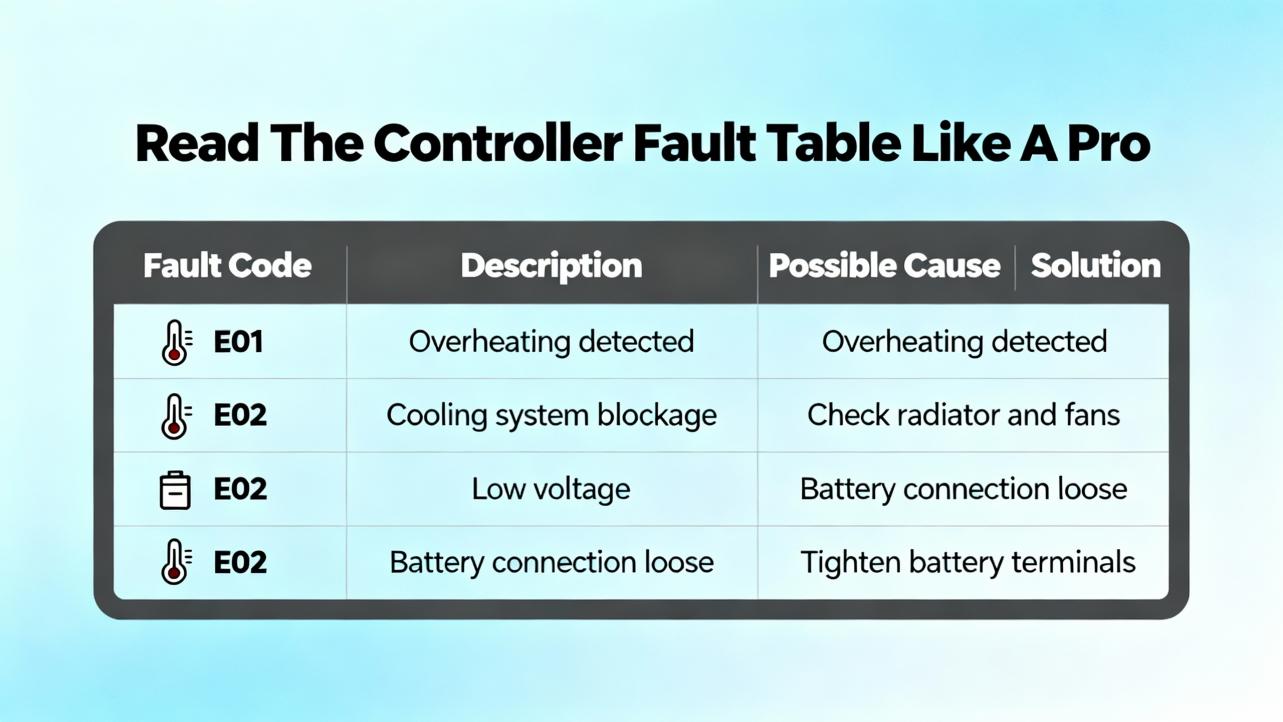
The Controller Fault Table is the single most valuable diagnostic surface for PACSystems Ethernet issues. It consolidates the interface’s exceptions and embeds extra data that mirrors the Ethernet exception log. In Proficy Machine Edition you can double-click any entry to reveal the extra data, then decode it against the Station Manager tables in the Station Manager user manual. The pattern is stable: the first two digits are the Event number and the next three four-digit fields are Entries 2, 3, and 4. This makes the fault table a direct index into the Ethernet module’s internal log.
The following table maps common, documented controller fault texts to likely causes and practical fixes you can execute immediately, along with where the verification typically lives.
| Controller Fault Text | Likely Cause | Practical Fix | Where To Verify |
|---|---|---|---|
| Mailbox queue full — COMMREQ aborted | Application sends COMMREQs faster than the interface can process | Rate-limit COMMREQ issuance in logic; ensure interlocks and feedback pacing | Ladder logic scan, COMMREQ rung conditions, event counters |
| Bad local/remote application request — discarded | Invalid or unsupported COMMREQ command codes | Correct the command codes and payload format per manual | COMMREQ parameters vs. manual tables |
| Can’t locate remote node — request discarded | IP or MAC cannot be resolved; remote host offline or wrong subnet | Fix addressing; bring remote node online; validate VLAN reachability | Ping traces, ARP cache, switch port status |
| Backplane communications lost request | Internal backplane or module seating issue | Reseat module; inspect backplane connector; confirm power budget | Physical inspection, power module load, slot seating |
| LED blink code 0x39 or 0x41 | Instruction cache TLB miss or BSP startup error (module/firmware related) | Power cycle module; check firmware; consider module replacement if recurring | Module firmware revision and boot logs via Station Manager |
These entries, their meanings, and fixes are directly aligned with the PACSystems RX7i/RX3i Ethernet communications manual and the Station Manager reference. The immediate goal is not to guess but to map what the controller saw to a known remedy.
Station Manager is the Ethernet interface’s diagnostic shell. It exposes exception log events that line up with the fault table’s extra data. On systems where Station Manager access is allowed, you can retrieve the exception log, check port and buffer stats, and verify whether the interface is dropping requests due to rate, malformed requests, or unreachable peers. The manuals describe the commands and output format; use them carefully and read-only while the plant is running unless you have a maintenance window. In my experience, correlating the top ten exception events with the application’s COMMREQ scan is a reliable way to find a logic hot loop that saturates the interface.
The “Mailbox queue full — COMMREQ aborted” message is almost always self-inflicted. The application requests more than the interface can accept, and the queue drops new requests. The fix is not in the switch and not in replacing the module; it is in pacing the COMMREQ calls. The practical pattern is to add a completion-based interlock so a new request is issued only after the prior one closes, or to throttle requests with a simple periodic timer that sets an upper bound on requests per second. I also use counters to record request starts and completions and compare them to exception log counts. This way I can prove the rate change actually eliminated aborted requests. This advice is strongly supported by the Ethernet manual’s fault description and corrective action notes.
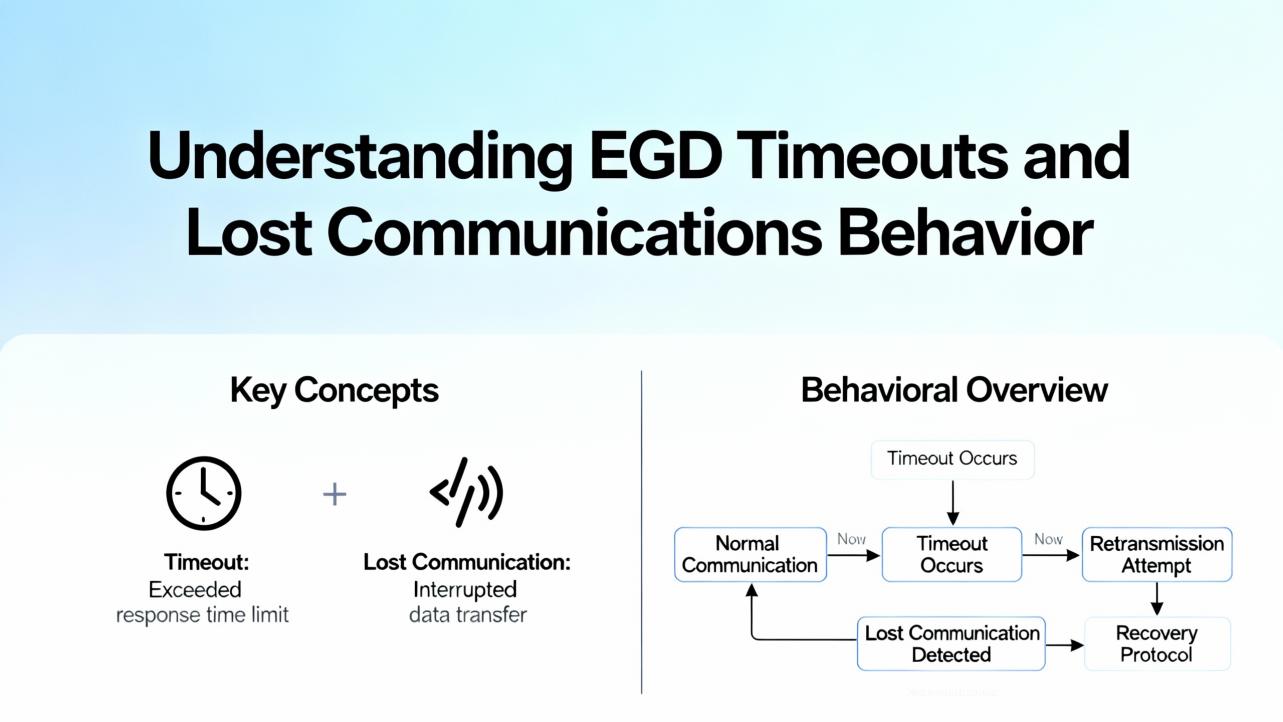
When the RX3i consumes EGD, the consumed exchange’s update timeout governs when the consumer decides the producer is late and triggers lost-communications behavior. The guidance is simple and documented: set the consumer timeout to at least three times the produced period plus two milliseconds. That margin accommodates jitter and keeps the consumer from flapping during transient bursts. If the timeout is zero, the control-word-directed lost-comms output state does not take effect by design, which surprises people expecting a fail-to-zero behavior.
The control words in the first ten consumed words define what the NIU or controller does on lost communications, including hold-last, set-to-zero, and arbitration when two controllers can supply outputs. Because these bits are parsed from the last active controller’s exchange, you should confirm that your commissioning notes reflect the intended behavior, not just the default.
The table below provides quick examples for setting consumed exchange timeouts by produced period using the documented rule of thumb.
| Produced Period (ms) | Minimum Consumed Timeout (ms) |
|---|---|
| 10 | 32 |
| 20 | 62 |
| 50 | 152 |
| 100 | 302 |
| 250 | 752 |
These numbers come directly from the three-times-plus-two rule shown in vendor guidance for RX3i Ethernet NIUs and EGD consumers.
Once the controller’s own diagnostics point to “can’t locate remote node” or repeated retries, the next steps move to the network. I validate that the PLC and peers share the same subnet or that the gateway routes correctly. I check whether a duplicate IP appeared recently by scanning the ARP table for conflicting MACs. On managed switches, I confirm the port is up at a fixed, sensible speed and duplex, and I temporarily disable “green Ethernet” features that can nap an idle port. These steps are common industrial network hygiene, not unique to RX3i, and are based on field practice. This paragraph reflects inference from broad shop-floor experience with medium confidence because the blocked forum snapshots did not show specific RX3i cases but outlined similar investigative threads.
Spanning-tree convergence delays, storm-control thresholds that are too tight for bursty traffic, or misclassified QoS can show up as intermittent timeouts. If the problem is periodic and correlates with another machine starting, I look for broadcast spikes and ensure the PLC VLAN is insulated from noisy sources. This is general best practice and an inference with medium confidence, but it consistently reduces false “Ethernet module” blame.
Before swapping an Ethernet module, you should prove it. A wrong module part number in the rack, a mis-slotted card, or a hardware configuration that was never updated can all produce system faults that mimic network failure. The Control.com case where an incorrect analog input card installed after a repair caused a rack-level fault is a perfect example. The way to prevent this is boring and effective: maintain a validated spares list and bill of materials, label the rack with slot and part number, and keep a current backup of the hardware configuration. After any hardware change, re-run diagnostics and confirm that the rack physically matches the configured hardware before declaring victory.
On mixed-revision racks, make sure the Proficy target’s hardware configuration reflects the exact catalog numbers and firmware levels present in the rack. When the Ethernet stack changes across firmware revisions, mismatches can produce unexpected behaviors under load that look like “random” timeouts. If you must upgrade firmware, plan a stop–clear–cold start cycle and a minimal test project to validate the interface before restoring the full application. This is standard vendor guidance across the PACSystems line and a field-proven approach; it is offered here as inference with high confidence.
Ethernet modules are hardy, but they are not immune to ESD, vibration, and thermal fatigue. Handle spares in anti-static packaging, avoid flexing the backplane when seating modules, and document every change. On the software side, export and archive the forces report, the fault table, the hardware configuration, and any Station Manager exception logs before clearing them. Keeping these artifacts makes postmortems faster and prevents rework the next time the symptom appears.
A small test bench is worth its weight in uptime. A five-slot rack, a known-good power supply, a CPU, and an Ethernet module allow you to validate questionable hardware on the bench. The PDF Supply test procedure for other GE communication modules demonstrates this pattern. While that example targets serial, the concept applies to Ethernet: isolate, test, and only then return a module to production use. This reuse of test methodology across module types is an inference with high confidence based on standard integration practices.
The choice to replace an Ethernet module, repair it, or redesign the logic depends on what the diagnostics prove. The table below summarizes the tradeoffs I explain to production teams.
| Option | Pros | Cons | When I Choose It |
|---|---|---|---|
| Replace the Ethernet module | Fast restoration if a genuine hardware fault is proven | Cost and lead time; firmware/config revalidation required | After decoding fault data and logs point to repeatable module errors |
| Bench repair via vendor | Cost-effective for intermittent or thermal faults | Downtime while unit is away; repair may be NTF if config-related | When hardware is suspect but not definitively dead |
| Logic changes to pace load | Eliminates self-inflicted overloads such as COMMREQ bursts | Requires testing and validation on a live system | When “mailbox queue full” or similar load faults are present |
| Network remediation | Solves reachability and flooding issues across the cell | Requires IT coordination and change control | When “can’t locate remote node” or intermittent reachability occurs |
| Firmware alignment | Removes revision-induced behaviors and incompatibilities | Risk during upgrade; requires maintenance window | When module and project firmware drift is documented |
The goal is to be empirical. Replace hardware only when the evidence demands it.

When procuring spares, specify the exact catalog number and the firmware revision you are standardized on. Ask for a warranty and a test report that includes a power-up OK state and a loopback or basic comms check. Align with the vendor’s return policy for modules that test fine on the bench but fail in your environment. If your racks include redundant controllers or NIUs, confirm the Ethernet module’s revision compatibility with the existing backplane and CPU, not just the product family name. These are practical procurement steps rather than manual excerpts; they are inferences with high confidence from common pitfalls that repeatedly force reorders.
The Controller Fault Table is the controller’s record of faults, including Ethernet interface errors and “fault extra data” that mirrors the Ethernet exception log for the same event. The Station Manager is the management and diagnostics interface for the Ethernet module that provides exception logs and statistics referenced by the manuals. A COMMREQ is the application’s communication request toward the Ethernet interface and must be paced to the interface’s capacity. EGD is the high-performance data exchange mechanism whose consumed update timeout must be set with sufficient margin to avoid false loss-of-comms behavior. An AI card is an analog input module; using the wrong part number relative to the configured hardware can produce a rack-level fault that has nothing to do with Ethernet.

For a fast bench-side lookup, use this condensed table to connect fault symptoms to concrete actions.
| Symptom As Seen | What It Usually Means | What To Do Now |
|---|---|---|
| COMMREQ aborted due to mailbox queue full | Application is outpacing the Ethernet interface | Add interlocks or timers to throttle requests; verify request and completion counters |
| Bad local or remote application request discarded | Invalid or unsupported COMMREQ command codes | Correct the command codes and payloads per the manual’s command table |
| Can’t locate remote node — request discarded | Addressing or peer availability problem | Fix IP/subnet/gateway; confirm peer is online; validate ARP; check switch VLAN and port |
| Blink code shows 0x39 or 0x41 on startup | Instruction cache or BSP boot error | Power cycle; verify firmware version; replace module if error persists |
| Outputs act strangely after comms event | Forced bits active in memory | Look for I/O FORCE LED or %S0011; run forces report; remove unintended forces |
These mappings are derived from the Emerson Ethernet communications manual family and the Station Manager exception log documentation.
Start with what the controller is already telling you. Decode the fault table’s extra data, correlate it with the Ethernet exception log, and only then decide whether to change logic, fix the network, or replace hardware. Pace COMMREQs so the interface never starves, set EGD timeouts with the documented margin, and document lost-comms control words so outputs do exactly what you intend. Before blaming Ethernet, verify the rack truly matches its configuration; that single step has cleared more “mysterious” faults in my career than any switch change. If you follow the diagnostics to the letter of the manuals and apply a little field discipline, GE PACSystems Ethernet issues stop being emergencies and start being routine maintenance.
Open the Controller Fault Table in Proficy Machine Edition and double-click the entry to view the extra data. The leftmost fourteen digits encode the Ethernet exception log event number and three entries. Cross-reference those values with the Station Manager user manual’s exception tables to find the precise condition and the recommended corrective action.
Your logic is issuing communication requests faster than the interface can process. Add pacing so a new COMMREQ is issued only after the prior one completes, or cap requests per second with a periodic timer. This aligns with the Ethernet manual’s guidance and eliminates self-induced aborts.
Use at least three times the produced period plus two milliseconds. For a producer running every 50 ms, set the consumer timeout around 152 ms. This prevents jitter from causing false loss-of-comms transitions. A zero timeout disables the control-word-directed lost-comms behavior by design.
Yes. A documented field case showed a system fault that cleared immediately once a wrong analog input module part number was replaced with the correct one. Always verify every module’s catalog number and slot against the hardware configuration before chasing network ghosts.
Replace the module only when decoded fault data and logs indicate repeatable module-specific errors or hardware boot failures. If the symptoms are rate or address related, fix the application pacing and network first. When in doubt, validate on a bench rack before returning a suspect unit to production.
They can. Duplex mismatches, energy-saving features that sleep idle ports, or aggressive storm control can all bite PLC traffic. Check port speed and duplex, disable “green Ethernet” and similar features for PLC ports, and keep the PLC on a clean VLAN. This is best practice from field experience and an inference with medium confidence.
Emerson PACSystems RX7i & RX3i TCP/IP Ethernet Communications User Manual (document family GFK‑2224)
Emerson Station Manager User Manual (GFK‑2225)
Manualslib compilation of GE RX3i manuals and diagnostic chapters
Instrumart hosted PACSystems RX3i Ethernet communications manuals
PDF Supply application notes for IC695NIU001 Ethernet NIU and EGD configuration guidance
Control.com forum discussion on RX3i “system fault” cleared by correcting an analog input module part number


Copyright Notice © 2026 mooreautomated.com All rights reserved,Moore Automated is not an authorized distributor or representative of the manufacturers featured on this website. Brand names and trademarks featured are the property of their respective owners.



Leave Your Comment