







MP 3009X
Get A Quote
When an Omron PLC drops off the network in the middle of production, operators see “frozen” HMIs, SCADA alarms, or label printers that just stop responding. From the control room it all looks like “the network is down.” On site, the root cause is almost always more specific: a fragile serial link, a misaligned FINS network number, a socket limit on the PLC, or an EtherNet/IP configuration that never lined up with the actual device.
This article pulls together real-world cases from Omron-focused communities, vendor support notes, and Omron-centric OPC documentation, then blends them with field experience from commissioning and troubleshooting on the plant floor. The goal is not theory, but a practical roadmap you can apply when Omron PLC communications fail, whether your problem is a CP1L on RS‑232, an NX1P talking EtherNet/IP to a robot, or an NJ-series controller feeding data into SCADA through FINS or OPC.
In practice, Omron communication problems rarely arrive as a clean, reproducible lab test. They show up like this.
An engineer on a MrPLC discussion described a CJ2M master talking to four CP1L slaves. Three slaves communicated perfectly, but one CP1L refused to talk. In Omron CX‑Integrator the working nodes sat on “network‑1” while the problematic slave appeared on “network‑0,” and attempts to download corrected settings failed. All logic was fine; the “network number” mismatch alone was enough to kill communication.
Another thread on NJ-series communications described an NJ101 PLC with an NA-series HMI, multiple EtherNet/IP code readers, an RS‑232 gateway, and a Zebra ZT411 printer. At first the printer worked. After several minutes of continuous printing, Omron’s SktTCPRcv function block began throwing error codes like 2003, 2006, and 2007, and the engineer had to restart the connection. The same network also showed sluggish HMI boot when a programming PC stayed online and even lost HMI communications during online edits.
On the SCADA side, users of the Omron FINS/TCP driver in Ignition reported intermittent dropouts and a device status of ReconnectWait. One PLC model in the discussion supported about three simultaneous TCP connections, while larger models could handle roughly sixteen. Because TCP sessions were not timing out or closing properly, the PLC ended up holding stale connections indefinitely, and Ignition could no longer establish new ones until those sessions were cleared. Enabling the PLC’s TCP keep-alive with an idle timeout of about one minute significantly improved or resolved the issue.
Even at the simplest point-to-point level, communications can be fragile. On a control.com discussion, a commissioning engineer described a laptop talking RS‑232 to a PLC using USB‑to‑serial adapters. The OEM converter bundled with the laptop had unreliable RTS control. A replacement adapter reduced but did not eliminate intermittent failures, especially when using a long RS‑232 cable coiled around the commissioning area. Uploading or downloading a PLC program often took four or five attempts. The most reliable solution was a true PCMCIA serial card and a shorter, better-managed cable.
Taken together, these cases show a pattern. Omron PLC communication failures are usually caused by something very specific: serial signal quality, TCP socket management, FINS network numbers, IP configuration details, port and channel design in the OPC or driver layer, or EtherNet/IP configuration mismatches. The rest of this article walks through each of these layers in a structured way and suggests a practical troubleshooting path you can apply on site.
Many Omron systems still rely on serial links for programming, maintenance, or legacy HMIs. When those links misbehave, everything upstream looks “broken” even though the PLC program is fine.
The control.com case highlights how much quality and geometry matter for RS‑232. The engineer used a USB‑to‑RS‑232 converter shipped with an HP laptop and observed RTS control problems and intermittent failures. Replacing it with a Wiretek‑branded converter improved reliability but still produced intermittent errors when combined with a relatively long RS‑232 cable. Coiled sections and crossovers in that cable aggravated the problem, and large program transfers frequently failed several times before completing.
In a beginner CP1L case on MrPLC, things were even more confusing. The system combined a CP1L, a touchscreen HMI, and a Siemens A700 inverter. Every component worked individually. Only when the inverter “kicked in” did communication between the PLC and touchscreen die. Cycling main power did not restore reliable comms. While the root cause is not fully documented, the pattern is classic for electrical noise or grounding issues induced when a large drive energizes and injects noise on reference or communication paths.
At the same time, another CX‑One user on a PLCtalk thread struggled with bare-metal serial wiring into CJ1M CPUs. They attempted a straight‑through pinout plus multiple handshaking jumpers on both PC and PLC connectors. Communication still failed because Omron serial pinouts and required jumpers are highly specific, and improvising without the official wiring diagrams is a good way to stay offline.
From these cases, a pragmatic approach emerges for Omron serial communications.
Keep the RS‑232 cable as short as the work allows. If you must leave a laptop away from electricians or noisy equipment, do not coil extra cable near drives or power feeds, and do not bundle it tightly with motor or inverter leads. Upgrading from a cheap USB adapter to a higher‑quality interface, or to a dedicated serial card, often pays off immediately in fewer retries and timeouts.
Check the exact Omron wiring diagram for your PLC model before building a cable. Avoid ad‑hoc jumpers unless they match the documented handshaking requirements. If you are an integrator walking into someone else’s machine, consider carrying a known‑good Omron serial cable or building one to spec instead of reverse‑engineering whatever is in the cabinet.
Finally, combine physical checks with simple tests. Move the laptop closer and run a short, known‑good cable. If the errors disappear, you have confirmation that the long cable or routing is to blame rather than CX‑Programmer or the PLC CPU.
Once you move to Ethernet, problems shift from signal quality to addressing, routing, and protocol configuration. With Omron, you must think in both IP addresses and FINS network numbers.
In the CP1L multi‑drop example, a CJ2M master communicated with four CP1L slaves. Three slaves appeared correctly in CX‑Integrator under “network‑1” and worked. One CP1L showed up on “network‑0” and could not communicate with the master. The engineer could not push corrected network settings to that PLC, effectively leaving it stranded on the wrong FINS network number.
A different engineer trying to connect an NX102 or NX1P2 controller through a plant network reported that direct Ethernet from laptop to controller worked perfectly. But once the PLC was patched into the plant network and configured to obtain an address via BOOTP, the programming software could no longer go online. The engineer and the IT team were unsure about whether to set a default gateway, how to choose the final static address in the 172.16.209.xxx range, and whether the PLC host name needed to be defined for discovery. They referenced Omron’s “Device IP Update Tool,” which can scan for Omron devices and update IP addresses, but still needed clarity on gateway and addressing strategy.
Another user attempting to reach an Omron PLC through an eWON remote access device configured the PLC with FINS network 0, FINS node 1, subnet mask 255.255.255.0, and port 9600. The eWON LAN was on the same IP range, and the engineer set Omron‑related parameters for Ethernet FINS Network and Node but was unsure whether those values should mirror the PLC or be unique on the eWON. The connection failed with a TCP connect error, pointing to some mismatch in addressing or configuration.
These cases highlight several important Omron details.
First, FINS network numbers and node numbers are separate from IP addresses. All devices on the same logical FINS network must share the same network number, and each must have a unique node number within that network. If one CP1L sits on network‑0 and the CJ2M and other slaves all use network‑1, FINS messages will not reach that device even if the IP settings are valid.
Second, Omron controllers need correct IP, subnet mask, and, where relevant, default gateway configurations to work over routed plant networks. Direct laptop‑to‑PLC connections bypass routing, so they often work even when the gateway is blank or misconfigured. As soon as you insert a switch, router, or VLAN, the gateway and IP scheme must align with the plant network rules.
Third, the Omron Ethernet TOP Server guidance from Software Toolbox describes a peculiarity when the PC and PLCs are on different networks. If the last octet of the PC’s IP address matches the last octet of a PLC’s IP address, communications can fail, even when the rest of the addresses differ. For example, a PLC on 192.111.167.20 and a PC on 10.21.15.20 still share “.20” at the end, and the driver documentation cites this as an Omron Ethernet limitation that can block communications.
In the field, that combination of FINS parameters and IP addressing is where many “mysterious” Omron network failures live. When troubleshooting, I always verify both layers. In CX‑Integrator, confirm that network numbers match the intended topology and that each PLC’s node number is unique. On the Ethernet side, verify IP, mask, and gateway with the plant IT team and avoid IP patterns that clash with Omron’s documented quirks. If you suspect configuration drift, use Omron’s Device IP Update Tool or similar utilities to discover the PLC on the network and confirm its actual address before you start changing SCADA or driver settings.
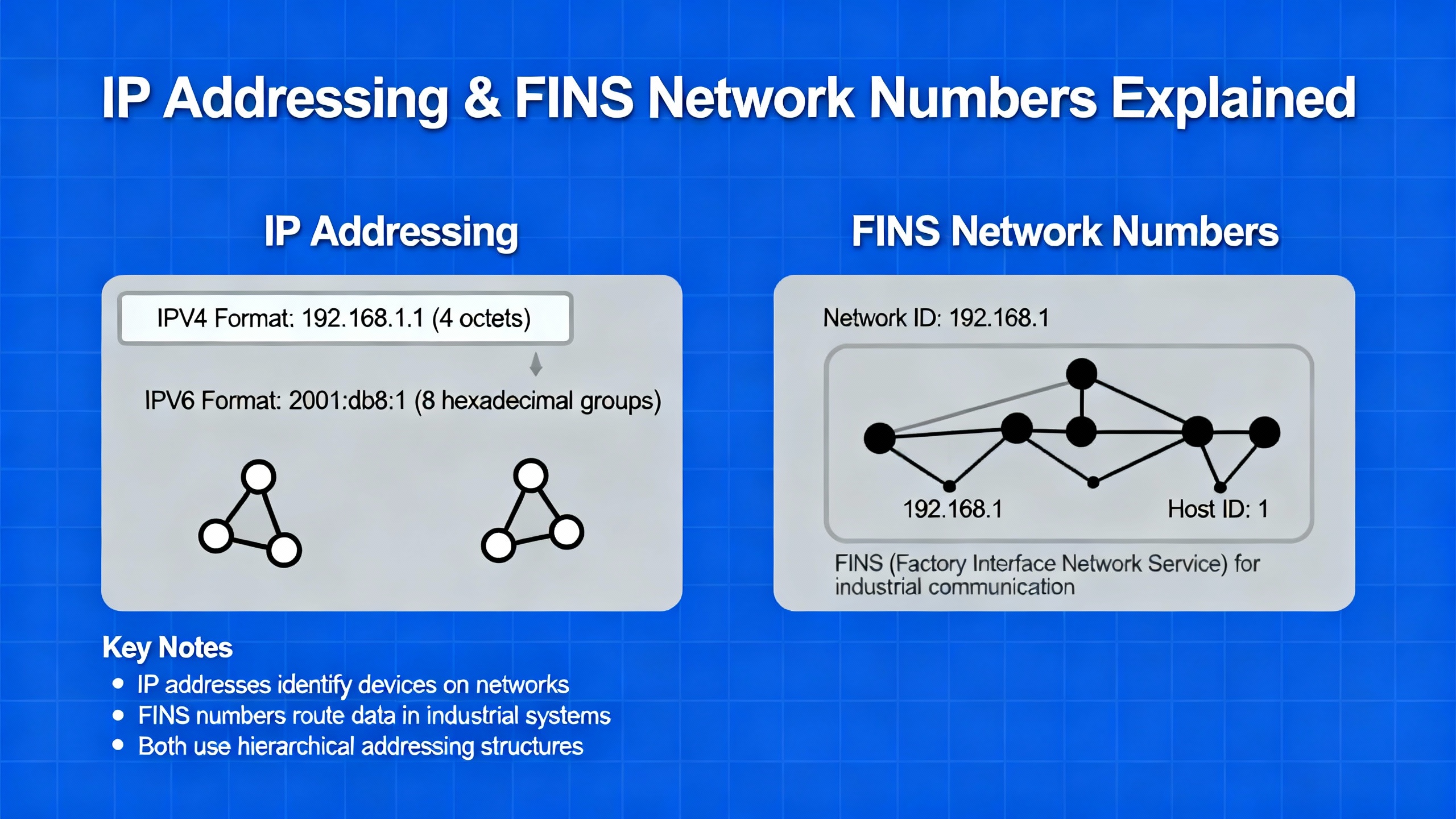
When SCADA or OPC servers talk to Omron PLCs over FINS Ethernet, port and channel design matters more than many engineers realize.
Software Toolbox’s guidance on the Omron Ethernet TOP Server makes this clear. In their architecture, each TOP Server “channel” has a single configured IP adapter and port number. For Omron FINS Ethernet, the PLC expects each remote IP to use a specific, fixed port, with a default of 9600. FINS also requires the source and destination port number to be the same. This differs from normal TCP/IP behavior where the operating system assigns ephemeral source ports for outgoing connections and routes responses accordingly.
Because of that constraint, Omron communications treat the combination of IP address and port as a unique identity. If you place multiple PLCs under a single OPC channel that uses one IP and port, the driver cannot truly multi‑thread communications to those PLCs in parallel. The driver documentation notes that “communication to multiple physical devices from the same channel when using Ethernet in the OPC server is not effective” and that this configuration only works if the client takes turns talking to one PLC at a time.
To achieve parallel communications, you either assign a unique listening port to each PLC and configure a matching port in each OPC channel, or you multihome the PC Ethernet adapter so each channel uses a distinct IP address while all PLCs share a common port. Multihoming means assigning multiple IP addresses to the same physical LAN card, which the TOP Server driver explicitly supports. The driver help also points out that creating multiple channels, each with its own port, is a simple way to optimize performance. An example layout splits channels onto ports like 9601 and 9602 while leaving CX‑Programmer on the default 9600.
The same documentation warns that if multiple PLCs share a single channel and one of them experiences timeouts or slow communications, it will slow all devices on that channel because the channel is single‑threaded. This matches what we see on site: one misbehaving PLC on an overloaded channel causes every HMI tag or SCADA value on that channel to update sluggishly or drop out.
A separate knowledge note from OPC experts on Omron FINS connections emphasizes correct FINS network, node, and unit addressing in the OPC driver configuration, correct IP addressing, and open UDP or TCP ports for FINS. Omron Ethernet units may also include IP filters or node tables that restrict which remote nodes can connect. If those tables do not include the OPC server’s IP or node number, no amount of firewall tweaking on the PC will fix the connection.
In practice, when an OPC server fails to establish a FINS Ethernet connection to an Omron PLC, a solid troubleshooting sequence looks like this. Confirm IP connectivity with basic tests such as ping. Verify that the PLC’s Ethernet unit has the expected IP configuration and that any IP filters or node tables include the OPC server. In the OPC server, confirm the FINS network number, node number, and unit address match the PLC’s settings. Then look at the channel design, especially with Software Toolbox TOP Server or similar drivers: ensure either unique ports or unique IPs per PLC, and avoid placing many devices under a single channel when you need reliable parallel communications. Finally, review firewall rules to allow FINS ports, often including UDP port 9600, and use the OPC server’s diagnostics to interpret any FINS error codes reported during connection attempts.
Ethernet‑based Omron controllers are powerful but not infinite. Each model has limits on how many concurrent TCP connections it can maintain, and those limits are easy to hit in modern architectures.
The Inductive Automation forum discussion on the Omron FINS/TCP driver illustrates this. The PLC model in question supported around three simultaneous TCP connections, while larger Omron PLCs could handle roughly sixteen. When SCADA, programming tools, HMIs, and other services all connect simultaneously and then drop connections without proper closure, the PLC can end up holding stale sessions indefinitely. In Ignition, devices then show a ReconnectWait status, indicating that the driver is waiting to re‑establish a lost TCP connection but cannot because the PLC’s connection table is full of abandoned sessions.
In that case, enabling the PLC’s TCP keep‑alive or idle timeout functionality so that the controller resets inactive connections after about one minute of no activity significantly improved stability. The keep‑alive was disabled by default, so stale sessions persisted until the PLC was restarted. With keep‑alive enabled, the PLC began to automatically clean up idle connections, freeing capacity for new sessions from SCADA.
The multi‑device NJ101 case on MrPLC appears to suffer from a similar category of resource strain, even if the details differ. The NJ101‑9000 had an NA5 HMI, two EtherNet/IP code readers, a communication device, an RS‑232 to EtherNet/IP converter feeding a manual reader, and a Zebra ZT411 printer all on the same network. After adding the printer, the engineer observed that the PLC could send several print job frames, but after a short period, the SktTCPRcv receive block began returning error codes such as 2003, 2006, and 2007. They also noticed that when a programmer PC was online, the HMI took a long time to boot, and online edits of the PLC logic temporarily broke communications between PLC and HMI.
While those error codes were not decoded in the thread, the symptoms point to a mixture of socket limits, timeouts, or network congestion. Every additional device consumes PLC communication resources, and online monitoring from a programming PC adds another stream. During online edits, PLC firmware may temporarily prioritize internal tasks over communication, making a fragile design more likely to drop.
In the field, I treat Omron TCP connections as a finite budget. Inventory every consumer of a PLC connection: HMIs, SCADA, data historians, OPC servers, robot controllers, label printers, maintenance laptops, and remote access gateways. Compare that count with the documented connection capacity for the specific PLC model and communication unit. Where possible, consolidate read paths through a single OPC server or SCADA component instead of exposing the PLC directly to many independent clients. Use keep‑alive or idle timeout settings on the PLC to reclaim resources automatically, and avoid leaving programming tools connected indefinitely when they are not actively in use.
Omron NJ and NX controllers are commonly used as EtherNet/IP scanners, talking to robots, barcode readers, and printers. Configuration mistakes at this layer often masquerade as “network” failures.
A Universal Robots forum thread on “Ethernet/IP – Omron PLC” had two recurring themes. First, engineers found that the EtherNet/IP registers defined in the EDS file used successfully with older CB3‑series robots did not match the register layout in newer e‑Series robots. When they attempted to reuse the same EDS and register mapping with e‑Series controllers, data did not align properly even though the connection nominally established. Second, some users struggled simply to find the correct EDS file for their robot model, which is essential because the EDS defines available assemblies, data sizes, and register mapping that the Omron PLC uses to interpret the robot’s I/O.
Eventually, users reported that they did locate appropriate EDS files for e‑Series robots after more searching, and that Universal Robots CB3 and e‑Series controllers differ in their EtherNet/IP register layouts. The implication is straightforward: when you move between robot generations or variants, do not assume EtherNet/IP mapping is identical. Always obtain and import the official, series‑specific EDS file for the exact device. Then build your Omron NX or NJ tag mapping directly from that version.
The multi‑device NJ101 case demonstrates another aspect of EtherNet/IP and TCP‑based device integration: the cumulative effect of many devices plus a label printer. An NJ‑series PLC, NA‑series HMI, two Keyence readers, a communications module, a serial gateway, and a Zebra ZT411 printer all share the same network. It is not surprising that once the printer is added and subjected to sustained traffic, the PLC begins returning errors from its TCP function blocks and communications with the HMI become more fragile under load or during online edits.
The practical takeaway is to treat EtherNet/IP and TCP device integrations not just as individual pairings, but as a network of concurrent consumers. Check device manuals for connection counts, maximum data sizes, and heartbeat or timeout parameters. Stage new devices under controlled conditions before moving into continuous production. If adding one new device causes marginal errors to become frequent, that is a strong signal that your communications design is near or beyond the limits of either the PLC or the network infrastructure.
Many plants use Omron PLCs alongside Siemens, Rockwell, or other vendors’ controllers. OPC servers, such as Kepware’s KepServerEX or Software Toolbox’s TOP Server, are the glue between these ecosystems.
A research article in the TELKOMNIKA journal on communication between PLCs from different vendors using OPC servers outlines the role OPC plays as middleware. OPC Data Access (OPC DA) exposes real‑time PLC data to clients such as SCADA or HMIs through standardized interfaces. The reference list for that paper leans heavily on OPC DA specifications and Kepware documentation, and surveys on OPC and OPC UA, emphasizing that OPC is a mature and widely used mechanism for industrial data integration.
From a practical standpoint, the message for Omron users is clear. When you connect Omron PLCs into a multi‑vendor environment using OPC, focus on getting two things right: the Omron‑specific driver configuration, including FINS or EtherNet/IP parameters and the port and channel considerations discussed earlier, and the overall OPC architecture, including security and reliability. Using a robust OPC server as a central hub allows you to keep Omron specifics in one place and expose normalized tags to the rest of the plant’s software.
However, OPC cannot magically fix an underlying Omron configuration flaw. If FINS network numbers or IP addresses are incorrect, or if you exceed the PLC’s connection capacity, the OPC server will fail in the same way a direct HMI would. The troubleshooting sequence is therefore layered: first ensure the Omron PLC can be reached and communicates correctly with native tools such as CX‑Programmer or Sysmac Studio; then bring in OPC and normalize data across vendors.
On site, you rarely have the luxury of tracing a single forum thread from beginning to end. You have a down line and a limited maintenance window. Here is how I structure a communications troubleshooting session for Omron systems, based on the patterns in these real cases and vendor documentation, without relying on guesswork.
I begin at the physical layer. For serial or USB‑based connections, I check the cable length, routing, and adapter quality. If I see long coils of RS‑232 wrapped near drives or power feeds, I reroute or shorten them. When I am not using a known‑good commercial Omron cable, I verify pinouts and handshaking jumpers against the official Omron documentation rather than trusting whatever was built during commissioning.
Then I verify IP connectivity. From a programming PC or dedicated maintenance laptop, I confirm that I can reach the PLC’s IP address with simple network tests. If direct connections work but plant‑network connections fail, I review the PLC’s IP, mask, and gateway settings with the IT team. For Omron NX and NJ controllers configured via BOOTP or DHCP, I confirm the final static configuration matches the plant’s addressing scheme and that any intermediate firewalls, VLANs, or routing rules permit traffic.
Next I check FINS network parameters. In CX‑Integrator, I ensure that every PLC on a given logical segment shares the same FINS network number and has a unique node number. If one CP1L appears on a different network than its peers, I focus on restoring its network setting and, if necessary, consider clearing and reconfiguring its network parameters through official Omron procedures.
Once basic connectivity and FINS addressing are confirmed, I examine how drivers and OPC servers are configured. With Software Toolbox TOP Server or similar drivers, I review channel configuration, ports, and IP assignments. If many PLCs share a single channel, I expect performance and robustness problems, especially when one PLC has timeouts or is offline. Where necessary, I redesign the setup with one PLC per channel, assign unique ports or IP addresses, and use alias names in the OPC server so that SCADA clients do not require large reconfiguration.
After that, I look at connection limits and TCP housekeeping. Using the PLC model’s documentation and experiences from cases like the Ignition FINS/TCP driver thread, I estimate whether the number of concurrent clients and devices may exceed the PLC’s capacity. If there is any doubt, I reduce the number of simultaneous connections, consolidate data reads through a single OPC server, and enable keep‑alive or idle timeout features on the PLC to reclaim idle sessions automatically.
Finally, for EtherNet/IP and other device‑specific integrations, I validate EDS files and register mappings. If a robot or printer was recently upgraded, I do not assume that the previous EDS and tag mapping are still valid. I obtain the correct EDS for the exact model and firmware series and rebuild the Omron I/O mapping from that authoritative source.
Working through these layers usually isolates the problem within a single domain: physical cabling and noise, IP addressing and routing, FINS network numbers, OPC driver configuration, TCP resource limits, or EtherNet/IP mapping. Once you know which layer is at fault, repairs are relatively straightforward.
The table below summarizes a few recurring patterns from the cases discussed, along with where they were observed.
| Symptom | Likely technical cause | Evidence source or context |
|---|---|---|
| Only one CP1L out of four cannot talk to CJ2M master | Wrong FINS network number on that CP1L | MrPLC forum case of CP1L on network‑0 vs others on network‑1 |
Ignition Omron FINS/TCP driver shows frequent ReconnectWait | PLC TCP sessions not timing out; connection limit hit | Inductive Automation community discussion on FINS/TCP dropouts |
| Large NJ101 cell fails after adding Zebra printer | Socket or resource limits under multiple EtherNet/IP devices and TCP sessions | MrPLC NJ101 communication problem with multiple devices |
| Serial uploads take several attempts over long USB‑RS‑232 cable | Poor adapter behavior and RS‑232 signal integrity | Control.com report on USB converters and long coiled cables |
| OPC or driver can see some PLCs but not others on Ethernet | Channel and port design not aligned with Omron FINS rules; possible IP quirks | Software Toolbox TOP Server Omron Ethernet guidance |
| EtherNet/IP mapping works on CB3 robots but not e‑Series | Incompatible EDS file and register layout | Universal Robots forum EtherNet/IP thread with Omron NX1P |
In one documented case on an Inductive Automation forum, an Omron PLC model supported about three simultaneous TCP connections, while larger Omron models could support roughly sixteen. The exact number depends on the controller and Ethernet unit model, so the safe practice is to check the specific Omron manual for connection limits and then design your architecture so that SCADA, HMIs, OPC servers, robots, printers, and engineering tools combined stay within that budget.
One engineer investigating an Omron TCP driver issue discovered that the controller’s network type was set to Toolbus rather than FINS/TCP or generic Ethernet. Because an existing Windows‑based HMI relied on that configuration and its application code could not be changed, the manufacturer recommended adding a second Ethernet card and modifying the PLC program instead of altering the existing Toolbus configuration. That case shows the importance of considering legacy HMIs and field devices before changing the PLC network type. In general, when in doubt, consult both the device manufacturer and Omron documentation before switching protocols on a running system.
OPC and driver diagnostics often show that the server can reach the PLC IP address, but FINS messages still fail. Common reasons include mismatched FINS network or node numbers between the PLC and driver, missing entries in the PLC’s IP filter or node table for the OPC server, blocked FINS ports in firewalls, or channel and port configurations that violate Omron rules about fixed source and destination ports. The recommended practice from OPC and driver vendors is to verify IP connectivity first, then align all FINS addressing parameters, then ensure the correct ports are open, and finally review any Omron‑specific limitations documented by the driver, such as port and IP constraints.
Omron PLCs are solid controllers, and when their networks fail it is almost never because the PLC is “flaky.” It is because the system around them was pushed just beyond a limit or misconfigured in a way that only shows up under load. If you approach these problems systematically, from the wire to the protocol to the resource limits, you can turn intermittent dropouts and mysterious timeouts into well‑understood, permanently resolved issues—and keep your lines running instead of rebooting hardware in frustration.


Copyright Notice © 2026 mooreautomated.com All rights reserved,Moore Automated is not an authorized distributor or representative of the manufacturers featured on this website. Brand names and trademarks featured are the property of their respective owners.



Leave Your Comment