







MP 3009X
Get A Quote
Industrial plants live or die by predictable control. When a PACSystems RX3i throws an error and an operator is staring at a cryptic entry in the fault table, production time, product quality, and safety are all on the line. As an on‑site automation engineer, I’ve stood in front of panels at 3:00 AM with a laptop, parsing fault codes and hex payloads, juggling network diagnostics, and deciding whether we can keep running or must halt. This article is a pragmatic, field‑tested guide to understanding GE/Emerson PACSystems error codes, what they actually mean on the plant floor, and how to resolve them quickly and safely. It blends first‑hand practices with reputable knowledge from sources such as the Automation & Control Engineering Forum (Control.com), GES Repair, New Tech Machinery’s Learning Center, UpKeep, Design News, and community engineering guidance.
Fault codes are the controller’s language for telling you what went wrong and where to look next. In the moment, these messages compress a lot of diagnostic context into a few fields and a terse line of text. If you can read them fluently, you shorten downtime, avoid blind part swaps, and protect equipment. If you misread them or ignore their nuance, you chase ghosts or restart equipment in ways that mask root causes.
The stakes are high. Industrial control systems tie together sensors, actuators, drives, HMIs, and networks. A single communication fault can ripple into alarming operator panels, stalled conveyors, and rejected batches. Error codes and the controller’s fault table provide the fastest thread to pull when triaging. They also provide documentation for post‑mortems and continuous improvement.
On RX3i systems, the controller fault table records recent events with structured fields. In practice, an entry includes a plain text message, numeric identifiers for the error code and group, an action classification, the task number, and a raw record or hex payload. You’ll see phrases like “System-software fault: resuming,” paired with a code and metadata that you can correlate to firmware modules, tasks, or communication stacks.
The “Action” field is especially helpful. When the entry shows a diagnostic action rather than a fatal stop, you know the CPU resumed or continued operation, even if something transient or recoverable happened under the hood. That classification guides your triage sequence: continue production while investigating, or halt and repair.
A widely referenced case on the Automation & Control Engineering Forum describes an RX3i entry with the text “0.4‑LAN System-software fault: resuming,” accompanied by Error Code 402, Group 16, Action 2 (diagnostic), Task Number 6, and a hex payload. In the field, I treat a “LAN System‑software fault” plus “resuming” and a diagnostic action as a signal that the Ethernet stack reported an internal condition but the CPU kept going. That combination does not give you permission to ignore it; it tells you to investigate firmware compatibility, network stability, and switch behavior without assuming the process has stopped.
Here is how such an entry breaks down at a glance and how I act on it during triage.
| Field | Example value | What it indicates | Practical next step |
|---|---|---|---|
| Message text | 0.4‑LAN System‑software fault: resuming | The Ethernet/LAN subsystem raised an event; the CPU resumed | Review recent network changes; verify switch logs and link stability |
| Error Code | 402 | Numeric code for the specific fault instance | Use vendor references and support channels to decode exact meaning |
| Group | 16 | Fault group category used by the controller | Map to subsystem area; correlate with CPU Ethernet module firmware |
| Action | 2 (diagnostic) | Informational or recoverable event classification | Keep the line running if safe; prioritize root‑cause analysis |
| Task Num | 6 | Task context for where the event was logged | Cross‑check which task handles LAN operations |
| Raw record | 28001d001400000004011d000000000c0a88066 | Hex payload for deeper support analysis | Save and share with vendor support if needed |
The point is not to memorize values. The point is to use the structure: when action shows diagnostic and the text says resuming, you treat it as recoverable, collect more evidence, and continue investigating without reflexively power‑cycling equipment.
The definitive decoding of PACSystems faults lives in OEM documentation and support notes. In practice, I turn to PACSystems family manuals, CPU and Ethernet module references, and redundancy or hot‑standby manuals from GE Fanuc and Emerson. When I need to interpret a specific RX3i Ethernet fault, I consult the OEM’s Ethernet documentation. If I’m dealing with redundancy behavior, I review the hot‑standby CPU manual. If I’m bridging to legacy buses, I use the appropriate gateway module manual. This is consistent with the advice from GES Repair to look up manufacturer‑specific codes and apply the prescribed procedures. When forum discussions offer clues, I treat them as triangulation, and I verify conclusions against the vendor’s published materials or support.
When you strip away the jargon, recurring categories surface. Communication faults are common, whether they’re controller‑to‑I/O, controller‑to‑HMI, or controller‑to‑controller. Sensor errors show up as bad reads or intermittent signals. Software glitches include application‑level issues such as invalid state handling. Network problems include duplicate IPs, link flaps, switch misconfigurations, and firmware mismatches. Community guidance for GE hardware consistently emphasizes verifying device names and IP addressing, confirming GSDML compatibility for industrial Ethernet devices, checking firmware versions, inspecting cabling, and reviewing managed switch settings such as VLAN and QoS. Those habits come from field experience because many “mystery” codes turn out to be ordinary configuration drifts or physical layer problems.
When the fault table points to the LAN/Ethernet subsystem and explicitly says the CPU is resuming, I split my analysis into three threads. First, I verify CPU and Ethernet module firmware against supported versions and known defect notes. Second, I look outward to the network: link speed and duplex alignment, switch port counters for errors, and event logs for link drops or storms. Third, I check for addressing and naming conflicts, particularly duplicate IPs or incorrect device names on networks like Profinet. These are the issues that experienced engineers on the Automation & Control Engineering Forum flag when diagnosing controller LAN entries backed by diagnostic actions rather than fatal stops.
A classic symptom in machine controls outside PACSystems is a “host communication error” on power‑up, where the HMI complains it cannot reach the controller. New Tech Machinery’s Learning Center walks through a representative case that turned out to be a loose communication cable between the HMI screen and the PLC inside the control box. I mention this not as a GE‑specific fix but because the pattern is universal: no matter the brand, check power is off, open the panel, reseat or replace the HMI‑to‑controller cable until the connector clicks, secure the clamp that prevents tugging, reassemble, and retest. In PACSystems environments, that same disciplined physical confirmation of connectors and strain relief solves far more “mysterious” HMI faults than people expect.
Many installed bases still carry legacy Genius fieldbus networks. On RX3i systems, the Genius Communications Gateway (GCG) module provides the bridge between the PLC and the Genius bus. When a team raises a “fault status data” concern on that path, the usual culprits are mismatched configuration ranges, incorrect drop IDs, or data mapping misinterpretation. I verify that the PLC logic expects the same produced and consumed lengths as the GCG configuration, confirm device addressing, and double‑check status word and bit packing, including endianness. Compatibility matters here as well; for reliable operation you need CPU and GCG firmware that aligns with the vendor’s current guidance.
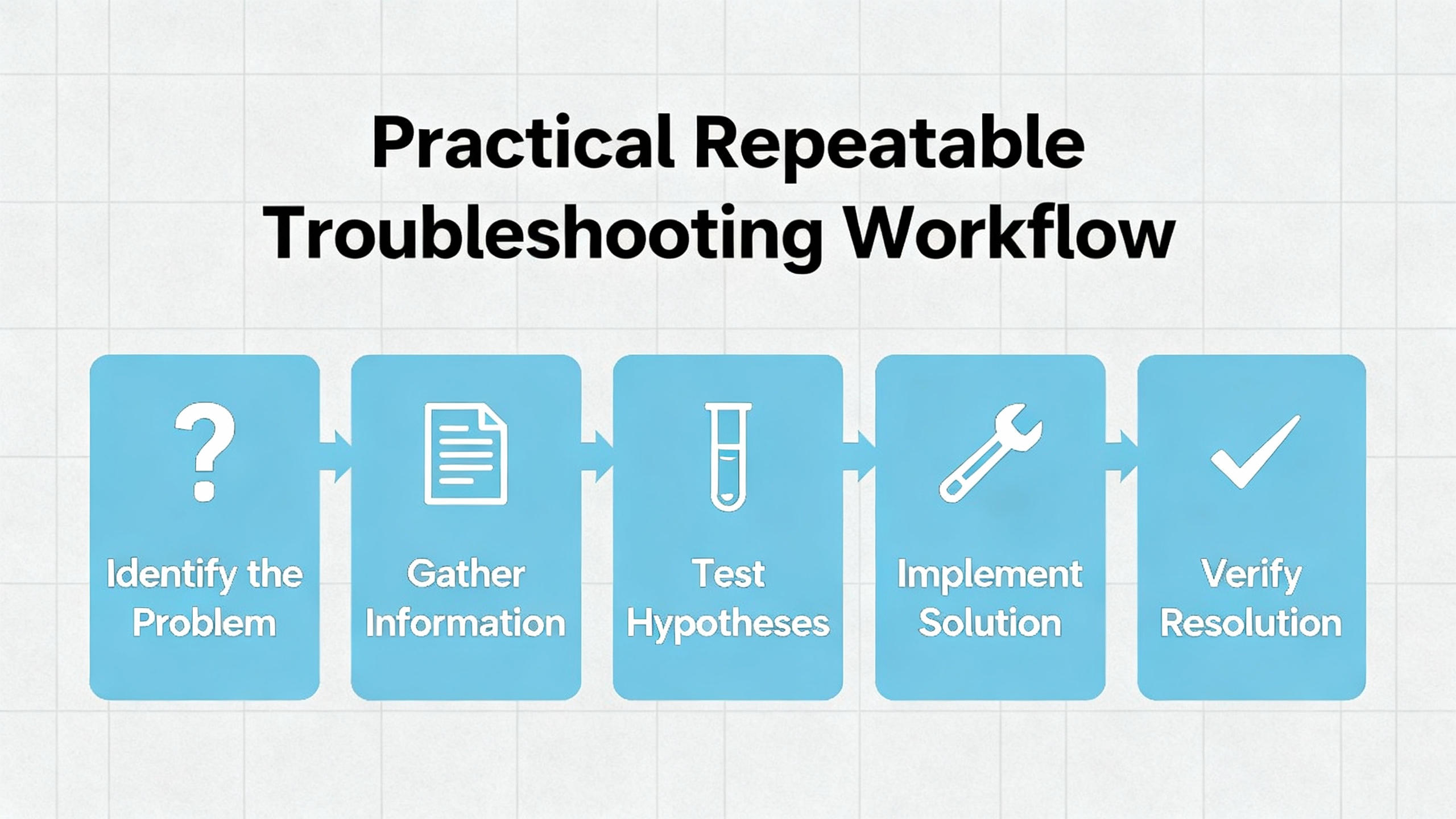
There is a right order to this work that saves time and keeps people safe. The best advice in broad industrial control troubleshooting comes from reliable sources like GES Repair and aligns with what I’ve seen on the floor. I begin with safety. Lockout/tagout to ensure no stored energy or motion can surprise you. I capture everything from the fault table, including codes, groups, action class, and any raw hex record, along with the time the code appeared. I ask what changed recently, because firmware upgrades, new devices, and configuration edits explain a high percentage of faults.
I check the obvious physicals next. I verify power is present and stable, inspect terminations for looseness or corrosion, and look hard for signs of heat damage. For communication problems, I trace Ethernet runs and reseat connectors, paying attention to cable strain relief and shield termination. I then pivot to diagnostics. If the system has a dedicated diagnostic tool, I pull logs and look for repeated patterns. If I suspect sensors or input channels, I simulate inputs with known‑good signals to isolate whether the wire, the device, or the controller channel is at fault.
When I hit a clear code I do not recognize, I open the OEM guidance and treat their procedure as a standard work instruction. For persistent or complex issues, I escalate early. That escalation flows better when I come armed with the exact controller model, firmware levels, network topology, and a time‑aligned record of controller faults and switch or device logs. As the system returns to normal, I protect the recovery with good maintenance practices: I make backups of configurations, I apply firmware updates that close known bugs only after validation, and I bring panel hygiene back to standard so that the next technician finds a clean, labeled setup.
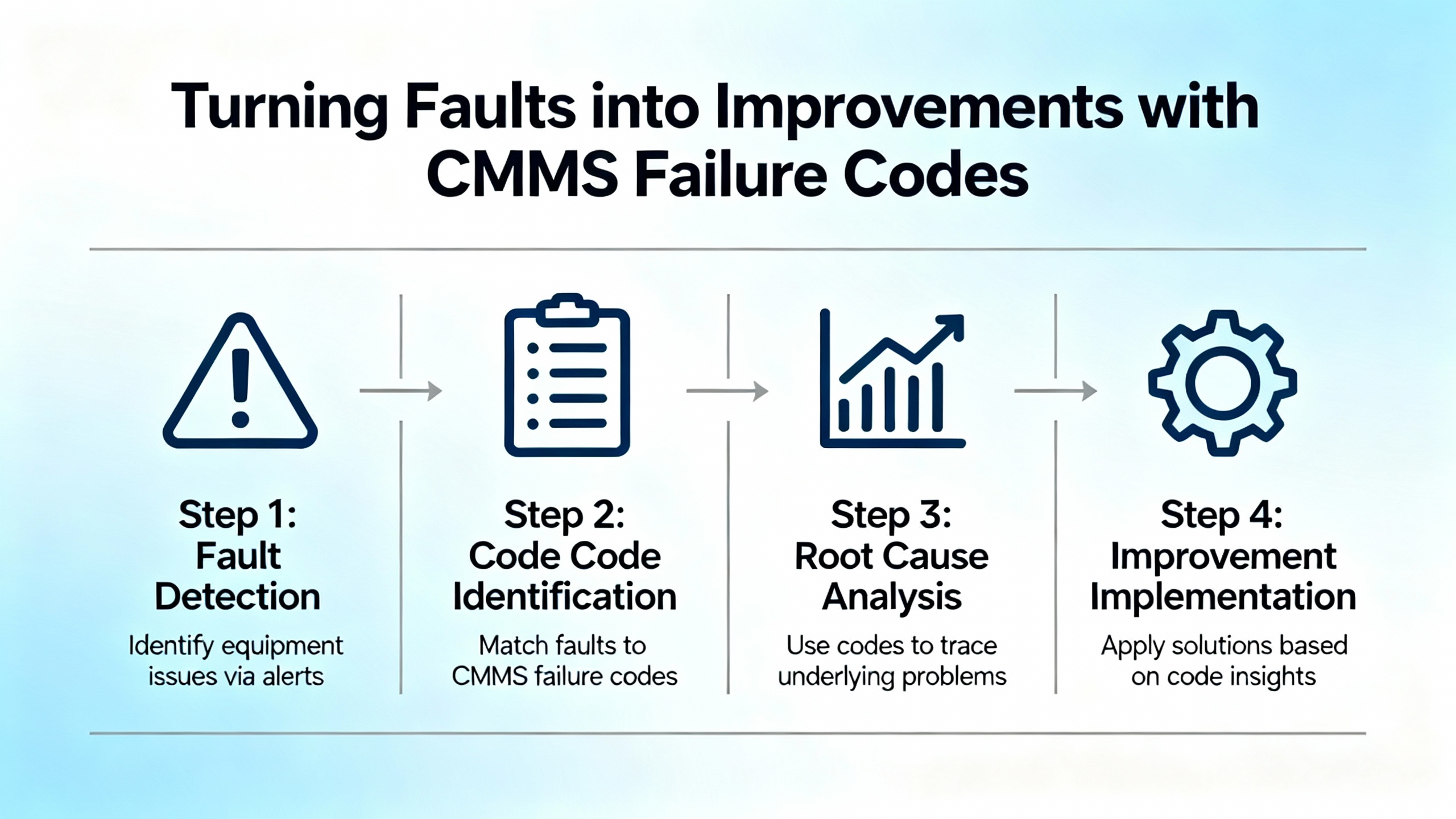
Error codes are not just for firefighting. Your CMMS can capture standardized failure and defect codes so that you can track trends and prioritize fixes. UpKeep’s guidance on failure codes maps well to industrial controls. In my practice, I keep the code set small and meaningful so technicians aren’t overwhelmed, and I use the codes to drive both faster triage and long‑term risk reduction. I define codes that reflect communication failures, sensor signal problems, configuration drift, and software logic errors. I connect the codes to work orders so the history builds automatically. I use code data to assign ownership for chronic problems, and I revisit those areas after fixes to validate improvement. The downside to code systems is data quality: bad inputs lead to misleading trends. The fix is straightforward but requires discipline: train techs, spot‑check entries, and adjust the code list when it doesn’t match reality.
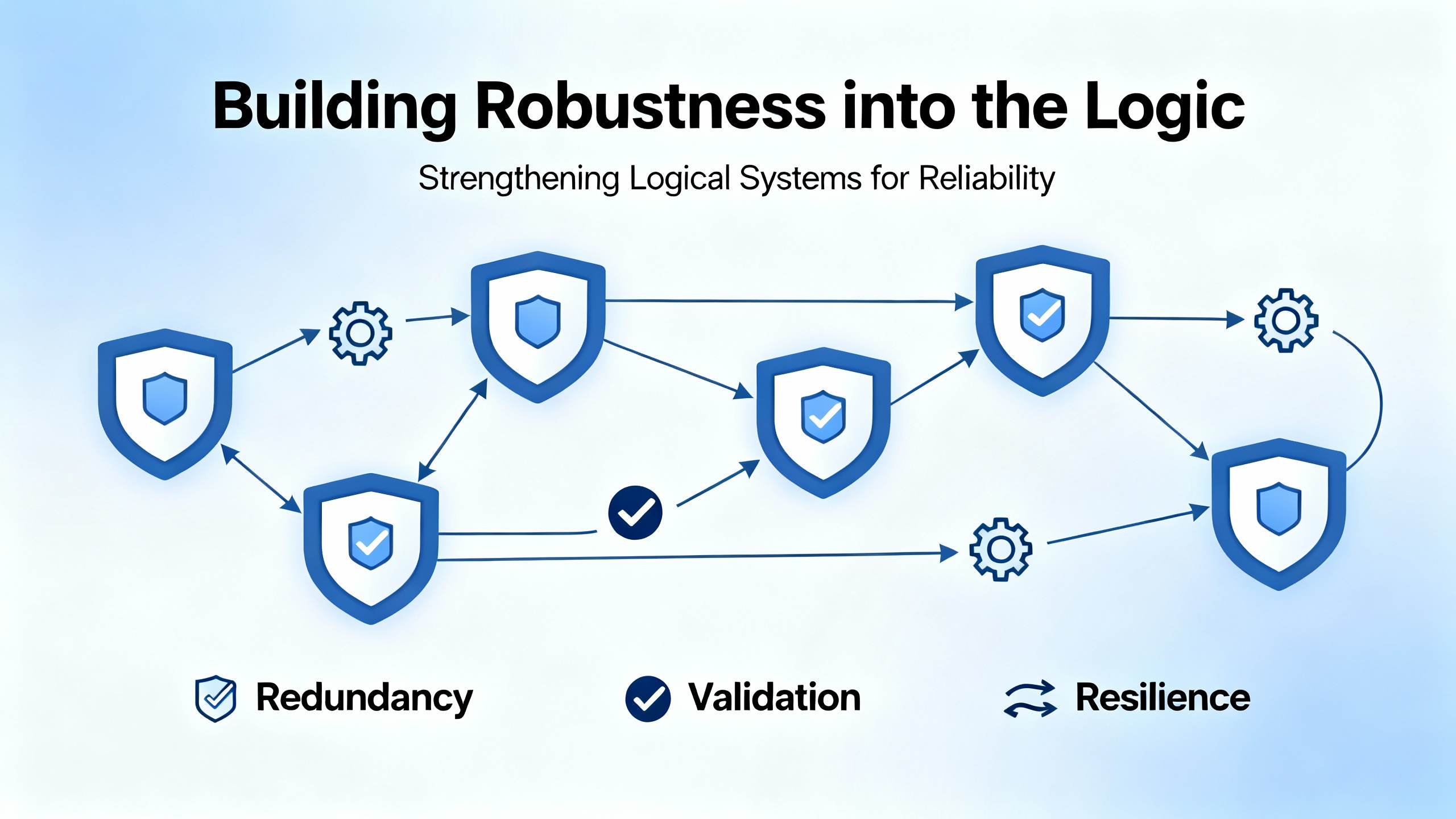
Not every “error” is from the network or hardware. Some are the by‑product of how we write control logic. Design News emphasizes a simple but powerful mindset: at every rung or function, ask what can go wrong and decide what your program should do when it happens. In practice that means validating parameters in structured text or function blocks, checking that a commanded output actually changed state, and handling the case when it did not. It also means treating assertions as development‑time checks and adding run‑time guards in production so that the system reacts deterministically to bad inputs.
Community engineering advice adds a few pragmatic tools. Use consistent error codes or flags within your program to propagate error states through call chains and to HMIs. Maintain error status words the same way you maintain process status, so the HMI can show actionable context rather than a generic “fault.” Leverage watchdogs thoughtfully: a watchdog reset can recover a hung task, but repeated resets are a symptom to be investigated, not a permanent “fix.” Above all, avoid the “we’ll add error handling later” mindset. In real projects, later rarely comes; robustness is cheapest to build while you write the logic and test it.
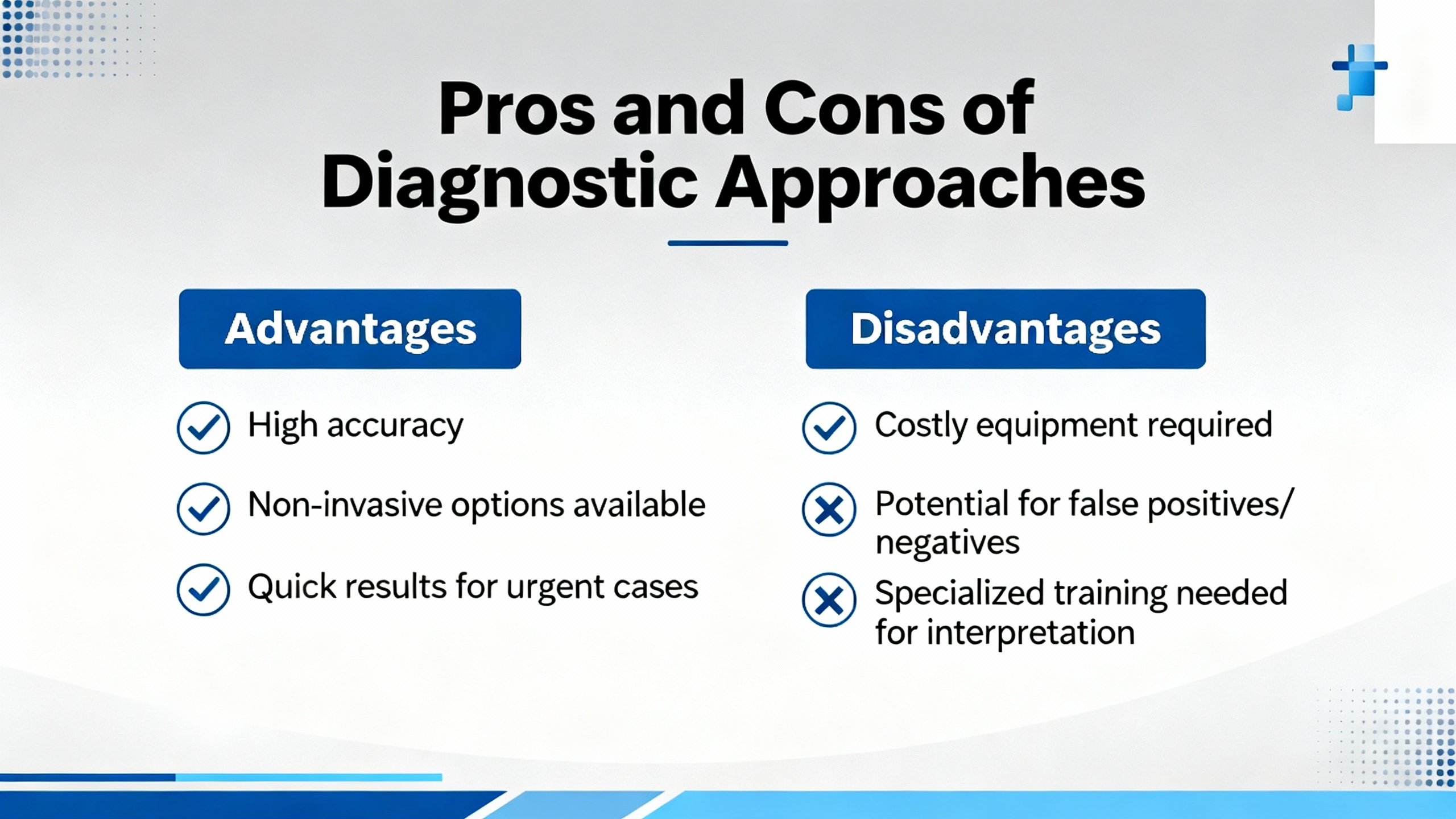
Relying primarily on the PLC fault table is fast and usually effective. You get timestamps, codes, and consistent formatting. The limitation is scope: the controller only knows its domain. When the network or a device misbehaves, the richest detail often lives in switch logs, device diagnostics, or a vendor’s engineering tool. External diagnostics broaden your view and correlate events across systems, at the cost of more tools and more time. A balanced practice is to begin with the PLC’s fault table to anchor your timeline, then expand to device and network records as needed. Another axis is organizational. CMMS failure codes turn unstructured firefighting into structured improvement. The upside is trend visibility; the downside is the overhead to keep definitions clean and data accurate. Teams that invest in a small, well‑maintained code set see that time repaid in fewer repeats and shorter future outages.
Prevention is not glamorous, but it is the cheapest way to have fewer faults and shorter outages. The care basics are simple. Keep panels clean, labeled, and organized so that loose connections are easy to spot and fix. Back up controller and network configurations routinely so recoveries do not begin with guesswork. Apply firmware updates judiciously, but do apply them; many diagnostic oddities disappear with a supported firmware set. Treat HMI and controller comm cables as consumables: keep spares and replace suspect cables rather than spending hours trying to nurse a failing connector through another shift.
On the buying side, think about supportability before you sign. Choose controllers and communication modules that align with the industrial networks you actually run, and verify that device description files such as GSDML are supported in the firmware versions you plan to deploy. If you use legacy buses, confirm the gateway module’s compatibility with your CPU and that you understand the data packing so your application maps status words correctly. Favor managed switches with diagnostics you know how to use, and set aside budget for the engineering software and training needed to pull logs and interpret faults. Above all, make sure you have reliable access to the OEM manuals and a support channel that will accept your diagnostic exports when you need escalation.
When you are at the panel with a code staring at you, the fastest path forward is to translate the fields into action. The following table summarizes how to think about the common elements you will see in the controller fault table and what to do with them.
| Fault table field | Typical meaning | What you do next |
|---|---|---|
| Text such as “LAN System‑software fault: resuming” | Subsystem signaled an event; CPU continued execution | Check firmware compatibility; review network logs; confirm no addressing conflicts |
| Error Code and Group | Numeric identifiers that map to subsystem and event | Look up in OEM guidance; correlate to module or stack |
| Action (diagnostic vs. stop) | Severity classification | For diagnostic, keep running if safe and investigate; for stop, execute controlled recovery |
| Task number | Execution context for the event | Map to the logic or module area responsible for the function |
| Raw record (hex) | Vendor‑specific detail for deeper analysis | Save for support; attach to your incident record |
The Automation & Control Engineering Forum case with Error Code 402, Group 16, and a diagnostic action is a good example of how this works. That entry told the engineer to keep the process moving while investigating the LAN stack and surrounding network, rather than immediately cycling power or swapping hardware.
In one shift, I will often see a triad of scenarios. An HMI shows a communication fault at power‑up because the connector is not fully seated; a panel open and a firm reseat with the right strain relief fixes it. A controller logs intermittent LAN diagnostic entries while the process runs; a switch log later shows link flapping from a failing patch cable, and a cable replacement eliminates both faults. A Genius bus device shows a status mismatch in the PLC data; the root cause is a mismatch between the gateway configuration’s produced length and what the logic expects, solved by aligning the two and confirming the device ID. These are mundane examples, but they are where most hours go, and they are the quick wins that keep production smooth.
What does “Action: diagnostic” actually mean on an RX3i fault entry? In controller parlance, a diagnostic action classifies the event as informational or recoverable rather than fatal. When paired with text such as “resuming,” it tells you the CPU did not stop and that you should investigate while monitoring the process.
Where can I find official definitions for specific codes? The authoritative source is the OEM’s documentation for your controller and communication modules, plus their support advisories. Community wisdom points to PACSystems family manuals and Ethernet or redundancy manuals from GE Fanuc and Emerson. This is consistent with industry advice to consult manufacturer‑specific error references rather than guessing.
How should I log and use fault information for improvement? Capture the fault table entries with timestamps and correlate them with device or switch logs. In your CMMS, standardize failure codes so that technicians can tag events consistently. Over time, analyze which codes recur and assign owners to eliminate root causes rather than repeatedly resetting symptoms.
Error codes are not the enemy; they are the map. With a disciplined read of the fault table, a safe and methodical workflow, and a bias toward robust logic and clean configuration, you can turn cryptic entries into quick, confident action. If you need a second set of eyes on a stubborn PACSystems fault trail, bring me the fault table snapshot, firmware levels, and a sketch of your network. We will solve it at the panel, together, and we will leave the system better than we found it.



Copyright Notice © 2026 mooreautomated.com All rights reserved,Moore Automated is not an authorized distributor or representative of the manufacturers featured on this website. Brand names and trademarks featured are the property of their respective owners.



Leave Your Comment