

Registered Address: 32D Floor Guomao Building, No.388, Hubin South Road, Siming District, Xiamen,Fujian, China
ISO 9001:2015 Certified
Our quality management system covers sourcing,testing and dispatch
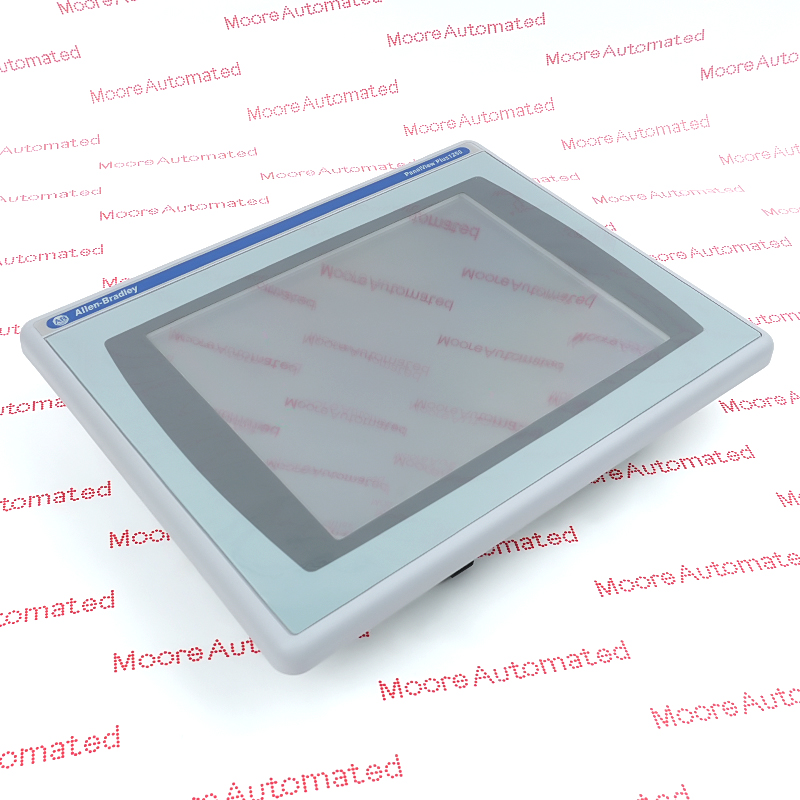
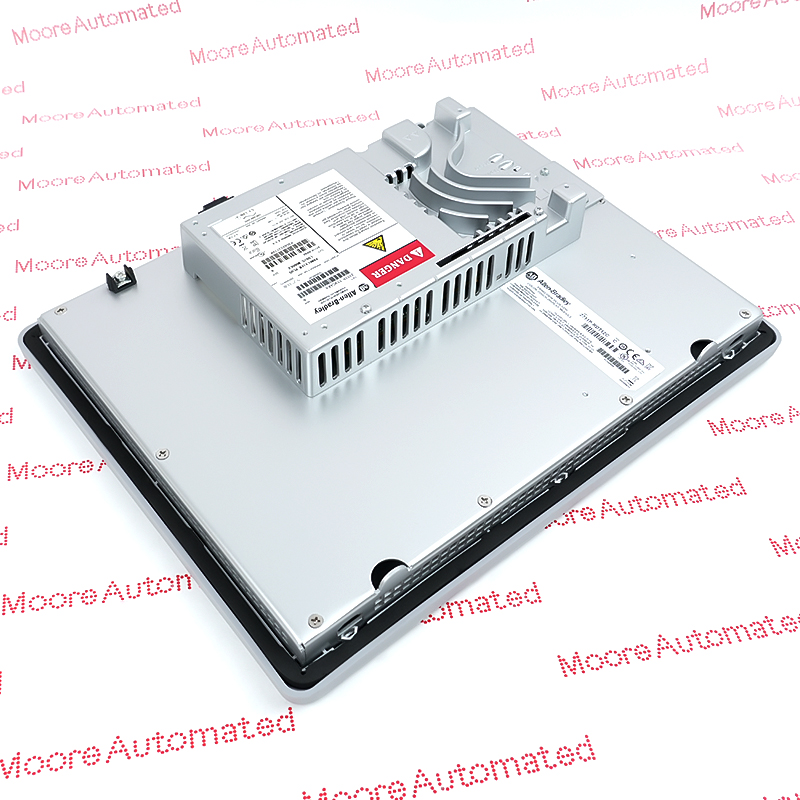
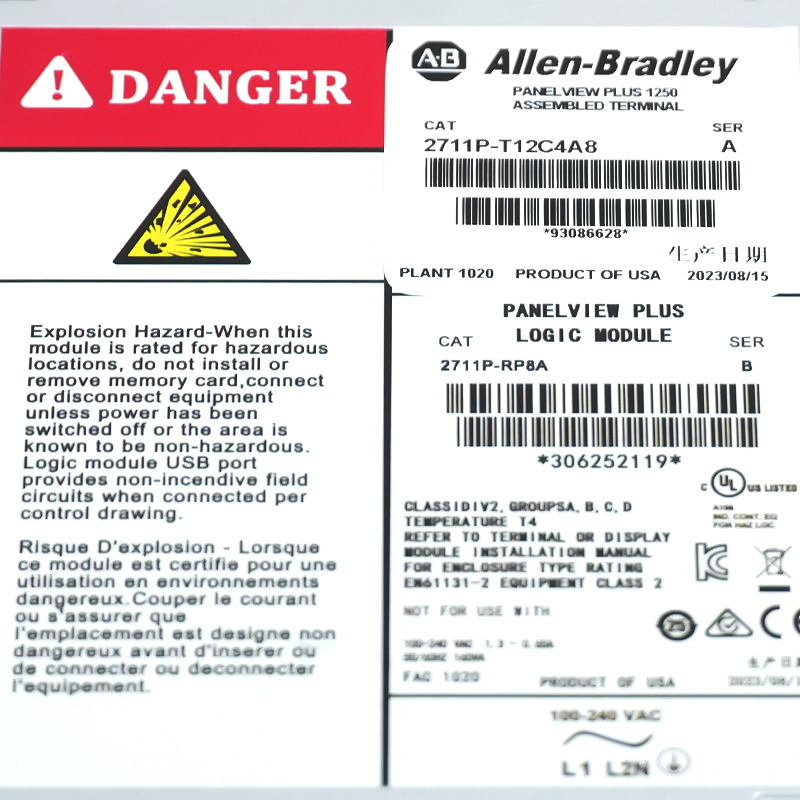
The 2711P-T12C4A8 is a PanelView Plus 6 1250 series industrial human-machine interface (HMI) terminal from Allen-Bradley, a subsidiary of Rockwell Automation. As an intelligent control panel specifically developed for machine-level field visualization, it provides operators with intuitive, real-time monitoring of equipment operating status and production processes, and is widely used in various medium to large-scale industrial automation control systems.
The 2711P-T12C4A8 terminal features a 12.1-inch color active-matrix TFT LCD display, supporting 800 x 600 SVGA resolution and 18-bit color graphics, delivering clear and bright images. Operation utilizes an analog resistive touchscreen with a button lifespan of up to 1 million clicks. In terms of core configuration, the device incorporates 512MB of RAM and 512MB of non-volatile memory, operates on a wide voltage AC power supply (85–264V), and features high industrial protection ratings of NEMA 4X, 12, and IP66 on both the front and rear panels, easily handling harsh industrial environments.
At the software and network levels, the 2711P-T12C4A8 runs on Windows CE 6.0 and comes pre-installed with activated FactoryTalk View Machine Edition (ME) runtime software, significantly reducing system development and project deployment time. For efficient data interconnection, the device integrates a 10/100Mbps adaptive Ethernet port, an RS-232 serial port, and two USB host interfaces, enabling seamless integration with Allen-Bradley's Logix control system and supporting remote monitoring via a web browser, thus ensuring stable and efficient industrial communication.

Registered Address: 32D Floor Guomao Building, No.388, Hubin South Road, Siming District, Xiamen,Fujian, China
MooreAutomated.com is the official website and primary online platform operated by Moore Automation Limited. The website provides information about the company’s industrial automation parts sourcing services, product coverage and customer support. Moore Automation Limited operates as an independent supplier and is not an authorized distributor or representative of the manufacturers displayed on this website unless expressly stated.