

Registered Address: 32D Floor Guomao Building, No.388, Hubin South Road, Siming District, Xiamen,Fujian, China
ISO 9001:2015 Certified
Our quality management system covers sourcing,testing and dispatch


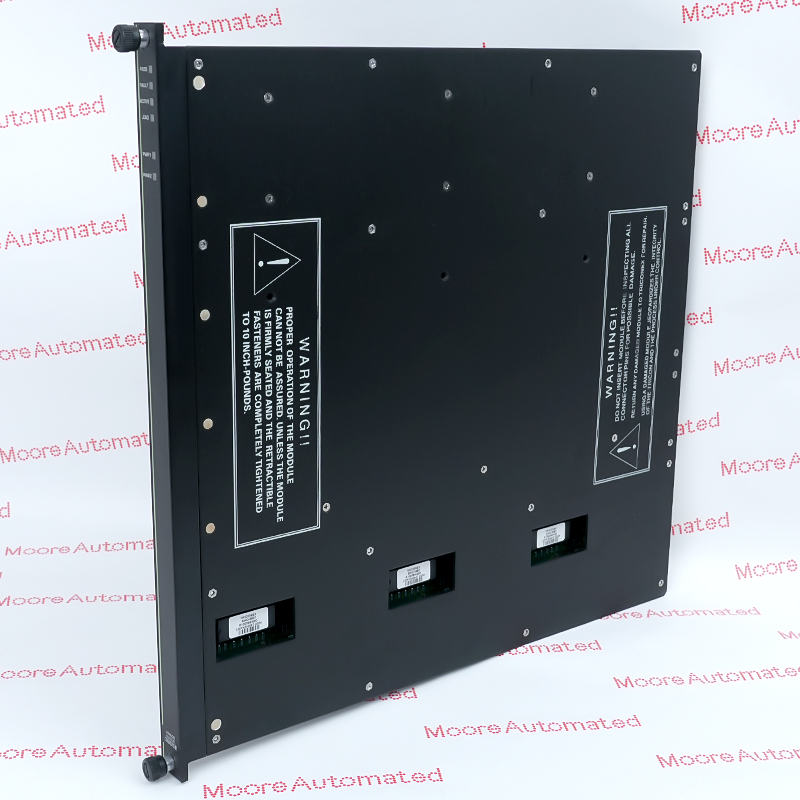
Honeywell's May 2012 Remote Peripheral Solution instructions identify TP-DSOEP1 as a serial operator entry panel for Desktop Stations. The guide explains that a remote connection uses a USB 2.0-to-serial RS-232 adapter between the TP-OPADP1 serial adapter box and the remote USB connection. The additional website suffix -100 is not mapped in the reviewed manufacturer guide and requires exact label or OEM order-record confirmation.
Page 108 of Honeywell's May 2012 instructions identifies TP-DSOEP1 as the serial OEP used at Desktop Stations. The same section states that serial OEP and IKB devices normally connect directly to a computer COM port. When the computer uses a remote connection, communication to the operator entry panel must instead pass through USB. Honeywell documents a USB 2.0-to-serial RS-232 adapter connected between the TP-OPADP1 serial adapter box and the remote USB connector, either directly at the remote graphics unit or through a USB hub.
The website record is titled TP-DSOEP1-100, while the reviewed Honeywell guide names only the TP-DSOEP1 base model and does not define a -100 execution. This page therefore limits its technical claims to the verified base-model identity, serial OEP role and manufacturer-described connection arrangement. Before supply, inspect the complete physical label, connector type and panel condition; record the workstation and adapter hardware; and obtain a traceable Honeywell parts or order record confirming the suffix. Do not borrow dimensions, electrical ratings, key layout, environmental limits or interchangeability claims from another OEP or reseller listing.
Honeywell explicitly identifies TP-DSOEP1 as a serial operator entry panel for Desktop Stations. The guide distinguishes this base model from an Icon Series Console serial OEP and documents the normal direct COM-port connection. Use these verified facts only after the supplied panel label and intended workstation are matched.
For a remote workstation connection, Honeywell states that OEP communication must pass through USB. The documented path uses a USB 2.0-to-serial RS-232 adapter between the TP-OPADP1 serial adapter box and the remote USB connection, which may terminate directly at the remote graphics unit or through a USB hub.
The reviewed manufacturer instructions do not cross-reference the website suffix -100 to TP-DSOEP1. Keep the suffix visible for receiving inspection, but require a legible manufacturer label, traceable order record or exact Honeywell parts table before treating the complete website title as a confirmed manufacturer identity.
Verify TP-DSOEP1 on the physical operator entry panel and obtain exact-item evidence for the -100 suffix. Record the Desktop Station model, existing COM-port or remote connection, TP-OPADP1 adapter identity, USB-to-serial adapter part marking, USB hub or remote graphics unit connection, cable routing and connector condition. Confirm that the approved workstation configuration and site documentation match the proposed panel before it is accepted for installation.
Follow the site's workstation shutdown, isolation and electrostatic-discharge procedures before disconnecting the operator panel. Label every cable and preserve the documented adapter path. Install only the unit whose complete identity and connector arrangement have been verified. After reconnection, confirm workstation startup, USB or COM-port recognition, operator-entry response and every site-required key or command function before returning the station to service. Resolve all communication and input diagnostics first.

Registered Address: 32D Floor Guomao Building, No.388, Hubin South Road, Siming District, Xiamen,Fujian, China
MooreAutomated.com is the official website and primary online platform operated by Moore Automation Limited. The website provides information about the company’s industrial automation parts sourcing services, product coverage and customer support. Moore Automation Limited operates as an independent supplier and is not an authorized distributor or representative of the manufacturers displayed on this website unless expressly stated.