



Honeywell FS-USI-0001 sourcing begins with exact module identity and the installed Safety Manager context. This guide separates what can be confirmed from labels and documents from the application-level decisions that remain with the functional-safety team.
EDITORIAL REVIEW · 4 SEPTEMBER 2026
One familiar reference.
Several details to verify.
Record the full label and installed context before discussing condition, availability or replacement.
Identify FS-USI-0001 precisely
Honeywell’s historical Safety Manager revision list identifies FS-USI-0001 as a Universal Safety Interface and shows more than one part-number/revision entry. That makes the complete label essential. Begin with the FS-USI-0001 product record, then verify the offered unit against the project’s approved hardware documentation.
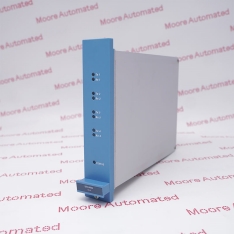
Reference + part number + revision
Do not reduce the requirement to “Honeywell interface module.” Capture the exact catalogue reference, underlying part number, revision and any conformal-coating designation shown on the installed unit.
Historical certification and revision documents are scope-specific. They can help identify a listed hardware version, but they do not by themselves approve a substitution, confirm a current lifecycle state or validate the safety function in a particular installation.
Separate four kinds of evidence
Installed evidence
Nameplate, cabinet position, connected assemblies, drawings and approved hardware list.
Manufacturer evidence
Applicable manual, revision list, lifecycle notice and certificate scope.
Supplier evidence
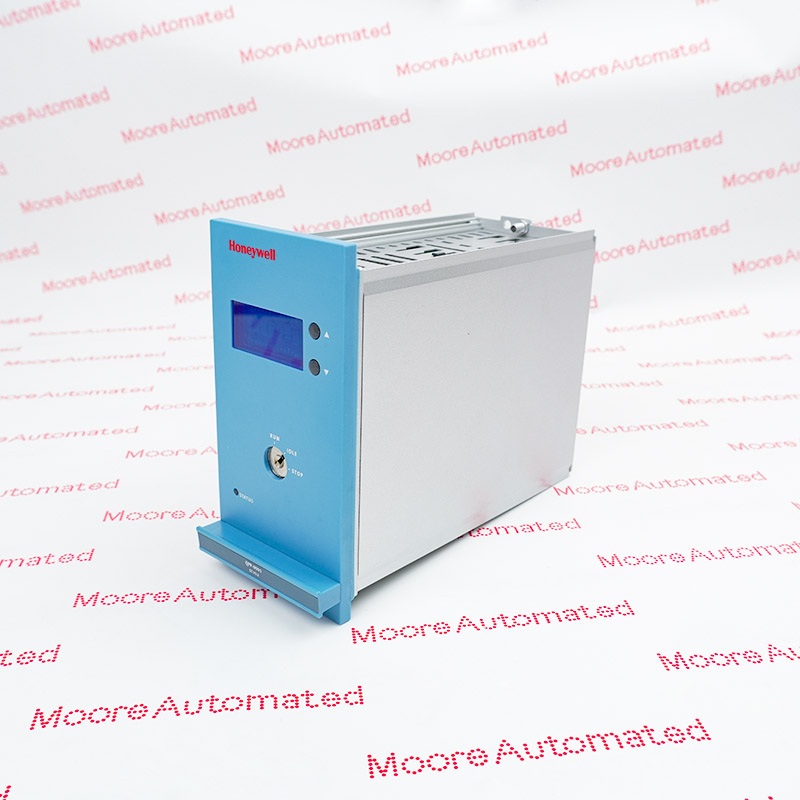
Offered-unit photographs, declared condition, inspection scope and quotation.
Application approval
Compatibility, safety requirements, validation and authorized return to service.
The broader Honeywell Safety Systems catalogue helps organize an enquiry, but a category page cannot establish that two modules or revisions are interchangeable. Request any proposed difference in writing and route it through the site’s established engineering review.
Build a spare-parts decision around the installed system
A safety-system component is part of a defined architecture. Record the Safety Manager release, controller and interface arrangement, connected termination hardware, environmental requirements and any project-specific restrictions. Keep the approved backup and recovery records under change control.
| Question | Procurement record | Safety boundary |
|---|---|---|
| What is installed? | Exact label, revision, location and quantity. | The approved configuration governs suitability. |
| What is offered? | Identity, condition, inspection evidence and delivery terms. | Supplier evidence does not validate the safety application. |
| What differs? | List every reference, revision or coating difference. | Qualified personnel decide whether further assessment is required. |
| What is the plan? | Spare, repair or modernization horizon. | Testing and validation remain project-specific. |
For a related lifecycle framework, read the Honeywell Safety Manager lifecycle guide and Moore Automated’s EOL spare-parts planning guide. Use them as procurement planning aids, not as installation instructions.
Send a complete enquiry pack
Reference, part number and revision.
Platform release and installed context.
Readable labels and connector photos.
Condition, documents, destination and deadline.
Ask for confirmation of the exact offered unit and available documentation. A current quotation should state commercial availability; a historical list should not be used as a present-day stock statement.
VIDEOWatch the original article video
The original article video is retained as supplementary company content. It is not a model-specific compatibility approval, lifecycle notice or commissioning instruction.
Frequently asked questions
What does FS-USI-0001 mean?
Honeywell revision documentation identifies it as a Universal Safety Interface. Verify the complete part number and revision on the actual unit.
Are all FS-USI-0001 revisions interchangeable?
Do not assume so. Compare the installed and offered versions against applicable Honeywell documentation and the approved project configuration.
Does a certificate list prove suitability for my plant?
No. Certification scope and application requirements must be reviewed for the exact hardware version and system configuration.
Can Moore Automated approve a safety-system substitution?
No. Moore Automated can discuss sourcing evidence; the responsible functional-safety professionals must approve compatibility and validation.
What condition information should I request?
Request the declared condition, offered-unit photos, included accessories, inspection scope, warranty and delivery terms.
What should an urgent enquiry include?
Include label photographs, part and revision data, platform context, quantity, required documentation, destination and deadline.
Make the FS-USI-0001 requirement unambiguous.
Send the installed label and system context. Moore Automated can review the commercial sourcing requirement without blurring the line between supply and safety approval.
Email sales@mooreplc.com
WhatsApp / Phone +86 180 2077 6792
Editorial scope: independent maintenance and procurement guidance, reviewed 4 September 2026. Technical context reviewed: Honeywell Safety Manager and Safety Manager SC revision release list (22 March 2021). The historical list is used for identity context only; current lifecycle and application suitability must be rechecked.







Leave Your Comment