Automation Direct spares for practical PLC, I/O and panel repairs
Automation Direct products are often selected because they are practical, modular and cost-effective, but a failed component can still create expensive downtime when it sits inside a running machine panel. A bad I/O module, HMI, Ethernet module, power supply or field wiring accessory can stop a line even when the rest of the machine is mechanically sound.
This Automation Direct collection includes 141 listed products, and every scraped listing includes a product description. The data is strongest around DirectLOGIC and DL series PLC support, Terminator I/O, ZIPLink cables, input and output modules, Ethernet communication parts, RHINO power supplies and panel devices. Backup-model fields were not present in the scraped data, so exact product-name matching and photos matter.
DirectLOGIC, Terminator I/O and ZIPLink examples
Representative listings show the main maintenance scenarios in this collection:
These examples are different from a high-end DCS spare-parts page. The pain point is often a small, specific control-panel item that must match the installed PLC family, terminal base, cable interface, voltage or communication role.
EZ-S8C-F - EZTouch Enhanced EZ Series 8 inch color touch panel with built-in Data Highway Plus interface
T1K-RSSS - remote I/O base controller
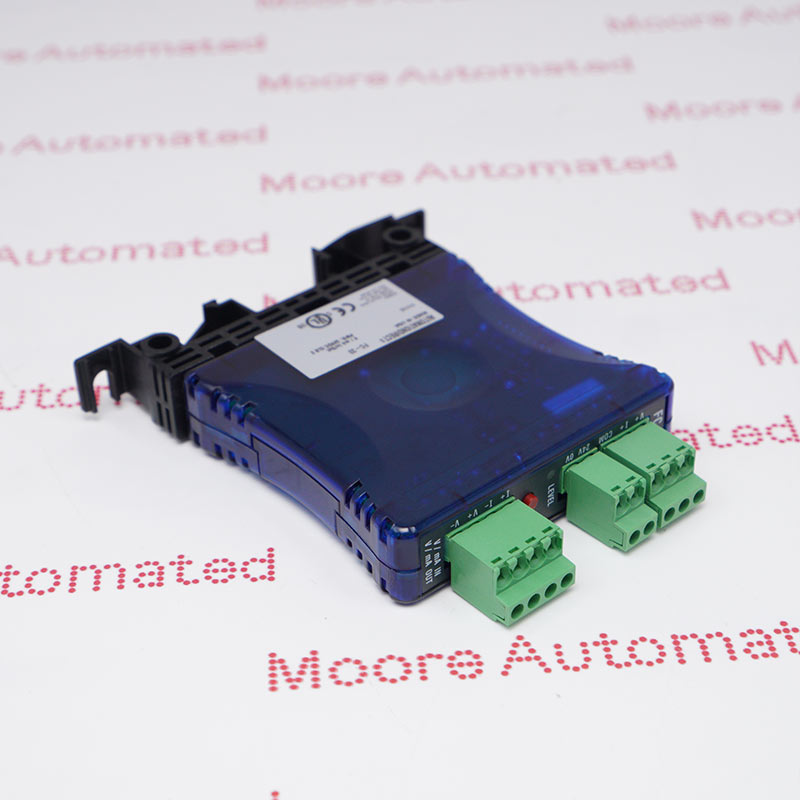
T1K-16TD2-1 - current sourcing output module
ZL-D24-CBL40-1P - ZIPLink PLC I/O cable
H4-ECOM - Ethernet communication module
PSB24-120 - RHINO power supply
When low-cost control hardware becomes a high-cost downtime issue
Automation Direct systems can run for years in packaging machines, conveyors, test benches, small process skids, OEM machines and utility panels. Delays usually start when the exact module is no longer on the shelf, the wiring uses a specific ZIPLink cable, or the failed part belongs to an older DL205, DL405 or Terminator I/O architecture.
The buyer is not only buying a module; they are trying to avoid rewiring, reprogramming or redesigning a machine during an urgent repair. A correct spare can keep the installed panel productive while a future upgrade is planned on a normal schedule.
What to verify before replacing Automation Direct modules
Start with the complete model number from the front label and any side-label information. For T1K and Terminator I/O parts, confirm input or output type, terminal base, channel count, sinking or sourcing logic, AC or DC rating, relay output and field wiring.
For ZIPLink cables, confirm both end connections and the linked PLC or I/O module. For EZTouch or OptiMate displays, include program availability, display size, power requirement and communication interface. For Ethernet modules, send the PLC family, network role and whether the old configuration can be recovered.
Use this collection for PLC and I/O depth, not backup-model matching
The scraped product data shows useful breadth: 141 products, 141 descriptions, strong PLC-related references, many input and output items, and examples across Terminator I/O, ZIPLink, DirectLOGIC communication and panel power. It does not show backup-model fields, so the page should not rely on alternate-reference claims.
A good inquiry should include photos and application context. If the label is damaged, send a cabinet photo, wiring view, PLC family, installed base or adjacent module references.
Why source Automation Direct spare parts from Moore Automated
Moore Automated helps industrial buyers locate hard-to-find automation spares when a normal purchasing route is too slow. For Automation Direct requests, Moore can review the exact model, check old-stock availability, support urgent quotation and plan shipment for teams that need a practical replacement quickly.Moore is not the original manufacturer; its value is helping buyers source the correct spare for equipment that still has production value.
Automation Direct PLC, I/O and wiring spare questions
What should I send for an Automation Direct I/O module quote?
Send the full model number, PLC or I/O family, channel type, voltage, terminal base or wiring photos, quantity and downtime status.
Are T1K Terminator I/O modules interchangeable if they look similar?
No. Check channel count, input or output type, sinking or sourcing logic, AC or DC rating, terminal base and station role before approving a replacement.
What makes ZIPLink cable requests different from normal spare parts?
A ZIPLink cable must match both connected devices. Send the full cable number and photos of both ends or the connected PLC and I/O modules.
Can Moore help if the Automation Direct part has no backup model listed?
Yes. Photos, cabinet context, PLC family and the exact model printed on the failed unit can help Moore identify the correct sourcing target even when no backup model is listed.